The Cost of a Single-Node Zabbix
A monitoring system that goes down with the host it monitors stops being a monitoring system. The single-node Zabbix install is fine for a homelab and dangerous in production: every collector talks to the same database, every alert path runs through the same zabbix_server process, and every restart of any of the three mandatory services (server, frontend, database) takes the whole observability layer with it.
The five-minute story you tell after losing a single-node Zabbix usually goes one of these ways:
- "I rebooted the database for the kernel patch and the server lost its connection pool, so housekeeper queued 200,000 inserts in memory and the OOM killer took the whole VM."
- "The frontend pod restarted during a deploy, the LB removed it from rotation, on-call paged us about 'Zabbix down', and the actual SLO breach in the application went unnoticed for 40 minutes."
- "We patched the host, came back up, and history items from the last 90 seconds were silently dropped because the trapper queue overflowed during the database reconnect."
None of those are bugs. They are the consequences of running a five-tier system on one box. This post is the architectural overview of the topology the rest of this series builds: a database tier, a redundant Zabbix server pair, an isolated frontend, a separate proxy, and the agents themselves. Each tier on its own host (or container), each with its own failure domain, each independently restartable.
HA Cluster Pros and Cons
| Pros | Cons |
|---|---|
| Dividing tasks means if one node fails, the others keep things rolling. | Setting up and managing an HA cluster takes more know-how and effort. |
| Can expand effortlessly to handle more load as your needs grow. | It can cost more to set up and maintain compared to single node setups. |
| Built-in monitoring and recovery features keep things running smoothly. | Running multiple nodes at once might need beefier hardware. |
Single Node Pros and Cons
Although HA clusters are great for production, single node deployments are great for testing
| Pros | Cons |
|---|---|
| Easy-peasy to set up and manage, especially for small setups. | If that one node goes down, so does your whole operation. |
| Costs less upfront and to keep running. | Tough to expand smoothly without some major revamps. |
| Uses hardware more efficiently for standalone tasks. | When things crash, it usually needs a manual touch to get back on track, leading to potential downtimes. |
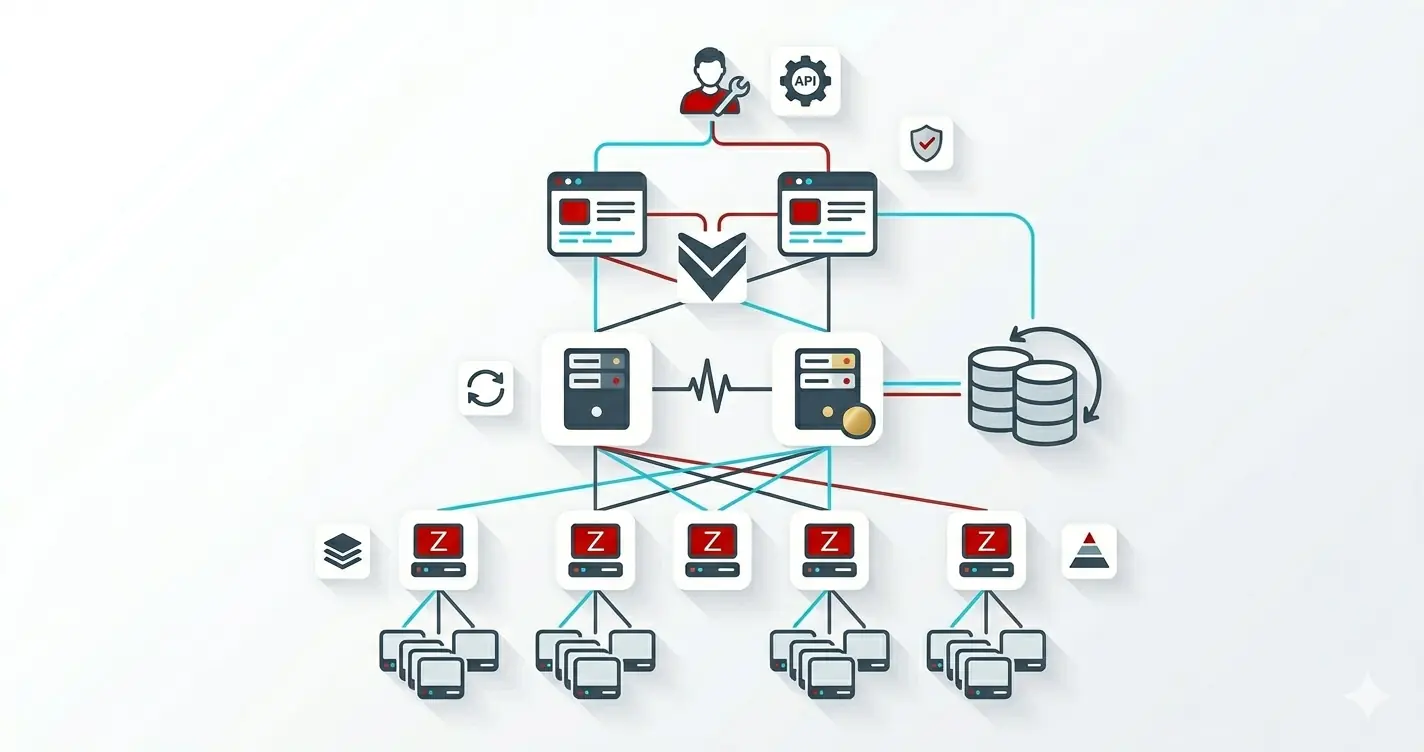
HA Cluster Diagram

Cluster Overview
Servers
| Role | Operating System | RAM | CPU | Disk |
|---|---|---|---|---|
| Zabbix Server | Ubuntu 24.04 | 4GB | 2 | 100GB |
| Zabbix Database | Ubuntu 24.04 | 4GB | 2 | 100GB |
| Zabbix Proxy | Zabbix Alpine Image | Currently using 33 MiB |
Currently using 0.13% | Currently using 54MB |
| Zabbix Frontend | Zabbix Alpine Image | Currently using 182 MiB |
Currently using 0.01% | Currently using 161MB |
Docker commands to get container information
CPU and Memory usage
docker stats --no-stream
Disk usage
docker ps --size
Reading the Diagram
Three properties to internalize before any of the build posts make sense:
- The database is shared, the servers are not. Two
zabbix_serverprocesses both write to the same PostgreSQL instance, but only one isactiveat a time (the other waits instandby). HA failover is a server-tier concept; the database itself is one host (with replication being a separate, optional add-on). - The frontend is the failure-domain canary. It connects to the same database the servers do, then queries the
ha_nodetable to figure out which server is currently active. If the frontend stops working, you can usually trust the servers are still collecting; the loss is visibility, not telemetry. - The proxy decouples collection from processing. Agents talk to the proxy, the proxy buffers and ships to the active server. A proxy outage delays metrics; a server outage stops alerting. Different recovery priorities.
What to Build, In What Order
The next five posts walk this build top-to-bottom, in the only order that produces a healthy end state:
- Database standalone PostgreSQL on its own host. Everything else points at it; build it first.
- Server pair two
zabbix_serverinstances configured as an HA cluster against the database from step 1. - Frontend containerised nginx + PHP, pointed at the database for HA-state lookup and at the active server for API calls.
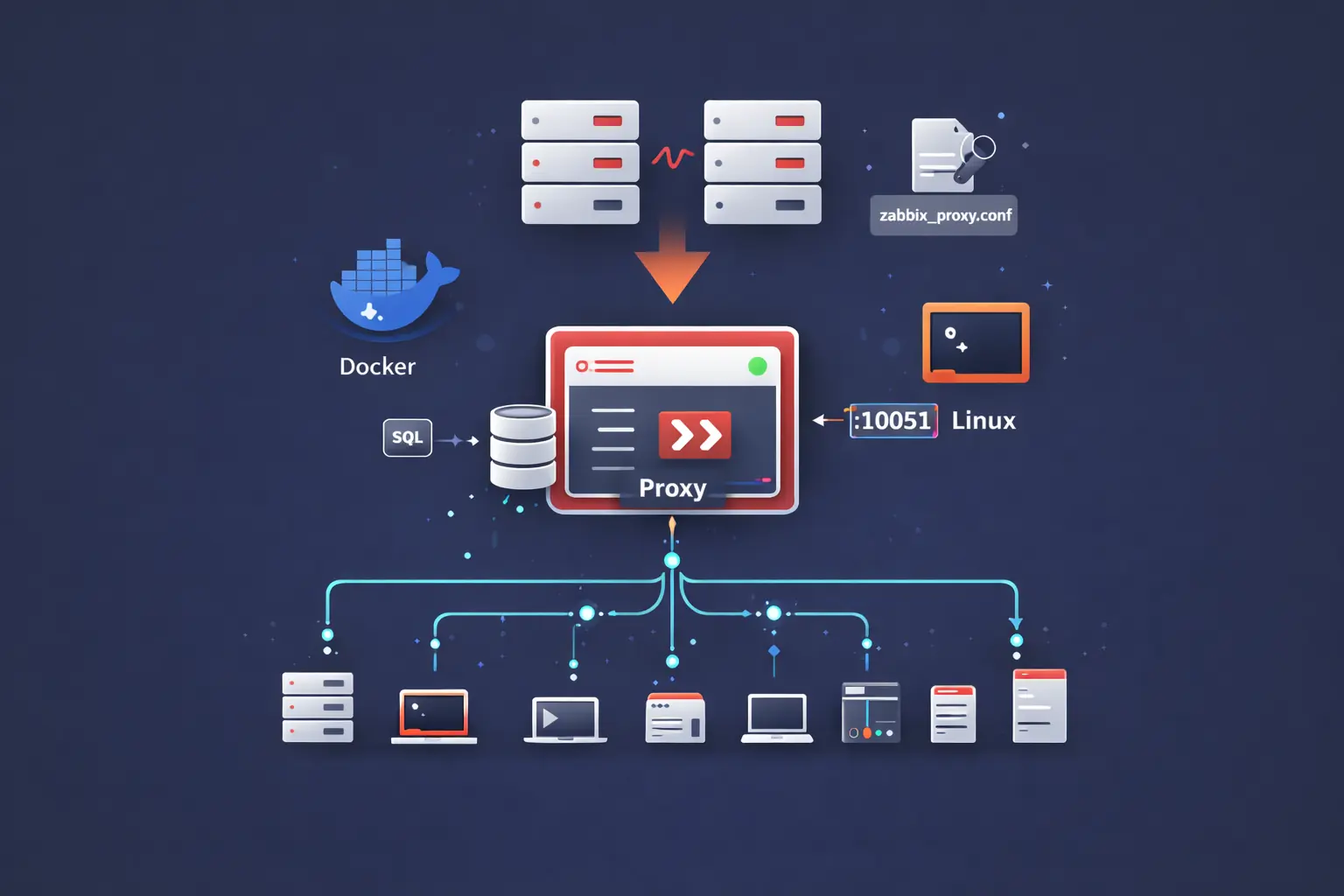
- Proxy the collection layer that buffers data toward the server pair. Add as many as your topology needs.
- Agents install on every host you want to monitor, point them at the proxy, register them with the server.
Skip any step and the next one fails to start in a way the logs do not always make obvious. Build them in order. Start with the database post.