Overview
Disclaimer native proxy load balancing in Zabbix 7.0+. Zabbix 7.0 introduced proxy groups with native load balancing and high availability: proxies join a named group, hosts are assigned to the group (not individual proxies), and Zabbix automatically distributes hosts across the members and reassigns them when a proxy fails. If you're on 7.0 or later, that's the right answer for most environments configure it in
Administration -> Proxy groups. This post covers the API-driven sharding approach for teams that are still on Zabbix 6.x, need custom sharding logic (e.g. pinning specific hosts to specific proxies by region or role), or want programmatic control over the reassignment rules. Both models can coexist; pick the one that matches your scale and version.
As I mentioned on my first proxy post, we deployed
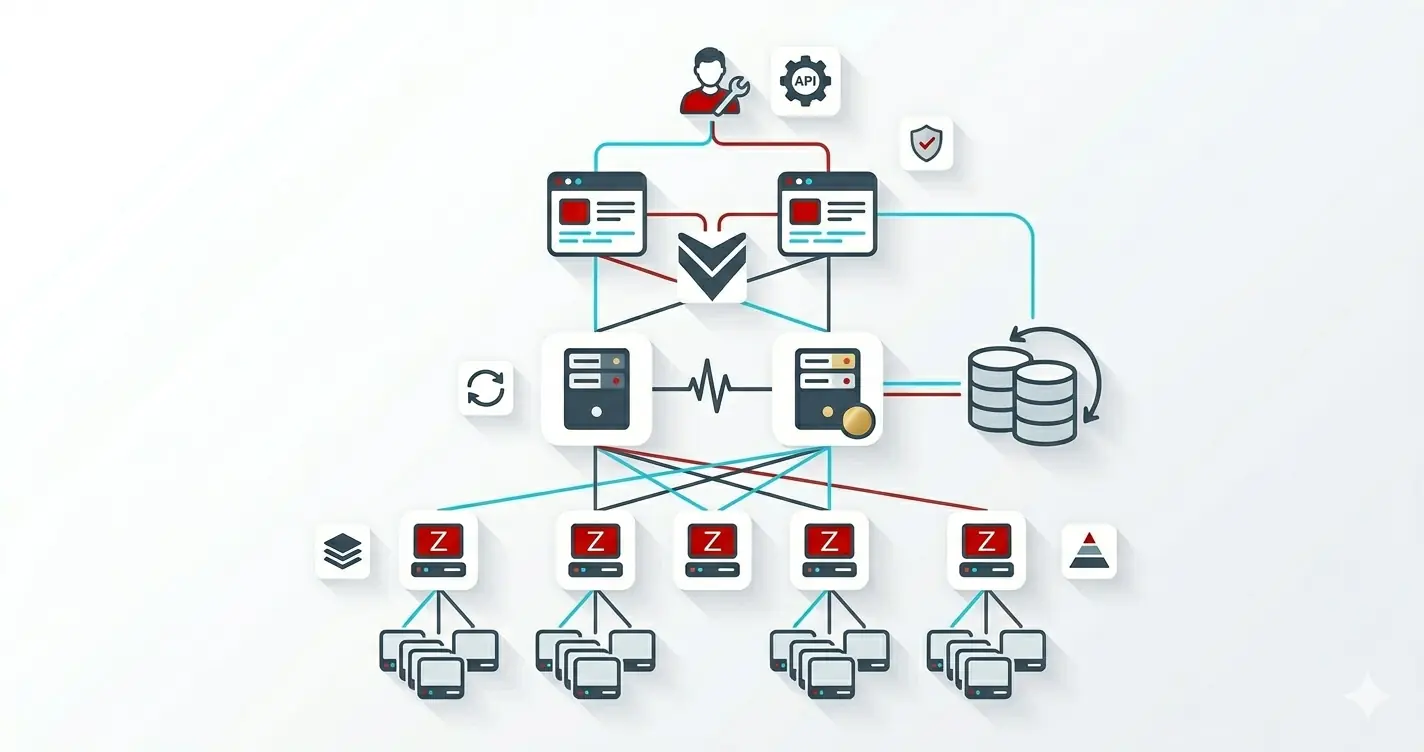
ZbxProxy01against an HA Zabbix server pair. That works fine for a few hundred hosts, but once you scale into the thousands or you have hosts spread across sites, VPCs, or DMZs a single proxy is no longer the right answer.
This guide assumes you already have at least two working proxies (built using the original proxy post) and that they are visible under
Administration->Proxiesin the frontend.
The two patterns we'll cover:
- Sharding split hosts across N proxies so each one only carries its share of the load.
- Failover when a proxy dies, hosts are reassigned to a healthy proxy automatically.
On Zabbix 6.x, the server has no built-in active/passive failover for proxies. "Failover" here means we move hosts off a sick proxy via the API. Done in a couple of seconds, this is more than fast enough for most production workloads. On 7.0+, proxy groups handle this natively see the disclaimer above.
Capacity Planning
Before sharding, you need to know how much each proxy can carry. Two numbers matter:
- NVPS (new values per second) the steady-state metric throughput.
- Required performance visible under
Reports->System information.
A reasonable rule of thumb on modest hardware (4 vCPU, 8 GB RAM, SQLite proxy):
| Proxy size | Hosts | NVPS |
|---|---|---|
| Small | < 200 | < 500 |
| Medium | < 800 | < 2000 |
| Large | < 2000 | < 5000 |
Always size for 2x your peak. A proxy at 90% utilization has no headroom to absorb the load of a sibling that just died.
Sharding Strategy
Pick one strategy and stick with it. Mixing strategies leads to hosts that drift between proxies on every reload.
- By location
proxy-us-east,proxy-eu-west. Best when latency or firewall rules force the boundary. - By environment
proxy-prod,proxy-stage. Best when you want to apply different polling intervals or retention. - By hash
hash(hostname) mod N. Best when hosts are uniform and you just want even spread. - By role
proxy-network,proxy-windows,proxy-linux. Best when templates differ wildly per role.
For the rest of this post we'll use the hash strategy because it's the easiest to automate.
Sharding with the Zabbix API
The Zabbix API exposes a proxy.update and host.update endpoint. We'll use Powershell to:
- Pull every host.
- Hash the hostname.
- Pick a proxy by
hash mod N. - Re-assign the host if it doesn't already match.
1. A Tiny Powershell Wrapper
Save this as ZabbixApi.psm1 so other scripts can reuse it.
function Connect-Zabbix
{
    [CmdletBinding()]
    param
    (
        [Parameter(Mandatory)]
        [string]
        $Url,        # https://zabbix.example.com/api_jsonrpc.php

        [Parameter(Mandatory)]
        [pscredential]
        $Credential
    )

    begin
    {

        $headers = @{"Content-Type" = 'application/json-rpc' }
        $body = @{
            jsonrpc = '2.0'
            method  = 'user.login'
            params  = @{
                username = $Credential.UserName
                password = $Credential.GetNetworkCredential().Password
            }
            id      = 1
        } | ConvertTo-Json -Depth 99
    }

    process
    {

        $resp = Invoke-RestMethod -Uri $Url -Method Post -Body $body -Headers $headers -ErrorAction Stop
        return [pscustomobject]@{
            PSTypeName = "ZabbixSession"
            Url        = $Url
            Token      = $resp.result
        }
    }

    end
    {
        Write-Verbose -Message '[Connect-Zabbix] End'
    }
}

function Invoke-Zabbix
{
    [CmdletBinding()]
    param(
        [Parameter(Mandatory)]
        [psobject]$Session,

        [Parameter(Mandatory)]
        [string]$Method,

        [Parameter()]
        [hashtable]$Params = @{}
    )
    begin
    {
        if ('ZabbixSession' -inotin @($Session.PSTypeNames))
        {
            throw "Invalid session"
        }
        $headers = @{"Authorization" = "Bearer $($Session.Token)" }
        $body = @{
            jsonrpc = '2.0'
            method  = $Method
            params  = $Params
            id      = (Get-Random)
        } | ConvertTo-Json -Depth 99
    }
    process
    {
        $resp = Invoke-RestMethod -Uri $Session.Url -Method Post -Body $body -ContentType 'application/json' -Headers $headers
        if ($resp.error)
        {
            throw "$($resp.error.message): $($resp.error.data)"
        }
    }
    end
    {

        return $resp.result
    }
}

Export-ModuleMember -Function Connect-Zabbix, Invoke-Zabbix
2. Rebalance Script
[CmdletBinding()]
param()
begin
{
    Import-Module ./test.psm1

    function Get-StableHash
    {
        param
        (
            [Parameter()]
            [string]$Text
        )
        process
        {
            $sha = [System.Security.Cryptography.SHA1]::Create()
            $bytes = $sha.ComputeHash([Text.Encoding]::UTF8.GetBytes($Text))
            return [BitConverter]::ToUInt32($bytes, 0)
        }
    }
}
process
{
    $connection = @{
        Url = 'https://zabbix.example.com/api_jsonrpc.php'
        Credential = (Get-Credential)
    }
    $session = Connect-Zabbix @connection
    # Only proxies that should receive load
    $proxies = Invoke-Zabbix -Session $session -Method 'proxy.get' -Params @{
        output = @('proxyid', 'name', 'state', 'operating_mode')
        filter = @{ 'operating_mode' = '0' }              # 0 = active proxy
    } | Sort-Object host

    if ($proxies.Count -eq 0) { throw "No active proxies found" }

    $hosts = Invoke-Zabbix -Session $session -Method 'host.get' -Params @{
        output           = @('hostid', 'host', 'proxyid')
        selectInterfaces = @('ip')
    } | Where-object { $_.proxyid -gt 0 }


    $moves = @()
    foreach ($h in $hosts)
    {
        $idx = (Get-StableHash $h.host) % $proxies.Count
        $target = $proxies[$idx]
        if ($h.proxyid -ne $target.proxyid)
        {
            $moves += [pscustomobject]@{
                Host    = $h.host
                From    = ($proxies | Where-Object proxyid -eq $h.proxyid).host
                To      = $target.host
                HostId  = $h.hostid
                ProxyId = $target.proxyid
            }
        }
    }

    Write-Host "$($moves.Count) hosts will be reassigned."

    foreach ($m in $moves)
    {
        $null = Invoke-Zabbix -Session $session -Method 'host.update' -Params @{
            hostid      = $m.HostId
            proxyid     = $m.ProxyId
        }
        Write-Verbose "$($m.Host): $($m.From) -> $($m.To)"
    }
}
Run this with
-WhatIf-style dry-run by commenting out the finalhost.updatecall until you trust the math.
3. Schedule It
A nightly scheduled task (Windows) or cron job (Linux) keeps the cluster balanced as new hosts come in via autoregistration:
# Windows Task Scheduler
$actionParams = @{
    Execute  = 'powershell.exe'
    Argument = '-NoProfile -File C:\Scripts\Rebalance-ZabbixProxies.ps1'
}
$action  = New-ScheduledTaskAction @actionParams
$trigger = New-ScheduledTaskTrigger -Daily -At 2am

$taskParams = @{
    TaskName  = 'Zabbix Proxy Rebalance'
    Action    = $action
    Trigger   = $trigger
    RunLevel  = 'Highest'
    User      = 'SYSTEM'
}
Register-ScheduledTask @taskParams
Failover
The same script doubles as failover logic. Add a health check at the top if a proxy hasn't checked in within 5 * ConfigFrequency, drop it from the rotation:
$now = [int][double]::Parse((Get-Date -UFormat %s))

$healthy = $proxies | Where-Object {
    $details = Invoke-Zabbix -Session $session -Method 'proxy.get' -Params @{
        output    = @('proxyid','host','lastaccess')
        proxyids  = @($_.proxyid)
    }
    ($now - [int]$details.lastaccess) -lt 600    # 10 minutes
}

if ($healthy.Count -lt $proxies.Count)
{
    Write-Warning "Excluding dead proxies: $((Compare-Object $proxies $healthy -Property host).InputObject.host -join ', ')"
}

$proxies = $healthy
When a proxy dies, the next run of the script (or a manual run) will hash every host against the surviving proxies and reassign in seconds.
Combine this with a Zabbix trigger on the
zabbix[proxy,<name>,lastaccess]internal item to automatically run the script via an action when a proxy is declared down.
Verify From the Frontend
After a rebalance:
Administration->Proxiesshould show all healthy proxies with a roughly equalItem count.Reports->System information->Required server performance, NVPSshould drop on the previously overloaded proxy.- Each host's
Monitored by proxyfield reflects the new owner.
What to Do Next
A handful of API calls and a hash function turn N independent proxies into a self-balancing fleet. The pattern is small consistent-hash hostnames to proxies, rebalance only on proxy count change, never touch the UI but the operational discipline is "what runs on a schedule, what runs on event, and what's the safety check before we move 5,000 hosts in one go".
Three concrete moves to make balancing safer the next time you grow the fleet:
- Run the hash assignment as a dry-run first. Print the proposed move list (
host -> old-proxy -> new-proxy) before issuing anyhost.updatecalls. A bug in the hash code would otherwise migrate the entire fleet at once. - Throttle moves per minute. Bulk-reassigning thousands of hosts simultaneously hammers the server and the proxies. A small
Start-Sleepbetween API calls keeps queue depth bounded and gives you a chance to abort if anything goes wrong. - Add a per-proxy NVPS guard. Even with consistent hashing, a single noisy host can push one proxy into the red. A scheduled check that compares actual NVPS to an expected ceiling (and auto-pages) is the safety net the hash function alone can't provide.
Pairs naturally with the Low-Level Discovery post (because LLD multiplies item counts and makes proxy capacity planning sharper) and the architecture post (which gives you the formula for how many proxies you actually need).