This guide assumes a domain-joined Windows or Linux host with the RSAT /
ActiveDirectorymodule installed (Add-WindowsCapability -Online -Name Rsat.ActiveDirectory.DS-LDS.Tools~~~~0.0.1.0on Windows, orInstall-Module PSPKIpatterns on Linux using LDAP), and PowerShell 7.
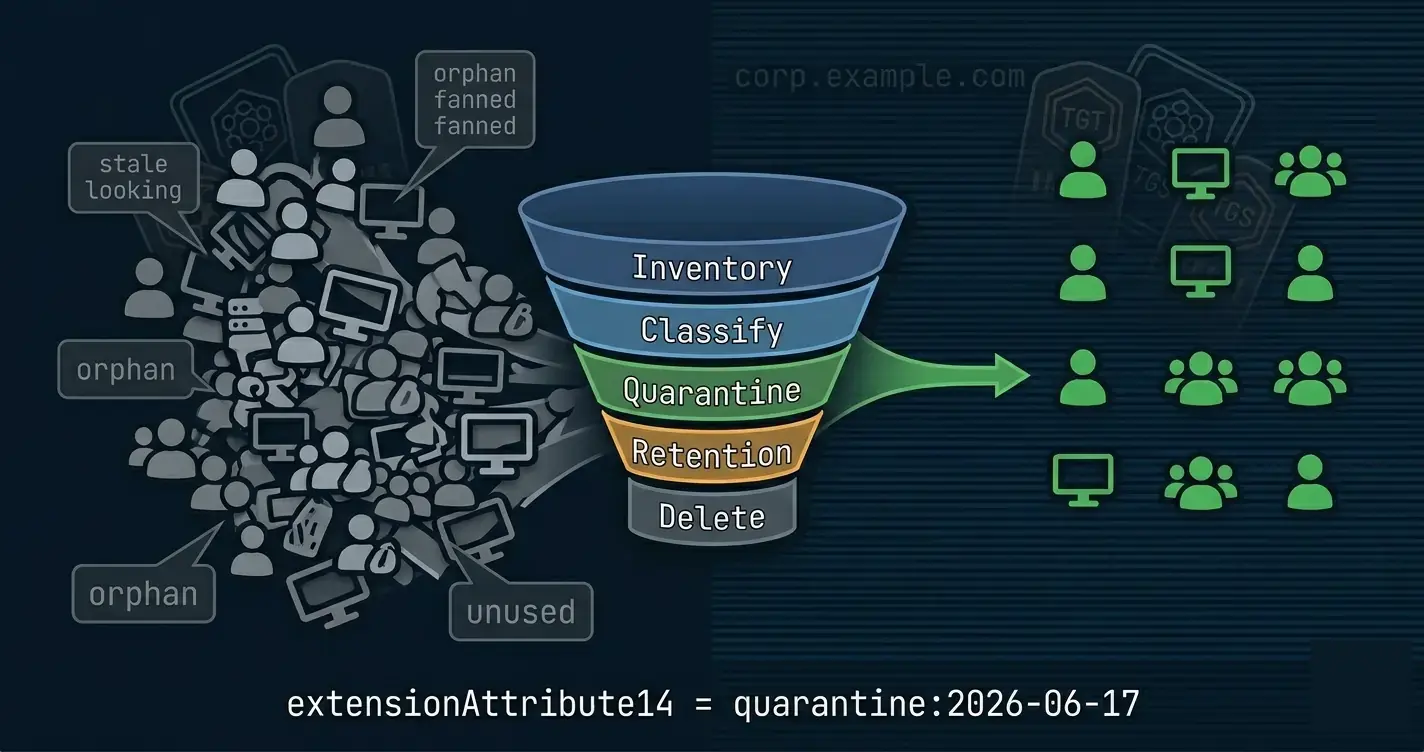
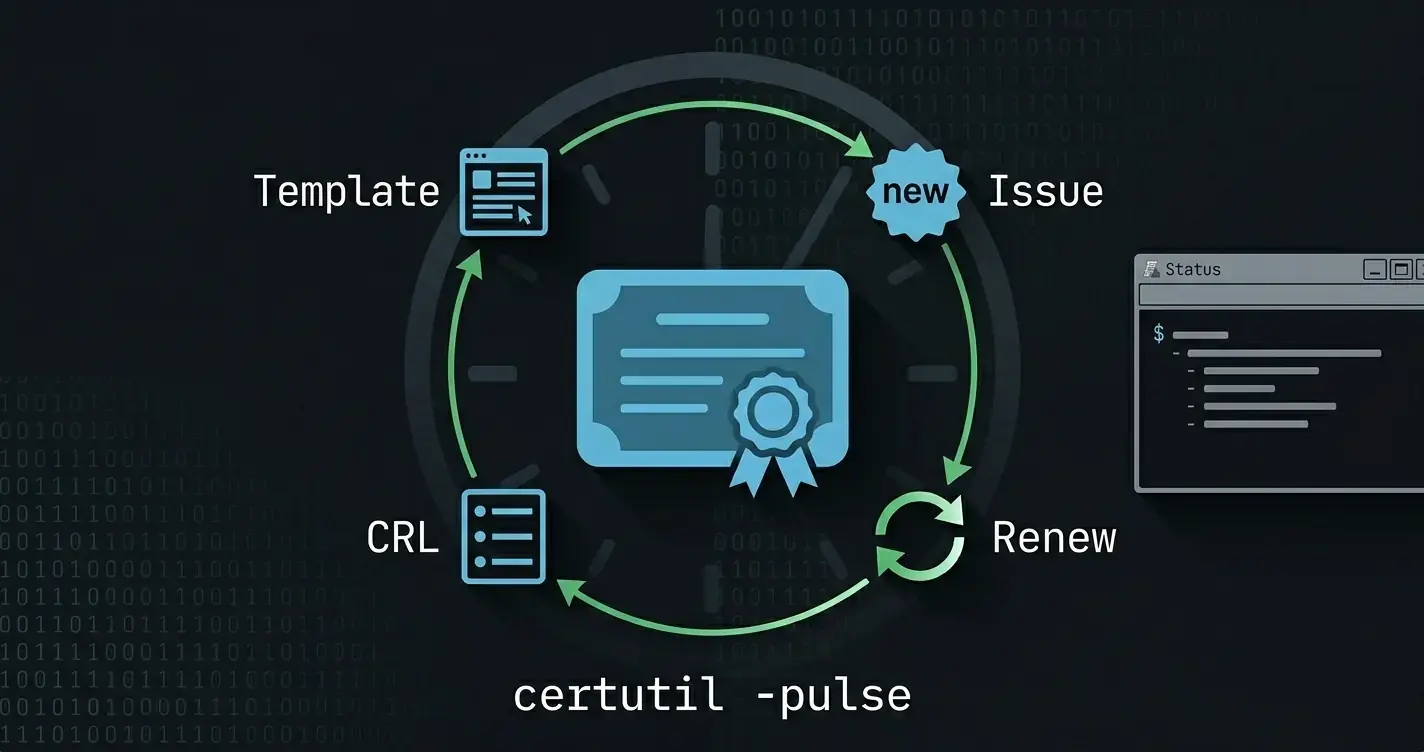
This is post 1 of the Active Directory at Scale series. The rest of the series OUs and ACLs as code, Group Policy as code, WMI filters as code, certificate automation, security baselines, and debloating all reuse the pattern in this post.
Most Active Directory scripts in the wild fail the re-run test. They work the first time someone executes them on a clean forest, then blow up with Duplicate object or Object not found the second time. Or worse: they silently do the wrong thing because the operator "forgot" that last week's cleanup script already ran.
The property that fixes this is idempotency. A script is idempotent if running it N times has the same effect as running it once. Every configuration management tool in the industry (Ansible, Chef, Puppet, DSC, Terraform) is built around this single property, because it's what makes automation safe to rerun on a cron, safe to dry run in a pull request, and safe to hand to a less experienced operator.
AD specific automation is almost never written this way, but it can be, without the weight of a full configuration manager. The rest of this post defines what idempotency actually requires of a script, then introduces a disciplined three-function pattern (Get-Test-Set) that delivers those properties. Every subsequent post in the series OUs and ACLs, Group Policy, WMI filters, certificates, security baselines, cleanup is just this pattern applied to a different object type.
The Problem With "Just Script It"
Here's a representative one liner from a runbook I inherited once:
New-ADGroup -Name 'App-FinanceReports-RW' -GroupScope DomainLocal -Path 'OU=Groups,DC=corp,DC=example,DC=com'
It works on Tuesday. On Wednesday the help-desk manually creates the group (because they missed the automation ticket). On Thursday the script runs again:
New-ADGroup : The specified group already exists
Two classes of fix:
try/catchand swallow the specific exception. Don't. You've just made the script silent about a real state mismatch.- Check first, act second, and structure the script so that check/act is the unit of composition and not the whole script.
The second option is what every idempotent automation framework does. Let's pin down what "idempotent" actually demands before writing any code.
What Idempotency Actually Requires
A script is idempotent when it satisfies all of the following and not just the first one, which is where most posts stop:
- Safe to rerun. The second invocation on unchanged state produces no side effects and no errors.
- Convergent, not assumptive. It doesn't require a specific starting state. It observes the world, then drives it to the desired state from wherever it happens to be.
- Honest about what changed. Output distinguishes "noop" from "changed X" with enough detail that a CI log makes sense in six months.
- Dry-runnable. A
-WhatIfinvocation reports exactly what the apply invocation would do, without actually doing it. - Composable. The unit of idempotency is small enough that hundreds of them run in sequence. If one piece isn't safe to rerun, the whole pipeline isn't.
- Deterministic. Same inputs, same outcome regardless of which DC you talk to, which weekday it is, or what random order the underlying cmdlets happen to return objects in.
"Try again next time" is not an acceptable fallback for any of these. An AD script that drifts if you run it twice in the same hour is broken, even if neither run threw.
The Pattern Get, Test, Set
There are several ways to satisfy those requirements. Ansible hides it inside modules, Chef inside resources, Terraform inside providers. Microsoft's answer is PowerShell DSC, and DSC uses the exact same three-verb shape as this post: every DSC resource (function-based or class-based) is required to expose Get-TargetResource, Test-TargetResource, and Set-TargetResource. The Local Configuration Manager calls Test, and only calls Set if Test returns $false. That's not a coincidence with what follows, it's the same contract, just without the DSC runtime wrapped around it.
The version I use for hand-written PowerShell against AD is the same shape in three plain functions:
| Verb | Job | Calls | Side effects? |
|---|---|---|---|
| Get- | Return current state. Missing is not an error, it's an empty shape. | nothing | Never |
| Test- | Call Get-*, compare to desired, return { Compliant, Drifts, Current }. |
Get-* |
Never |
| Set- | Call Test-*, act only on drift, honor -WhatIf. |
Test-* |
Yes |
The contract is non-negotiable:
Get-*never modifies anything and never calls anyone else.Test-*never modifies anything. It's responsible for reading state (viaGet-*) and classifying drift. The return shape always carries the current state it read, soSet-*does not have to re-read.Set-*is the only place mutation happens, and only inside aShouldProcessguard. It callsTest-*once, and bases every decision on the result.
This chain (Set→Test→Get) means a full reconcile does exactly one state read per object. It also makes Test-* a useful standalone cmdlet: pipe desired-state objects in, collect non-compliant results, ship to an alert channel. Drift detection is the same code path as apply, just with nothing downstream.
Every AD automation task in the rest of this series is one or more (Get, Test, Set) triples built on this contract.
A Worked Example a Security Group
The "desired state" we want to express: a domain-local security group named App-FinanceReports-RW in OU=Groups,…, with a specific description, scope, and set of members.
Step 1 Get-
function Get-DesiredGroupState
{
    <#
    .SYNOPSIS
        Returns the current state of an Active Directory group.

    .DESCRIPTION
        Reads the current attributes of an AD group identified by Identity
        under the supplied SearchBase. A missing group is NOT an error -
        an object with Exists = $false is returned instead so downstream
        Test-* / Set-* functions can rely on a uniform shape.

    .PARAMETER Identity
        The sAMAccountName (or Name) of the group to look up.

    .PARAMETER SearchBase
        Distinguished name of the OU that scopes the search.

    .EXAMPLE
        Get-DesiredGroupState -Identity 'App-FinanceReports-RW' -SearchBase 'OU=Groups,DC=corp,DC=example,DC=com'

    .OUTPUTS
        PSCustomObject
    #>
    [CmdletBinding()]
    [OutputType([pscustomobject])]
    param
    (
        [Parameter(Mandatory = $true, ValueFromPipelineByPropertyName = $true)]
        [string]
        $Identity,

        [Parameter(Mandatory = $true, ValueFromPipelineByPropertyName = $true)]
        [string]
        $SearchBase
    )

    begin
    {
        Write-Verbose -Message ('[Get-DesiredGroupState] Begin')
    }

    process
    {
        Write-Verbose -Message ('[Get-DesiredGroupState] Looking up {0} under {1}' -f $Identity, $SearchBase)

        $groupParams = @{
            Filter      = "Name -eq '$Identity'"
            SearchBase  = $SearchBase
            Properties  = 'Description', 'GroupScope', 'GroupCategory', 'DistinguishedName'
            ErrorAction = 'SilentlyContinue'
        }

        $group = Get-ADGroup @groupParams | Select-Object -First 1

        if (-not $group)
        {
            Write-Verbose -Message ('[Get-DesiredGroupState] {0} not found; returning empty state' -f $Identity)

            return [pscustomobject] @{
                Exists            = $false
                Name              = $Identity
                DistinguishedName = $null
                Description       = $null
                GroupScope        = $null
                GroupCategory     = $null
                Members           = @()
            }
        }

        $members = Get-ADGroupMember -Identity $group.DistinguishedName -ErrorAction SilentlyContinue |
            Select-Object -ExpandProperty DistinguishedName |
            Sort-Object

        [pscustomobject] @{
            Exists            = $true
            Name              = $group.Name
            DistinguishedName = $group.DistinguishedName
            Description       = $group.Description
            GroupScope        = $group.GroupScope.ToString()
            GroupCategory     = $group.GroupCategory.ToString()
            Members           = @($members)
        }
    }

    end
    {
        Write-Verbose -Message ('[Get-DesiredGroupState] End')
    }
}
Two rules followed:
ErrorAction SilentlyContinueon the lookup so "not found" returns an empty-state object instead of throwing. Missing is not an error.- The shape is the same whether the object exists or not. Downstream functions can rely on
Exists,Members, etc. without null-checking.
Wait, you will say, ErrorAction SilentlyContinue is usually a code smell. Not here. In Get-Test-Set, "object is absent" is a valid observable state, not an exceptional one. The exception handling happens at the Set-* layer.
Step 2 Test-
function Test-GroupCompliance
{
    <#
    .SYNOPSIS
        Reads the current state of an AD group and compares it to a desired-state object.

    .DESCRIPTION
        Never mutates. Calls Get-DesiredGroupState internally so callers never
        need to read state themselves, and returns the current state on the
        result object so Set-* does not have to re-read. Drifts enumerates the
        specific mismatches for logs and alerts.

    .PARAMETER Desired
        The desired state expressed by the caller (usually a YAML entry).
        Must carry Name, GroupScope, GroupCategory, Description, and Members.

    .PARAMETER SearchBase
        Distinguished name of the OU that scopes the Get-* read.

    .OUTPUTS
        System.Management.Automation.PSCustomObject
    #>
    [CmdletBinding()]
    [OutputType([pscustomobject])]
    param
    (
        [Parameter(Mandatory = $true, ValueFromPipeline = $true)]
        [pscustomobject]
        $Desired,

        [Parameter(Mandatory = $true, ValueFromPipelineByPropertyName = $true)]
        [string]
        $SearchBase
    )

    begin
    {
        Write-Verbose -Message ('[Test-GroupCompliance] Begin')
    }

    process
    {
        $current = Get-DesiredGroupState -Identity $Desired.Name -SearchBase $SearchBase
        $drifts  = New-Object -TypeName 'System.Collections.Generic.List[string]'

        if (-not $current.Exists)
        {
            $drifts.Add('Group does not exist')

            return [pscustomobject] @{
                Compliant = $false
                Drifts    = $drifts.ToArray()
                Current   = $current
            }
        }

        if ($current.GroupScope -ne $Desired.GroupScope)
        {
            $drifts.Add(("GroupScope: '{0}' != '{1}'" -f $current.GroupScope, $Desired.GroupScope))
        }

        if ($current.GroupCategory -ne $Desired.GroupCategory)
        {
            $drifts.Add(("GroupCategory: '{0}' != '{1}'" -f $current.GroupCategory, $Desired.GroupCategory))
        }

        if (($current.Description ?? '') -ne ($Desired.Description ?? ''))
        {
            $drifts.Add('Description drift')
        }

        $extra   = $current.Members | Where-Object -FilterScript { $_ -notin $Desired.Members }
        $missing = $Desired.Members | Where-Object -FilterScript { $_ -notin $current.Members }

        if ($extra)
        {
            $drifts.Add(('Extra members: {0}' -f ($extra -join ', ')))
        }

        if ($missing)
        {
            $drifts.Add(('Missing members: {0}' -f ($missing -join ', ')))
        }

        [pscustomobject] @{
            Compliant = $drifts.Count -eq 0
            Drifts    = $drifts.ToArray()
            Current   = $current
        }
    }

    end
    {
        Write-Verbose -Message ('[Test-GroupCompliance] End')
    }
}
A few points worth calling out:
- Test- calls Get- internally. The caller passes
DesiredandSearchBase; state is read once, inside Test. Set doesn't re-read. - Return the current state. Attaching
Currentto the result means downstream Set-* has everything it needs to decide and act without a second AD round-trip. - Return a reason, not just a boolean.
$driftsis what makes the output useful in a CI log. "Compliant: False" without context is useless at 2 AM. - Sort or set-compare member lists. Order sensitivity is a trap with AD because the underlying attribute is a multi-value blob.
- Null vs empty string. AD returns
$nullfor an unsetDescription; a desired state of''should compare equal.??makes that explicit.
The null coalescing operator
??only works in Powershell Core (7+). If you're running powershell 5.1, use[string]::IsNullOrEmpty()or[string]::IsNullOrWhiteSpace()
Step 3 Set-
function Set-GroupCompliance
{
    <#
    .SYNOPSIS
        Converges an AD group to match the desired-state object.

    .DESCRIPTION
        The only function in the triple that mutates AD. Calls Test-* once
        to read current state + classify drift, then acts only when drift
        is detected. Never reads state itself, never reads it twice. Every
        mutation goes through ShouldProcess so -WhatIf produces a complete
        dry-run.

    .PARAMETER Desired
        The desired state object (usually a YAML entry). Must carry Name,
        GroupScope, GroupCategory, Description, and Members.

    .PARAMETER SearchBase
        Distinguished name of the OU the group lives (or will live) in.

    .EXAMPLE
        Set-GroupCompliance -Desired $g -SearchBase 'OU=Groups,DC=corp,DC=example,DC=com' -WhatIf

    .OUTPUTS
        PSCustomObject
    #>
    [CmdletBinding(SupportsShouldProcess = $true, ConfirmImpact = 'Medium')]
    [OutputType([pscustomobject])]
    param
    (
        [Parameter(Mandatory = $true, ValueFromPipeline = $true)]
        [pscustomobject]
        $Desired,

        [Parameter(Mandatory = $true, ValueFromPipelineByPropertyName = $true)]
        [string]
        $SearchBase
    )

    begin
    {
        Write-Verbose -Message ('[Set-GroupCompliance] Begin')
    }

    process
    {
        $ErrorActionPreference = 'Stop'

        $test    = Test-GroupCompliance -Desired $Desired -SearchBase $SearchBase
        $current = $test.Current

        if ($test.Compliant)
        {
            Write-Verbose -Message ('[Set-GroupCompliance] {0} already compliant' -f $Desired.Name)

            return [pscustomobject] @{
                Name    = $Desired.Name
                Changed = $false
                Actions = @()
                Errors  = @()
            }
        }

        $actions = New-Object -TypeName 'System.Collections.Generic.List[string]'
        $errors  = New-Object -TypeName 'System.Collections.Generic.List[string]'

        if (-not $current.Exists)
        {
            if ($PSCmdlet.ShouldProcess($Desired.Name, 'Create group'))
            {
                $newParams = @{
                    Name          = $Desired.Name
                    Path          = $SearchBase
                    GroupScope    = $Desired.GroupScope
                    GroupCategory = $Desired.GroupCategory
                    Description   = $Desired.Description
                    ErrorAction   = 'Stop'
                }

                try
                {
                    $null = New-ADGroup @newParams
                    $actions.Add('Created group')
                }
                catch [Microsoft.ActiveDirectory.Management.ADException]
                {
                    $errors.Add(('New-ADGroup failed for {0}: {1}' -f $Desired.Name, $_.Exception.Message))
                    Write-Error -ErrorRecord $_
                    throw
                }
                catch
                {
                    $errors.Add(('Unexpected error creating {0}: {1}' -f $Desired.Name, $_.Exception.Message))
                    throw
                }
            }
        }
        else
        {
            $setParams = @{
                Identity = $current.DistinguishedName
            }

            if ($current.GroupScope -ne $Desired.GroupScope)
            {
                $setParams.GroupScope = $Desired.GroupScope
                $actions.Add('GroupScope updated')
            }

            if ($current.GroupCategory -ne $Desired.GroupCategory)
            {
                $setParams.GroupCategory = $Desired.GroupCategory
                $actions.Add('GroupCategory updated')
            }

            if (($current.Description ?? '') -ne ($Desired.Description ?? ''))
            {
                $setParams.Description = $Desired.Description
                $actions.Add('Description updated')
            }

            if ($setParams.Count -gt 1 -and
                $PSCmdlet.ShouldProcess($Desired.Name, 'Update group attributes'))
            {
                try
                {
                    Set-ADGroup @setParams -ErrorAction Stop
                }
                catch [Microsoft.ActiveDirectory.Management.ADIdentityNotFoundException]
                {
                    $errors.Add(('Set-ADGroup target {0} disappeared mid-run; replication or concurrent delete' -f $Desired.Name))
                    throw
                }
                catch [Microsoft.ActiveDirectory.Management.ADException]
                {
                    $errors.Add(('Set-ADGroup failed for {0}: {1}' -f $Desired.Name, $_.Exception.Message))
                    throw
                }
                catch
                {
                    $errors.Add(('Unexpected error updating {0}: {1}' -f $Desired.Name, $_.Exception.Message))
                    throw
                }
            }

            # Membership drift
            $extra   = $current.Members | Where-Object -FilterScript { $_ -notin $Desired.Members }
            $missing = $Desired.Members | Where-Object -FilterScript { $_ -notin $current.Members }

            foreach ($m in $extra)
            {
                if ($PSCmdlet.ShouldProcess(('{0} -> {1}' -f $Desired.Name, $m), 'Remove member'))
                {
                    try
                    {
                        Remove-ADGroupMember -Identity $current.DistinguishedName -Members $m -Confirm:$false -ErrorAction Stop
                        $actions.Add(('Removed {0}' -f $m))
                    }
                    catch [Microsoft.ActiveDirectory.Management.ADIdentityNotFoundException]
                    {
                        # Already absent; treat as converged but record for the audit log.
                        $errors.Add(('Member {0} already absent from {1} (no-op)' -f $m, $Desired.Name))
                        Write-Verbose -Message $errors[-1]
                    }
                    catch [Microsoft.ActiveDirectory.Management.ADException]
                    {
                        $errors.Add(('Failed to remove {0} from {1}: {2}' -f $m, $Desired.Name, $_.Exception.Message))
                        throw
                    }
                    catch
                    {
                        $errors.Add(('Unexpected error removing {0} from {1}: {2}' -f $m, $Desired.Name, $_.Exception.Message))
                        throw
                    }
                }
            }

            foreach ($m in $missing)
            {
                if ($PSCmdlet.ShouldProcess(('{0} -> {1}' -f $Desired.Name, $m), 'Add member'))
                {
                    try
                    {
                        Add-ADGroupMember -Identity $current.DistinguishedName -Members $m -ErrorAction Stop
                        $actions.Add(('Added {0}' -f $m))
                    }
                    catch [Microsoft.ActiveDirectory.Management.ADIdentityNotFoundException]
                    {
                        # The principal hasn't replicated to this DC yet; rethrow so Invoke-AdRetry can back off.
                        $errors.Add(('Principal {0} not yet visible when adding to {1} (replication lag)' -f $m, $Desired.Name))
                        throw
                    }
                    catch [Microsoft.ActiveDirectory.Management.ADException]
                    {
                        $errors.Add(('Failed to add {0} to {1}: {2}' -f $m, $Desired.Name, $_.Exception.Message))
                        throw
                    }
                    catch
                    {
                        $errors.Add(('Unexpected error adding {0} to {1}: {2}' -f $m, $Desired.Name, $_.Exception.Message))
                        throw
                    }
                }
            }
        }

        [pscustomobject] @{
            Name    = $Desired.Name
            Changed = $actions.Count -gt 0
            Actions = $actions.ToArray()
            Errors  = $errors.ToArray()
        }
    }

    end
    {
        Write-Verbose -Message ('[Set-GroupCompliance] End')
    }
}
Set-* is the only function that mutates, and every mutation lives in its own try/catch. Three rules hold the error-handling story together:
- Force terminating errors.
$ErrorActionPreference = 'Stop'at the top ofprocess, plus-ErrorAction Stopon each AD cmdlet. AD cmdlets default to non-terminating, so without this thetry/catchwould never fire and a partial failure would silently look like success. - Catch from specific to general.
ADIdentityNotFoundExceptionfirst (because it has known recovery semantics: replication lag for adds, already-converged for removes), then the broaderADException, then a finalcatchfor genuinely unexpected failures. Each branch records what was happening and what failed before rethrowing, so the call site sees a real exception and the result object'sErrorsarray carries the human-readable context. - Re-throw everything you don't know how to handle. The only exception swallowed here is "trying to remove a member that's already gone" because that's the desired state. Every other path rethrows after recording the failure rationale, so the runner exits non-zero and the CI pipeline doesn't ship a green check on a half-applied change. Wrap the whole
Set-*call site inInvoke-AdRetry(defined below) to convert replication-lag rethrows into a transparent retry; everything else surfaces as a real failure.
Reading with -WhatIf still produces a perfect dry-run because every mutation also goes through ShouldProcess:
$desired = [pscustomobject]@{
    Name          = 'App-FinanceReports-RW'
    Description   = 'Read/write access to Finance Reports share'
    GroupScope    = 'DomainLocal'
    GroupCategory = 'Security'
    Members       = @(
        'CN=alice,OU=Staff,DC=corp,DC=example,DC=com',
        'CN=bob,OU=Staff,DC=corp,DC=example,DC=com'
    )
}

Set-GroupCompliance -Desired $desired -SearchBase 'OU=Groups,DC=corp,DC=example,DC=com' -WhatIf -Verbose
Why This Triad Wins
- You can re-run without fear. Whether the group exists, drifted, or was untouched, the outcome is deterministic.
- Drift reporting is free.
$desiredStates | Test-* -SearchBase $base | Where-Object { -not $_.Compliant }is your audit job. BecauseTest-*reads state itself, there's no separateGet-*call at the top of the pipeline. - Dry-runs are first class.
Set-*with-WhatIfshows exactly what would change. - Composable. Want to reconcile 200 groups? It's a
foreach, not a rewrite.
Structuring the Script as a Module
Each Get-Test-Set triple lives in its own .ps1 file; the module manifest (*.psd1) exports them. The Sampler post is the right starting layout.
src/
└── ADOps/
    ├── ADOps.psd1
    ├── ADOps.psm1
    ├── Public/
    │   ├── Get-DesiredGroupState.ps1
    │   ├── Test-GroupCompliance.ps1
    │   └── Set-GroupCompliance.ps1
    └── Private/
        └── ConvertTo-Dn.ps1
The same split applies to every object type we'll touch in the rest of the series: OUs, GPOs, certificate templates, security baselines.
Orchestration One Triple Is Easy, Fifty Is Not
Real reconciliation runs dozens of triples in sequence. The naive version is:
foreach ($g in $desiredGroups) { Set-GroupCompliance -Desired $g -SearchBase $base }
foreach ($o in $desiredOus)    { Set-OuCompliance    -Desired $o }
foreach ($a in $desiredAcls)   { Set-AclCompliance   -Desired $a }
That's fine until a downstream object depends on an upstream one (e.g. a group can't be added as an ACL principal if the group doesn't exist yet). Two patterns handle this:
- Topologically order your state. Process containers first (OUs), then the objects inside (groups, users), then relationships (ACLs, group memberships).
- Run the pipeline twice. Second pass picks up anything that failed to satisfy a dependency the first time around. If the second pass produces zero changes, you are converged.
The second pattern is what every real configuration manager (DSC, Ansible, Chef) uses under the hood. It is robust to most ordering bugs. It is also why idempotency is non-negotiable: if functions aren't safe to re-run, you cannot use this strategy at all.
Error Semantics The Subtle Part
AD is a distributed database. Writes don't always commit to the DC you talked to immediately, replication is asynchronous, and some operations (like creating a user and immediately adding them to a group) fall through the cracks.
Handle this at the Set- layer, not the Test- layer:
function Invoke-AdRetry
{
    <#
    .SYNOPSIS
        Retries an AD operation with exponential backoff on replication lag errors.

    .DESCRIPTION
        Smooths over the common case where a newly-created object hasn't
        replicated to the DC the next cmdlet targets. Catches only
        ADIdentityNotFoundException - broader catches would hide real
        logic errors.

    .PARAMETER Action
        Scriptblock to invoke. Its output is returned.

    .PARAMETER MaxAttempts
        Maximum number of attempts before rethrowing. Defaults to 5.

    .PARAMETER DelayMs
        Base delay between attempts in milliseconds. Actual delay scales
        linearly with attempt number.
    #>
    [CmdletBinding()]
    param
    (
        [Parameter(Mandatory = $true)]
        [scriptblock]
        $Action,

        [Parameter()]
        [int]
        $MaxAttempts = 5,

        [Parameter()]
        [int]
        $DelayMs = 500
    )

    begin
    {
        Write-Verbose -Message ('[Invoke-AdRetry] Begin (max {0} attempts)' -f $MaxAttempts)
    }

    process
    {
        for ($i = 1; $i -le $MaxAttempts; $i++)
        {
            try
            {
                return & $Action
            }
            catch [Microsoft.ActiveDirectory.Management.ADIdentityNotFoundException]
            {
                if ($i -eq $MaxAttempts)
                {
                    throw
                }

                Write-Verbose -Message ('[Invoke-AdRetry] Attempt {0}/{1} failed with NotFound; backing off' -f $i, $MaxAttempts)
                Start-Sleep -Milliseconds ($DelayMs * $i)
            }
        }
    }

    end
    {
        Write-Verbose -Message ('[Invoke-AdRetry] End')
    }
}
Wrap the specific AD cmdlet call in Invoke-AdRetry. Don't catch the generic Exception. The point of retry is to smooth over replication latency, not to hide broken logic.
Testing the Triple with Pester
Pester 5 lets you test the triple end-to-end against a lab DC (or a local AD LDS instance). The test structure mirrors the pattern:
BeforeAll {
    Import-Module $PSScriptRoot/../src/ADOps/ADOps.psd1 -Force
    $script:base = 'OU=PesterTest,DC=lab,DC=example,DC=com'
    $null = New-ADOrganizationalUnit -Name 'PesterTest' -Path 'DC=lab,DC=example,DC=com' -ProtectedFromAccidentalDeletion $false -ErrorAction SilentlyContinue
}

Describe 'Group idempotency' {

    It 'creates a group on first run' {
        $desired = [pscustomobject]@{
            Name = 'P-Test-Alpha'; Description = 'test'
            GroupScope = 'DomainLocal'; GroupCategory = 'Security'; Members = @()
        }
        $r = Set-GroupCompliance -Desired $desired -SearchBase $script:base
        $r.Changed | Should -BeTrue
    }

    It 'is a no-op on second run' {
        $desired = [pscustomobject]@{
            Name = 'P-Test-Alpha'; Description = 'test'
            GroupScope = 'DomainLocal'; GroupCategory = 'Security'; Members = @()
        }
        $r = Set-GroupCompliance -Desired $desired -SearchBase $script:base
        $r.Changed | Should -BeFalse
    }

    It 'detects drift on attribute change' {
        Set-ADGroup -Identity 'P-Test-Alpha' -Description 'drifted'
        $desired = [pscustomobject]@{
            Name = 'P-Test-Alpha'; Description = 'test'
            GroupScope = 'DomainLocal'; GroupCategory = 'Security'; Members = @()
        }
        $r = Test-GroupCompliance -Desired $desired -SearchBase $script:base
        $r.Compliant     | Should -BeFalse
        $r.Current.Exists | Should -BeTrue               # Test surfaces current state
        $r.Drifts        | Should -Contain 'Description drift'
    }
}

AfterAll {
    Get-ADGroup -Filter "Name -like 'P-Test-*'" -SearchBase $script:base |
        Remove-ADGroup -Confirm:$false -ErrorAction SilentlyContinue
    Remove-ADOrganizationalUnit -Identity $script:base -Recursive -Confirm:$false -ErrorAction SilentlyContinue
}
The critical test is the second one "no-op on second run" because that's what idempotency actually means. A pipeline that converges on one apply but makes changes on the next is not idempotent even if both apply steps "succeed".
Common Anti-Patterns
- Using
try/catchto hide "already exists" errors. You hide real problems this way. Check first. - Always re-setting every attribute. Ever-clobbering scripts churn replication traffic and audit logs.
Set-*should be a no-op when state matches. - Implicit defaults in the script. If the script defaults
GroupScopetoGlobalbut the YAML didn't say, a human later edits the script and breaks every group. Pass everything explicitly. - Catching non-terminating errors. AD cmdlets default to non-terminating. Set
$ErrorActionPreference = 'Stop'at the top of theSet-*function body, not globally. - Modifying
$DesiredinsideSet-*. The desired-state object is read-only. If you need to compute something from it, do it in a local variable.
The Runner Putting It Together
The runner should accept either YAML or JSON on disk. YAML is easier to author and review; JSON is easier to emit from other tooling (Terraform external data, CMDB exports, compiled from higher-level DSLs). A tiny dispatcher loads both into the same pscustomobject shape, so nothing downstream cares which format shipped:
function Import-DesiredState
{
    <#
    .SYNOPSIS
        Loads a YAML or JSON desired-state file into a PSCustomObject graph.

    .DESCRIPTION
        Dispatches on file extension. Both formats are normalized to
        PSCustomObject so Set-* functions can treat them interchangeably.
        YAML is round-tripped through JSON to convert the hashtable output
        of ConvertFrom-Yaml into the same PSCustomObject shape ConvertFrom-Json
        produces natively.

    .PARAMETER Path
        Path to a .yaml, .yml, or .json file.

    .OUTPUTS
        System.Management.Automation.PSCustomObject
    #>
    [CmdletBinding()]
    [OutputType([pscustomobject])]
    param
    (
        [Parameter(Mandatory = $true, ValueFromPipeline = $true, ValueFromPipelineByPropertyName = $true)]
        [ValidateScript({ Test-Path -Path $_ -PathType Leaf })]
        [string]
        $Path
    )

    begin
    {
        Write-Verbose -Message '[Import-DesiredState] Begin'
    }

    process
    {
        $ext = [System.IO.Path]::GetExtension($Path).ToLowerInvariant()

        try
        {
            $raw = Get-Content -Path $Path -Raw -ErrorAction Stop
        }
        catch
        {
            throw ('Could not read state file {0}: {1}' -f $Path, $_.Exception.Message)
        }

        switch ($ext)
        {
            '.json'
            {
                try
                {
                    return $raw | ConvertFrom-Json -ErrorAction Stop
                }
                catch
                {
                    throw ('Invalid JSON in {0}: {1}' -f $Path, $_.Exception.Message)
                }
            }

            { $_ -in '.yaml', '.yml' }
            {
                if (-not (Get-Module -ListAvailable -Name 'powershell-yaml'))
                {
                    throw "The 'powershell-yaml' module is required for YAML input. Install with: Install-Module powershell-yaml -Scope CurrentUser"
                }

                try
                {
                    Import-Module -Name 'powershell-yaml' -ErrorAction Stop
                    return $raw | ConvertFrom-Yaml | ConvertTo-Json -Depth 20 | ConvertFrom-Json
                }
                catch
                {
                    throw ('Could not parse YAML in {0}: {1}' -f $Path, $_.Exception.Message)
                }
            }

            default
            {
                throw ("Unsupported state-file extension '{0}'. Use .yaml, .yml, or .json." -f $ext)
            }
        }
    }

    end
    {
        Write-Verbose -Message '[Import-DesiredState] End'
    }
}
The runner then looks the same regardless of which format was handed in:
[CmdletBinding(SupportsShouldProcess)]
param
(
    [Parameter(Mandatory = $true)]
    [ValidateScript({ Test-Path -Path $_ -PathType Leaf })]
    [string]
    $StateFile
)

$ErrorActionPreference = 'Stop'
Import-Module ./src/ADOps/ADOps.psd1 -Force

$state   = Import-DesiredState -Path $StateFile
$results = New-Object -TypeName 'System.Collections.Generic.List[object]'

foreach ($g in $state.groups)
{
    $r = Set-GroupCompliance -Desired $g -SearchBase $state.searchBase
    $results.Add($r)
}

$changed = $results | Where-Object -FilterScript { $_.Changed }
Write-Host ('[reconcile] {0} objects, {1} changed' -f $results.Count, $changed.Count)
$changed | Format-Table Name, @{ N = 'Actions'; E = { $_.Actions -join '; ' } } -AutoSize

# Non-zero exit if anything changed (useful for CI drift gates)
if ($changed.Count -gt 0 -and -not $PSCmdlet.ShouldProcess('pipeline', 'mark drift'))
{
    exit 1
}
A state file in either format looks like this. The YAML version:
searchBase: OU=Groups,DC=corp,DC=example,DC=com
groups:
  - name: App-FinanceReports-RW
    description: Read/write access to Finance Reports share
    groupScope: DomainLocal
    groupCategory: Security
    members:
      - CN=alice,OU=Staff,DC=corp,DC=example,DC=com
      - CN=bob,OU=Staff,DC=corp,DC=example,DC=com
The JSON equivalent (exactly what Import-DesiredState hands back in memory):
{
  "searchBase": "OU=Groups,DC=corp,DC=example,DC=com",
  "groups": [
    {
      "name": "App-FinanceReports-RW",
      "description": "Read/write access to Finance Reports share",
      "groupScope": "DomainLocal",
      "groupCategory": "Security",
      "members": [
        "CN=alice,OU=Staff,DC=corp,DC=example,DC=com",
        "CN=bob,OU=Staff,DC=corp,DC=example,DC=com"
      ]
    }
  ]
}
Run with -WhatIf for a dry-run, or without for an apply. Wire the same script into a Gitea Actions or GitHub Actions job on a cron, and you have drift detection + remediation for free and the state file can be whichever format the author prefers.
What to Do Next
Get-Test-Set is boring, and that's the point. Four hundred well-structured Get-Test-Set triples across your directory outperform four thousand lines of one-shot migration scripts every time, because they reconcile, report, and recover on their own.
Three concrete moves to internalize the pattern:
- Pick the next AD change you would normally script as a one-shot (creating a group, modifying an ACL, fixing a typo on ten user accounts). Write it as a Get-Test-Set triple instead. The one-shot would have been twelve lines; the triple is fifty. The next time the same change is needed, the triple already exists.
- Run the Pester pattern from this post against a lab DC. The "no-op on second run" test is the one that proves the pattern is working; without it, you are writing scripts that look idempotent but aren't.
- Schedule the runner with
-WhatIfon a cron even before you ship it as a real reconciler. Drift detection is the cheapest deliverable from this pattern, and it gives you a reason to keep the YAML accurate.
The rest of this series applies the same discipline to OUs and ACLs, Group Policy, WMI filters, certificates, security baselines, and cleanup of stale objects. Read them in order if you're new to the pattern; jump to whichever object type you're fighting with right now if you've already written your first triple.
If you only remember one thing: Get-* never throws, Test-* never mutates, Set-* is the only place anything changes, and it must be safe to run twice.