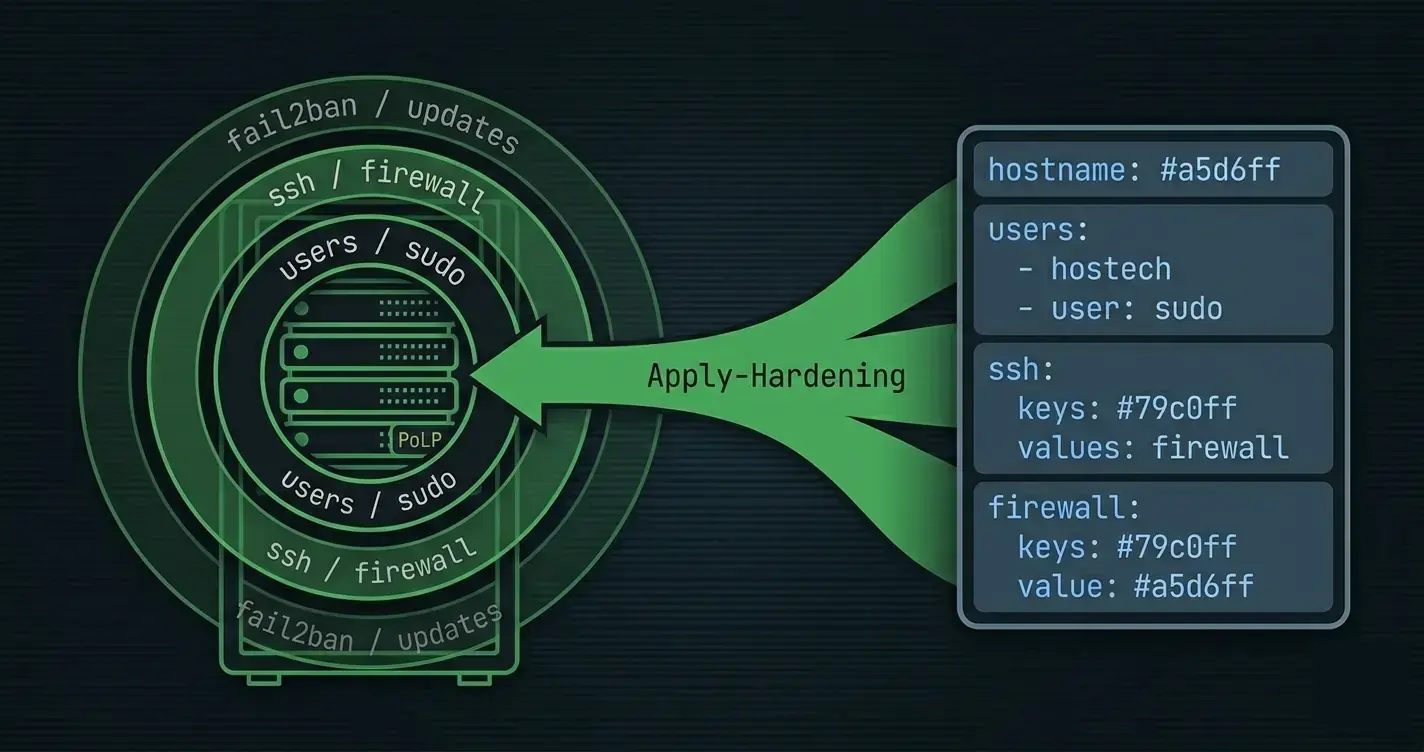
This guide continues the Linux baseline hardening post. It assumes PowerShell 7+ on the control host, SSH key-based access to each Linux target, and (optionally)
pwshinstalled on targets for native PowerShell remoting. Root orsudowith NOPASSWD for the package commands is required on each host for anything beyond read-only reporting.
"What's our patch level?" is the question that every auditor asks and every ops team answers differently. The distros make it worse: apt reports one way, dnf another, zypper a third, and none of them emit structured output unless you work for it. The typical reactive solution is a CSV generated by hand once a quarter. The better one is a daily report.
This post builds that daily report. Each target reports its pending updates in a normalized schema, a PowerShell toolkit on the control host collects from the fleet, produces a summary + a per-host detail view, and ships alerts when the numbers cross a threshold. The apply side - rolling patches and rolling back - is the second half.
The Normalized Shape
Every per-distro collector returns the same object. This is the only interesting design decision in the post; everything else is plumbing.
# What every collector returns, per host
[pscustomobject]@{
    Host             = 'web01.corp.example.com'
    CollectedAt      = [datetime]'2026-04-25T03:12:00Z'
    Distro           = 'Ubuntu'
    Version          = '24.04'
    Kernel           = '6.8.0-35-generic'
    RebootRequired   = $false
    Updates          = @(
        [pscustomobject]@{
            Name      = 'openssl'
            Current   = '3.0.13-0ubuntu3.4'
            Candidate = '3.0.13-0ubuntu3.5'
            Security  = $true
            Source    = 'Ubuntu-Security'
        }
        # ... more packages ...
    )
    PendingCount     = 12
    SecurityCount    = 3
    OldestPendingDays = 14          # age of the oldest security update
    CollectionError  = $null        # non-null if ssh/package manager failed
}
Once every collector returns this shape, aggregation / dashboards / alerts are all a matter of $results | Where-Object SecurityCount -gt 0. No per-distro branches in the reporting code.
Per-Distro Collectors
Each collector runs on the target, inside an Invoke-Command block. It shells out to the native package manager, parses, and returns the normalized object.
Debian and Ubuntu - apt
function Get-DebianPendingUpdates
{
    <#
    .SYNOPSIS
        Returns the list of pending updates on a Debian/Ubuntu host.

    .DESCRIPTION
        Uses `apt list --upgradable` for the package list and `apt-get
        changelog` to distinguish security updates. Security is determined
        by looking at the upgrade source - Ubuntu-Security / stable-security
        components are security channels.

    .OUTPUTS
        System.Management.Automation.PSCustomObject
    #>
    [CmdletBinding()]
    [OutputType([pscustomobject])]
    param()

    begin
    {
        Write-Verbose -Message '[Get-DebianPendingUpdates] Begin'
    }

    process
    {
        # apt update is quiet-by-default; allow a stale index up to 24h
        $indexAgeHours = try
        {
            ((Get-Date) - (Get-Item /var/lib/apt/periodic/update-success-stamp -ErrorAction Stop).LastWriteTime).TotalHours
        } catch { [double]::PositiveInfinity }

        if ($indexAgeHours -gt 24)
        {
            $null = & sudo apt-get update -qq 2>&1
        }

        # apt list --upgradable in machine-friendly form
        # Output looks like: openssl/noble-security 3.0.13-0ubuntu3.5 amd64 [upgradable from: 3.0.13-0ubuntu3.4]
        $raw = & apt list --upgradable 2>$null
        $updates = @()

        foreach ($line in $raw)
        {
            if ($line -notmatch '^(?<name>[^/]+)/(?<pocket>\S+)\s+(?<candidate>\S+)\s+\S+\s+\[upgradable from:\s+(?<current>\S+)\]$')
            {
                continue
            }

            $updates += [pscustomobject]@{
                Name      = $matches.name
                Current   = $matches.current
                Candidate = $matches.candidate
                Source    = $matches.pocket
                Security  = $matches.pocket -match '-security'
            }
        }

        # Reboot required is a well-known touch-file on Debian-family
        $rebootRequired = Test-Path /var/run/reboot-required

        $secOnly = $updates | Where-Object { $_.Security }

        return [pscustomobject]@{
            Host              = $env:HOSTNAME
            CollectedAt       = (Get-Date).ToUniversalTime()
            Distro            = (Get-Content /etc/os-release | Where-Object { $_ -match '^NAME=' }).Split('=')[1].Trim('"')
            Version           = (Get-Content /etc/os-release | Where-Object { $_ -match '^VERSION_ID=' }).Split('=')[1].Trim('"')
            Kernel            = (uname -r)
            RebootRequired    = $rebootRequired
            Updates           = $updates
            PendingCount      = $updates.Count
            SecurityCount     = $secOnly.Count
            CollectionError   = $null
        }
    }

    end
    {
        Write-Verbose -Message '[Get-DebianPendingUpdates] End'
    }
}
Two important details:
- Don't force
apt-get updateon every run. If the index is fresh (< 24 hours), skip the refresh.apt updateis slow and hammers mirrors when you're running it across 100 hosts. The stamp file/var/lib/apt/periodic/update-success-stampis the idiomatic freshness check. - The "security" classification is distro-specific. On Ubuntu, any upgrade from a
-securitypocket (noble-security,jammy-security) counts. Debian usesstable-security. Parsing the pocket name is more reliable than trusting theapt-get changelogoutput, which is free-form English.
RHEL, CentOS, Alma, Rocky - dnf
function Get-RhelPendingUpdates
{
    <#
    .SYNOPSIS
        Returns the list of pending updates on an RHEL-family host.

    .DESCRIPTION
        Uses `dnf check-update` for the package list and
        `dnf updateinfo list security` for the security classification.

    .OUTPUTS
        System.Management.Automation.PSCustomObject
    #>
    [CmdletBinding()]
    [OutputType([pscustomobject])]
    param()

    begin
    {
        Write-Verbose -Message '[Get-RhelPendingUpdates] Begin'
    }

    process
    {
        # check-update exits 100 when there ARE updates - this is intentional
        $raw = & dnf check-update --quiet 2>$null
        $exit = $LASTEXITCODE

        if ($exit -ne 0 -and $exit -ne 100)
        {
            throw ('dnf check-update failed with exit code {0}' -f $exit)
        }

        # Security patches: separate query
        $secRaw = & dnf updateinfo list security --quiet 2>$null
        $secNames = $secRaw |
            Where-Object { $_ -match '^(RH|ALSA|RL|FEDORA)SA-' } |
            ForEach-Object { ($_ -split '\s+')[-1].Split('.')[0] } |
            Sort-Object -Unique

        $secSet = [System.Collections.Generic.HashSet[string]]::new([string[]]$secNames)

        $updates = foreach ($line in $raw)
        {
            if ($line -notmatch '^(?<name>\S+)\.(?<arch>\S+)\s+(?<candidate>\S+)\s+(?<repo>\S+)$')
            {
                continue
            }

            $shortName = $matches.name

            [pscustomobject]@{
                Name      = $shortName
                Current   = $null           # dnf check-update doesn't emit current; see note
                Candidate = $matches.candidate
                Source    = $matches.repo
                Security  = $secSet.Contains($shortName)
            }
        }

        $rebootRequired = (& needs-restarting -r 2>&1) -match 'Reboot is required'

        return [pscustomobject]@{
            Host              = $env:HOSTNAME
            CollectedAt       = (Get-Date).ToUniversalTime()
            Distro            = (Get-Content /etc/os-release | Where-Object { $_ -match '^NAME=' }).Split('=')[1].Trim('"')
            Version           = (Get-Content /etc/os-release | Where-Object { $_ -match '^VERSION_ID=' }).Split('=')[1].Trim('"')
            Kernel            = (uname -r)
            RebootRequired    = $rebootRequired
            Updates           = $updates
            PendingCount      = @($updates).Count
            SecurityCount     = @($updates | Where-Object Security).Count
            CollectionError   = $null
        }
    }

    end
    {
        Write-Verbose -Message '[Get-RhelPendingUpdates] End'
    }
}
dnf check-update exits 100 (not 0) when there are updates pending. That's a legacy convention and breaks every naive if ($LASTEXITCODE -ne 0) { throw } wrapper. Treat 100 and 0 as success; anything else is genuine failure.
needs-restarting -r on RHEL-family is the equivalent of /var/run/reboot-required on Debian. Ships with dnf-utils / yum-utils.
SUSE - zypper
function Get-SusePendingUpdates
{
    [CmdletBinding()]
    [OutputType([pscustomobject])]
    param()

    begin
    {
        Write-Verbose -Message '[Get-SusePendingUpdates] Begin'
    }

    process
    {
        # -q suppresses the progress bar; --xmlout is a bit more parseable
        # but keeping it text-based for consistency
        $raw = & zypper -q list-updates 2>$null

        $updates = foreach ($line in $raw)
        {
            if ($line -notmatch '^v\s*\|\s*(?<repo>[^\|]+?)\s*\|\s*(?<name>\S+)\s*\|\s*(?<current>\S+)\s*\|\s*(?<candidate>\S+)\s*\|\s*\S+\s*$')
            {
                continue
            }

            [pscustomobject]@{
                Name      = $matches.name.Trim()
                Current   = $matches.current.Trim()
                Candidate = $matches.candidate.Trim()
                Source    = $matches.repo.Trim()
                Security  = $matches.repo -match 'Update|Security'
            }
        }

        $rebootRequired = (& zypper ps -s 2>&1) -match 'reboot'

        return [pscustomobject]@{
            Host              = $env:HOSTNAME
            CollectedAt       = (Get-Date).ToUniversalTime()
            Distro            = (Get-Content /etc/os-release | Where-Object { $_ -match '^NAME=' }).Split('=')[1].Trim('"')
            Version           = (Get-Content /etc/os-release | Where-Object { $_ -match '^VERSION_ID=' }).Split('=')[1].Trim('"')
            Kernel            = (uname -r)
            RebootRequired    = $rebootRequired
            Updates           = $updates
            PendingCount      = @($updates).Count
            SecurityCount     = @($updates | Where-Object Security).Count
            CollectionError   = $null
        }
    }

    end
    {
        Write-Verbose -Message '[Get-SusePendingUpdates] End'
    }
}
Dispatch - picking the right collector per host
function Get-PendingUpdates
{
    [CmdletBinding()]
    [OutputType([pscustomobject])]
    param()

    begin
    {
        Write-Verbose -Message '[Get-PendingUpdates] Begin'
    }

    process
    {
        $distro = ''
        if (Test-Path /etc/os-release)
        {
            $distro = (Get-Content /etc/os-release | Where-Object { $_ -match '^ID=' }).Split('=')[1].Trim('"')
        }

        switch -Regex ($distro)
        {
            '^(debian|ubuntu|linuxmint)$'      { return Get-DebianPendingUpdates }
            '^(rhel|centos|rocky|almalinux|fedora)$' { return Get-RhelPendingUpdates }
            '^(sles|opensuse.*)$'              { return Get-SusePendingUpdates }
            default
            {
                return [pscustomobject]@{
                    Host            = $env:HOSTNAME
                    CollectedAt     = (Get-Date).ToUniversalTime()
                    Distro          = $distro
                    CollectionError = ('Unsupported distro: {0}' -f $distro)
                    Updates         = @()
                    PendingCount    = 0
                    SecurityCount   = 0
                }
            }
        }
    }

    end
    {
        Write-Verbose -Message '[Get-PendingUpdates] End'
    }
}
Four distro families, one dispatch. The module bundles all four collectors and the dispatcher into one .psm1 that gets copied to each target at collection time (or pre-installed with the rest of the management tooling).
Fleet Collection
The control host runs a foreach over the target list, opens a PSSession, invokes Get-PendingUpdates remotely, and accumulates the results:
function Invoke-FleetPatchScan
{
    <#
    .SYNOPSIS
        Collects pending-update information from a list of Linux hosts.

    .DESCRIPTION
        Opens a PSSession per host, imports the PatchManagement module,
        and runs Get-PendingUpdates. One failed host does not short-circuit
        the rest; the CollectionError field on the result object tells you
        what happened.

    .PARAMETER HostName
        One or more target hostnames.

    .PARAMETER UserName
        SSH user. Must be able to sudo without password for `apt-get update`
        on Debian-family, or similar on RHEL.

    .PARAMETER KeyFilePath
        Path to the SSH private key.

    .OUTPUTS
        System.Management.Automation.PSCustomObject[]
    #>
    [CmdletBinding()]
    [OutputType([pscustomobject[]])]
    param
    (
        [Parameter(Mandatory = $true, ValueFromPipeline = $true)]
        [string[]]
        $HostName,

        [Parameter(Mandatory = $true)]
        [string]
        $UserName,

        [Parameter(Mandatory = $true)]
        [string]
        $KeyFilePath
    )

    begin
    {
        Write-Verbose -Message '[Invoke-FleetPatchScan] Begin'
    }

    process
    {
        $results = New-Object -TypeName 'System.Collections.Generic.List[object]'

        foreach ($h in $HostName)
        {
            $session = $null
            try
            {
                $sessionParams = @{
                    HostName    = $h
                    UserName    = $UserName
                    KeyFilePath = $KeyFilePath
                    ErrorAction = 'Stop'
                }
                $session = New-PSSession @sessionParams

                # Push the collector module to the target, then invoke
                Copy-Item -Path './PatchManagement.psm1' -Destination '/tmp/PatchManagement.psm1' -ToSession $session -Force

                $r = Invoke-Command -Session $session -ScriptBlock {
                    Import-Module /tmp/PatchManagement.psm1 -Force
                    Get-PendingUpdates
                }

                # PSSession strips custom property types; re-cast
                $r.Host = $h     # prefer the resolvable name the caller used
                $results.Add($r)
            }
            catch
            {
                $results.Add([pscustomobject]@{
                    Host            = $h
                    CollectedAt     = (Get-Date).ToUniversalTime()
                    CollectionError = $_.Exception.Message
                    Updates         = @()
                    PendingCount    = 0
                    SecurityCount   = 0
                    RebootRequired  = $false
                })
            }
            finally
            {
                if ($session) { Remove-PSSession $session }
            }
        }

        return $results.ToArray()
    }

    end
    {
        Write-Verbose -Message '[Invoke-FleetPatchScan] End'
    }
}
One failure = one entry in the output with CollectionError populated. The other 39 hosts still produce real data. The caller decides whether a missed collection is an alert.
For fleets over ~50 hosts, parallelize with Start-ThreadJob or ForEach-Object -Parallel; see the parallelism post for the tradeoffs. The collection itself is I/O-bound (mostly waiting for SSH handshakes), so parallelism wins cleanly.
Reporting
The normalized output makes summary reports trivial.
Summary by host
$results = Invoke-FleetPatchScan -HostName $fleet -UserName 'ricardo' -KeyFilePath ~/.ssh/id_ed25519

$results | Sort-Object SecurityCount -Descending |
    Format-Table Host, Distro, Version, Kernel,
                 @{ N = 'Security'; E = { $_.SecurityCount } },
                 @{ N = 'All';      E = { $_.PendingCount } },
                 @{ N = 'Reboot';   E = { if ($_.RebootRequired) { 'YES' } else { '' } } },
                 @{ N = 'Error';    E = { $_.CollectionError } }
Produces something like:
Host                  Distro Version Kernel           Security All Reboot Error
----                  ------ ------- ------           -------- --- ------ -----
web03.corp.example... Ubuntu 24.04   6.8.0-35-generic        7  42 YES
api01.corp.example... RHEL   9.4     5.14.0-427.el9          3  15
web01.corp.example... Ubuntu 24.04   6.8.0-35-generic        2  12
...
Security-only summary
$results | Where-Object SecurityCount -gt 0 | ForEach-Object {
    $_.Updates |
        Where-Object Security |
        Select-Object @{ N = 'Host'; E = { $h = $_; $results | Where-Object Updates -contains $h | Select-Object -ExpandProperty Host } },
                      Name, Current, Candidate, Source
}
Or more simply:
$results | ForEach-Object {
    $h = $_.Host
    $_.Updates | Where-Object Security | ForEach-Object {
        [pscustomobject]@{
            Host      = $h
            Package   = $_.Name
            Current   = $_.Current
            Candidate = $_.Candidate
            Source    = $_.Source
        }
    }
} | Export-Csv ./security-updates-$(Get-Date -Format 'yyyy-MM-dd').csv -NoTypeInformation
JSON snapshot for SIEM / long-term trending
$results | ConvertTo-Json -Depth 6 |
    Set-Content ./reports/patch-report-$(Get-Date -Format 'yyyy-MM-dd').json
Committed daily to a reports/ branch in git, the JSON gives you a diffable, auditable trend of patch debt over time. Plot SecurityCount across hosts over the last 90 days and you have a compliance graph - the kind of chart that makes a regulator go away.
Markdown dashboard
$md = @()
$md += '# Patch Level Report'
$md += ''
$md += '**As of:** {0}' -f (Get-Date -Format 'yyyy-MM-dd HH:mm zzz')
$md += ''
$md += '| Host | Distro | Security | Pending | Reboot | Oldest |'
$md += '|------|--------|---------:|--------:|:------:|-------:|'

foreach ($r in ($results | Sort-Object SecurityCount -Descending))
{
    $reboot = if ($r.RebootRequired) { 'YES' } else { '' }
    $oldest = if ($r.OldestPendingDays) { "$($r.OldestPendingDays)d" } else { '-' }
    $md += '| {0} | {1} {2} | {3} | {4} | {5} | {6} |' -f $r.Host, $r.Distro, $r.Version, $r.SecurityCount, $r.PendingCount, $reboot, $oldest
}

$md -join "`n" | Set-Content ./reports/latest.md
Commit + push + open in any git frontend = a readable dashboard that every engineer on the team can link to.
GELF to Graylog
Pairs with the SIEM stack post:
foreach ($r in $results)
{
    $gelf = @{
        version       = '1.1'
        host          = $r.Host
        short_message = ('patch-scan pending={0} security={1} reboot={2}' -f $r.PendingCount, $r.SecurityCount, $r.RebootRequired)
        _distro       = $r.Distro
        _version      = $r.Version
        _kernel       = $r.Kernel
        _pending      = $r.PendingCount
        _security     = $r.SecurityCount
        _reboot       = [int][bool]$r.RebootRequired
    }

    $bytes = [System.Text.Encoding]::UTF8.GetBytes(($gelf | ConvertTo-Json -Compress))
    $udp   = New-Object -TypeName 'System.Net.Sockets.UdpClient'
    $null  = $udp.Send($bytes, $bytes.Length, 'graylog.corp.example.com', 12201)
    $udp.Dispose()
}
Stream daily; create a Graylog alert on _security:>5 or _reboot:1 AND _security:>0 for "this host needs a reboot and it's overdue."
Scheduled Reporting + Alert Thresholds
Drop the whole thing into a scheduled task / cron / systemd timer on the control host:
$thresholds = @{
    SecurityCountPerHost    = 5
    SecurityCountFleetTotal = 25
    RebootRequiredCount     = 3
    OldestPendingDays       = 30
}

$results = Invoke-FleetPatchScan -HostName $fleet -UserName 'ricardo' -KeyFilePath ~/.ssh/id_ed25519

$alerts = @()

$fleetSec = ($results | Measure-Object -Property SecurityCount -Sum).Sum
if ($fleetSec -gt $thresholds.SecurityCountFleetTotal)
{
    $alerts += ('Fleet-wide: {0} security patches pending across {1} hosts' -f $fleetSec, $results.Count)
}

foreach ($r in $results)
{
    if ($r.SecurityCount -gt $thresholds.SecurityCountPerHost)
    {
        $alerts += ('{0}: {1} security patches pending' -f $r.Host, $r.SecurityCount)
    }
    if ($r.RebootRequired)
    {
        $alerts += ('{0}: reboot required' -f $r.Host)
    }
}

if ($alerts)
{
    $alerts -join "`n" | Send-Alert -Channel '#patching'
    exit 1
}
exit 0
Schedule this nightly. Non-zero exit = there's a ticket for somebody tomorrow. The thresholds are a YAML sidecar you tune over time, not hardcoded constants.
Applying Patches - The Safety Net
Reporting is the easy half. Applying patches across a fleet is where "works on my laptop" meets "a kernel update on 30 hosts at once bricked auth because PAM changed." Three discipline points:
- Snapshot before. On VMs with LVM or ZFS, take a filesystem snapshot. On cloud providers, take an EBS/disk snapshot. The snapshot is the rollback; trust it more than the distro's package-manager rollback feature.
- Apply in waves. Never patch the whole fleet at once. Break into waves (canary → 20% → 50% → 100%) with a pause-and-verify between each.
- Health-check after. If the application isn't healthy (response code, SLO metric) after patching, stop the wave.
A minimal apply helper:
function Invoke-LinuxPatchApply
{
    [CmdletBinding(SupportsShouldProcess = $true)]
    [OutputType([pscustomobject])]
    param
    (
        [Parameter(Mandatory = $true)]
        [System.Management.Automation.Runspaces.PSSession]
        $Session,

        [Parameter()]
        [switch]
        $SecurityOnly,

        [Parameter()]
        [switch]
        $Snapshot
    )

    begin
    {
        Write-Verbose -Message '[Invoke-LinuxPatchApply] Begin'
    }

    process
    {
        # 1. Snapshot
        if ($Snapshot)
        {
            $snapResult = Invoke-Command -Session $Session -ScriptBlock {
                # LVM thin-pool volume snapshot example - adjust to your env
                $when = Get-Date -Format 'yyyyMMdd-HHmmss'
                $out = & sudo lvcreate --snapshot --name ('pre-patch-{0}' -f $when) --size 2G /dev/vg0/root 2>&1
                @{ Ok = ($LASTEXITCODE -eq 0); Output = $out; SnapshotName = ('pre-patch-{0}' -f $when) }
            }
            if (-not $snapResult.Ok) { throw ('snapshot failed: {0}' -f $snapResult.Output) }
        }

        if (-not $PSCmdlet.ShouldProcess($Session.ComputerName, 'Apply patches'))
        {
            return [pscustomobject]@{ Host = $Session.ComputerName; Applied = $false; Reason = 'WhatIf' }
        }

        # 2. Apply
        $applyResult = Invoke-Command -Session $Session -ScriptBlock {
            param($securityOnly)

            $distroId = (Get-Content /etc/os-release | Where-Object { $_ -match '^ID=' }).Split('=')[1].Trim('"')

            $cmd = switch -Regex ($distroId)
            {
                '^(debian|ubuntu|linuxmint)$'
                {
                    if ($securityOnly)
                    {
                        # unattended-upgrades with the Origins-Pattern matching *-security
                        @('sudo', 'DEBIAN_FRONTEND=noninteractive', 'unattended-upgrade', '--dry-run', '-d')
                        # For real apply, drop --dry-run; for demo clarity keeping it
                    }
                    else
                    {
                        @('sudo', 'DEBIAN_FRONTEND=noninteractive', 'apt-get', '-y', 'upgrade')
                    }
                }
                '^(rhel|centos|rocky|almalinux|fedora)$'
                {
                    if ($securityOnly) { @('sudo', 'dnf', '-y', 'update', '--security') }
                    else               { @('sudo', 'dnf', '-y', 'update') }
                }
                '^(sles|opensuse.*)$'
                {
                    if ($securityOnly) { @('sudo', 'zypper', '--non-interactive', 'patch', '--category', 'security') }
                    else               { @('sudo', 'zypper', '--non-interactive', 'update') }
                }
            }

            $out  = & $cmd[0] $cmd[1..($cmd.Count - 1)] 2>&1
            @{ Ok = ($LASTEXITCODE -eq 0); Output = $out }
        } -ArgumentList $SecurityOnly.IsPresent

        [pscustomobject]@{
            Host    = $Session.ComputerName
            Applied = $applyResult.Ok
            Reason  = if ($applyResult.Ok) { 'success' } else { ($applyResult.Output -join ' | ').Substring(0, [Math]::Min(200, ($applyResult.Output -join ' | ').Length)) }
        }
    }

    end
    {
        Write-Verbose -Message '[Invoke-LinuxPatchApply] End'
    }
}
For Debian, real unattended-security-only is a standalone topic (unattended-upgrades package with properly-configured 50unattended-upgrades); the above is the dispatching shape, not a drop-in production script.
Wave-based rollout
$waves = @(
    @{ Name = 'canary';    Hosts = $fleet | Select-Object -First 1 }
    @{ Name = '20pct';     Hosts = $fleet | Select-Object -First ([Math]::Ceiling($fleet.Count * 0.2)) }
    @{ Name = '50pct';     Hosts = $fleet | Select-Object -First ([Math]::Ceiling($fleet.Count * 0.5)) }
    @{ Name = 'remainder'; Hosts = $fleet }
)

foreach ($wave in $waves)
{
    Write-Host ('=== wave {0} ({1} hosts) ===' -f $wave.Name, $wave.Hosts.Count)

    $waveResults = Invoke-FleetPatchApply -HostName $wave.Hosts `
                        -UserName 'ricardo' -KeyFilePath ~/.ssh/id_ed25519 `
                        -SecurityOnly -Snapshot

    $failed = $waveResults | Where-Object { -not $_.Applied }
    if ($failed)
    {
        Write-Host ('Wave {0} had {1} failures - aborting' -f $wave.Name, $failed.Count)
        $failed | Format-Table Host, Reason
        exit 1
    }

    # Gate: health check before the next wave
    Start-Sleep -Seconds 120
    $health = Test-FleetHealth -HostName $wave.Hosts    # your own check — HTTP probe, SLO metric, etc.
    if (-not $health.AllOk)
    {
        Write-Host ('Wave {0} passed apply but failed health check - aborting' -f $wave.Name)
        $health.Unhealthy | Format-Table
        exit 1
    }

    Write-Host ('Wave {0} applied and healthy.' -f $wave.Name)
}
One-hour-per-wave schedule gives the alerting enough time to fire if the patch is going to break something. The canary always runs first; if the canary fails, the rest of the fleet never gets touched.
Rollback
If the post-apply health check fails, the snapshot is the escape hatch:
function Invoke-LinuxPatchRollback
{
    [CmdletBinding(SupportsShouldProcess = $true)]
    param
    (
        [Parameter(Mandatory = $true)]
        [System.Management.Automation.Runspaces.PSSession]
        $Session,

        [Parameter(Mandatory = $true)]
        [string]
        $SnapshotName
    )

    begin
    {
        Write-Verbose -Message '[Invoke-LinuxPatchRollback] Begin'
    }

    process
    {
        if (-not $PSCmdlet.ShouldProcess($Session.ComputerName, ('Rollback to {0}' -f $SnapshotName)))
        {
            return
        }

        Invoke-Command -Session $Session -ScriptBlock {
            param($snap)
            # LVM merge rollback — requires reboot to complete
            $null = & sudo lvconvert --merge ('/dev/vg0/{0}' -f $snap)
            $null = & sudo systemctl reboot
        } -ArgumentList $SnapshotName
    }

    end
    {
        Write-Verbose -Message '[Invoke-LinuxPatchRollback] End'
    }
}
Kernel-level changes need a reboot to finalize. Application-level rollback can often skip the reboot by re-installing the old package versions from the distro cache, but that's a gotcha-laden path; snapshots are more predictable.
CI Wiring
Same pattern as the hardening post and the AD-as-code series:
# .gitea/workflows/patch-report.yml
name: patch-report
on:
  schedule:
    - cron: '0 4 * * *'    # nightly report

jobs:
  report:
    runs-on: [ self-hosted, linux ]
    steps:
      - uses: actions/checkout@v4
      - shell: pwsh
        run: |
          Import-Module ./src/PatchManagement.psm1 -Force
          $results = Invoke-FleetPatchScan -HostName (Get-Content ./fleet.txt) `
                         -UserName 'svc-patching' -KeyFilePath $env:SSH_KEY
          $results | ConvertTo-Json -Depth 6 | Set-Content ./reports/latest.json

          # Alert thresholds
          ./scripts/Alert-On-Thresholds.ps1 -Report $results
Daily snapshot, committed back to the reports/ branch, with an alert script that writes to Slack / Teams / whatever when something exceeds the threshold.
Gotchas
apt updatehits mirrors. Running the control script in parallel across a fleet of 50 all hittingarchive.ubuntu.comat once is rude and sometimes rate-limited. Run a local apt mirror (apt-mirror, squid-deb-proxy, or apt-cacher-ng) if your fleet is big enough for this to be a real problem.dnf check-updateexit code 100. Already called out above; bears repeating because it bites every first-time wrapper author.needs-restarting -rmay not be installed. It's indnf-utilson RHEL 9+ and inyum-utilson 7/8. The collector should degrade gracefully: if the command isn't present, returnRebootRequired = $null(unknown) rather than$false.- Security classification is distro-specific. Ubuntu's
-securitypocket, Debian's-security, RHEL'supdateinfo list security, SUSE'spatch --category security— four different mechanisms, all mapped into the same.Securityboolean by the collectors. Test each carefully per distro; false-negative security classifications are the worst kind. pwshon minimal distros. Some minimal RHEL/Alma images don't shippwsh; installing it on hundreds of hosts for "reporting" is a lot of weight. For those, use the plain-SSH fallback and run a bash version of the collector that emits JSON the PowerShell side parses.- Snapshot rollback isn't free. An LVM snapshot uses extents from the pool; if your pool is 95% full, a snapshot will fail or thinly-provisioned writes will seize. Always confirm pool capacity before snapshotting.
- Apply windows. Patching a production database at 2 PM on a Tuesday is bad judgement even if the script is perfect. Schedule patch apply windows; reporting can run whenever.
- Reboot coordination. Kernel patches are not applied until reboot. If your dashboard shows
SecurityCount: 0but the kernel was patched yesterday and nobody rebooted, the host is still vulnerable. TrackRebootRequiredas its own severity, not a footnote.
Final Notes
Patch reporting is one of those things that's either free (after a day of scripting) or expensive forever (manual spreadsheet every quarter). The normalized per-distro collector + fleet dispatcher + scheduled report is maybe 400 lines total, pays for itself on the first audit, and scales from 5 hosts to 500 without rewriting.
Together with the hardening post, you now have two concrete pieces of a Linux operational toolkit in PowerShell: Day-1 hardening of a fresh install, and Day-2 patch reporting across the whole fleet. Next up, the Active Directory automation series applies the same idempotent-reporter-then-apply pattern to a very different estate.