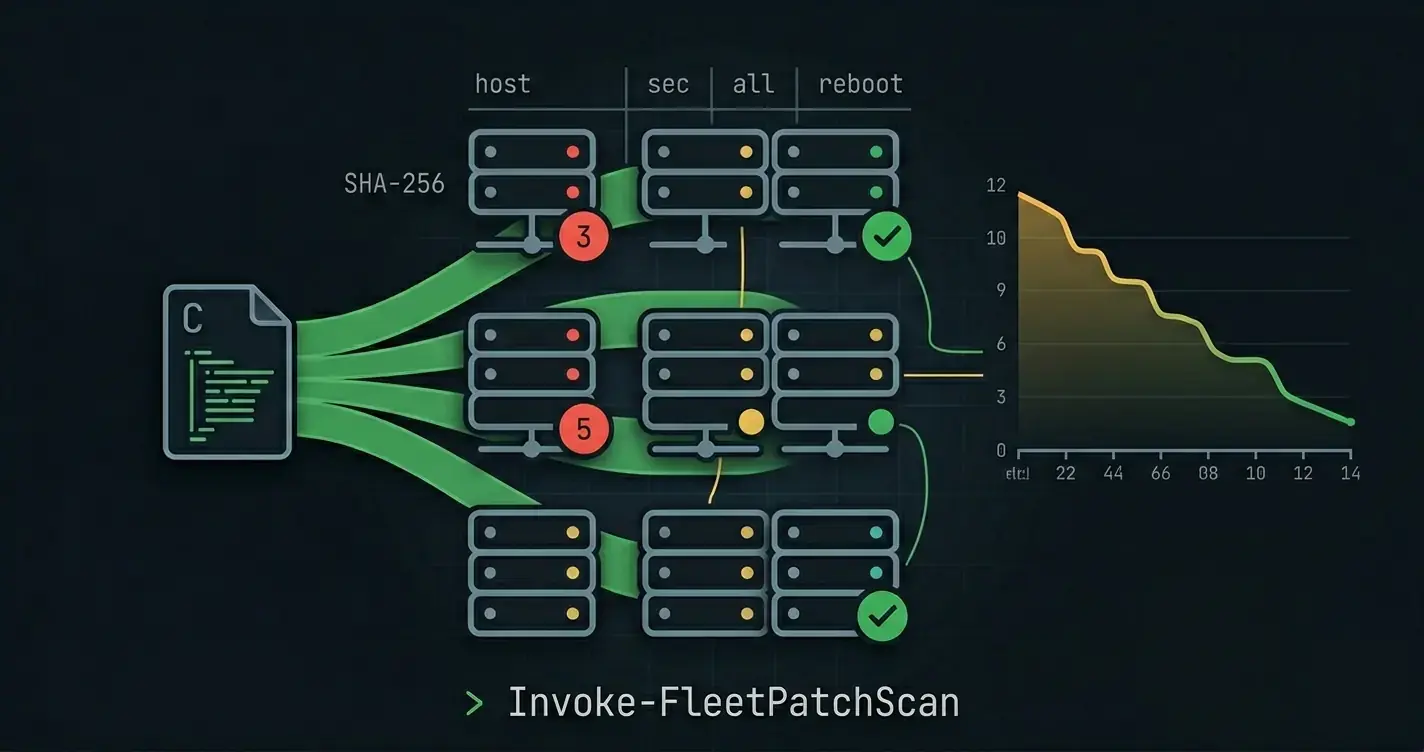
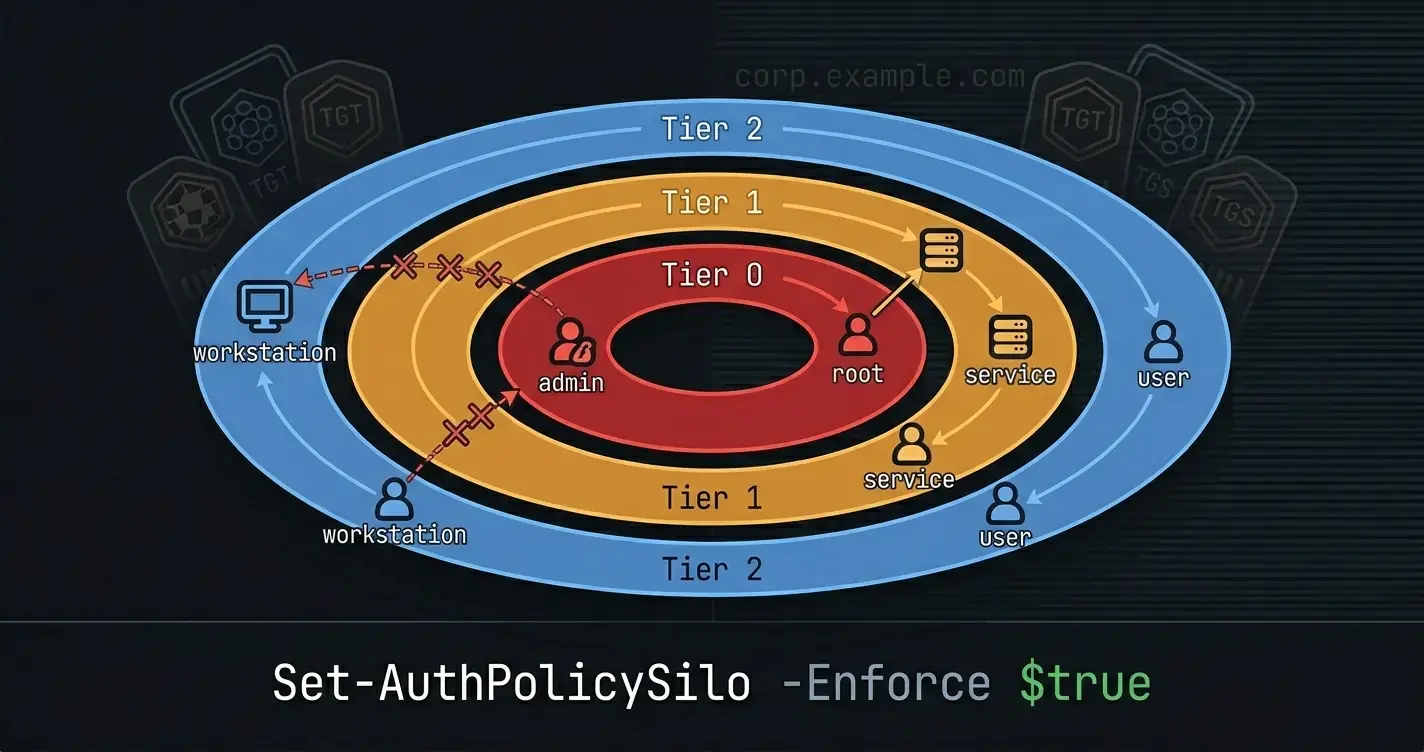
This guide assumes a freshly-installed Linux server (Ubuntu 22.04 / 24.04 or any Debian-family equivalent) with root SSH access,
pwsh7+ installed (sudo snap install powershell --classicor the Microsoft repo package), andpowershell-yamlavailable (Install-Module powershell-yaml -Scope CurrentUserrun once from an interactive pwsh session as root). RHEL-family adjustments noted in the gotchas.
The default install of every major Linux distribution in 2026 is less bad than it was a decade ago, but it's still a long way from "hardened". Root logs in over SSH with a password. The firewall is off. No non-root admin user exists. There's no sudo policy worth the name. sshd_config still permits password authentication, allows X11 forwarding, and accepts weak key exchanges.
This post walks a blank server to a defensible baseline using only PowerShell. Not Ansible, not bash, not a configuration manager with a runtime, just pwsh and the native Linux tools it shells out to. The payoff: one script, one YAML file, idempotent, reviewable in a pull request, runnable by anyone who already speaks PowerShell. The same script runs against host two through two hundred.
The end state, checklist-style:
- A non-root administrative user with SSH key access.
- Root SSH login disabled, password authentication disabled, modern key exchange only.
sudoscoped by principle of least privilege - no blanket wheel/sudo group membership; each user gets only the commands they actually need.- A
ufwfirewall that drops everything except the ports you declare. fail2banwatching SSH and dropping IPs that brute-force.- Unattended security updates running on a daily timer.
- Unused listening services disabled.
- A validation function that reads the running state and reports drift against the baseline.
The whole thing is about 600 lines of PowerShell and one ~80-line YAML file. You can read all of it in a sitting and audit every line.
The Baseline YAML
One source of truth. The humans edit this file; the script applies it.
# /etc/hardening/baseline.yaml
hostname: srv01.corp.example.com

users:
  - name: rcfmartin
    uid: 2001
    comment: Ricardo Martin (admin)
    shell: /bin/bash
    groups: [adm, sudo_limited]
    sshKeys:
      - "ssh-ed25519 AAAAC3NzaC1lZDI1NTE5AAAAI... rcfmartin@control"

  - name: monitor
    uid: 2010
    comment: Prometheus node exporter
    shell: /usr/sbin/nologin
    groups: [monitor]
    system: true

groups:
  - name: sudo_limited
    gid: 3001
  - name: monitor
    gid: 3010
    system: true

sudoers:
  # Principle of least privilege: grant specific commands, not ALL.
  - file: /etc/sudoers.d/10-rcfmartin
    rules:
      - "rcfmartin ALL=(root) NOPASSWD: /usr/bin/systemctl reload nginx, /usr/bin/systemctl restart nginx"
      - "rcfmartin ALL=(root) /usr/bin/apt-get update, /usr/bin/apt-get upgrade"

ssh:
  port: 22
  permitRoot: no
  passwordAuth: no
  pubkeyAuth: yes
  x11Forwarding: no
  allowUsers: [rcfmartin]
  ciphers:  "[email protected],[email protected]"
  kexAlgos: "curve25519-sha256,[email protected]"
  macs:     "[email protected],[email protected]"
  clientAliveInterval: 300
  clientAliveCountMax: 2

firewall:
  defaultIncoming: deny
  defaultOutgoing: allow
  logging: low                       # off | low | medium | high | full
  allow:
    - { proto: tcp, port: 22,   from: 10.0.0.0/8, comment: "SSH from corp network" }
    - { proto: tcp, port: 443,  from: 0.0.0.0/0,  comment: "HTTPS" }
    - { proto: tcp, port: 80,   from: 0.0.0.0/0,  comment: "HTTP (redirect only)" }
    - { proto: tcp, port: 9100, from: 10.0.0.0/8, comment: "node_exporter" }

fail2ban:
  sshdMaxRetry: 3
  sshdFindTime: 600
  sshdBanTime:  3600
  ignoreIp: [127.0.0.1/8, 10.0.0.0/8]

unattendedUpgrades:
  securityOnly: true
  autoReboot: false

disableServices:
  - avahi-daemon
  - cups
  - bluetooth
  - ModemManager
Four facts make this work:
- Every field is optional. Missing a section means "don't manage this concern"; the script ignores it.
- Lists, not freeform text. A sudoers rule is a YAML string; a firewall rule is a structured object. Structured shapes diff cleanly in pull requests.
- No passwords, no key material inline. SSH public keys are fine to commit; private keys and user passwords are not. The script assumes users authenticate by key (the non-root admin) or don't log in interactively at all (service accounts with
nologin). - The hostname is an attribute. Applying the baseline to ten hosts with ten YAMLs is the same script, just with different
hostnamevalues.
Loader and Dispatch
The loader takes either YAML or JSON. Most humans prefer YAML for hand editing, it's terser, supports comments, and the key: value shape stays out of your way. JSON is what you get when something else generates the config: a Terraform local_file, a CMDB exporter, an inventory script. Both end up in the same PSCustomObject graph because the loader round-trips YAML through JSON, normalizing both into the same shape downstream.
function Import-HardeningBaseline
{
    <#
    .SYNOPSIS
        Loads a YAML or JSON hardening baseline into a normalized
        PSCustomObject graph.

    .DESCRIPTION
        Dispatches on file extension:
          - .yaml / .yml -> ConvertFrom-Yaml | ConvertTo-Json | ConvertFrom-Json
          - .json        -> ConvertFrom-Json directly

        Both code paths return PSCustomObject so dot-notation access works
        consistently in every Set-* downstream.

    .PARAMETER Path
        Path to a .yaml, .yml, or .json file containing the baseline.

    .OUTPUTS
        System.Management.Automation.PSCustomObject
    #>
    [CmdletBinding()]
    [OutputType([pscustomobject])]
    param
    (
        [Parameter(Mandatory = $true, ValueFromPipeline = $true, ValueFromPipelineByPropertyName = $true)]
        [ValidateScript({ Test-Path -Path $_ -PathType Leaf })]
        [string]
        $Path
    )

    begin
    {
        Write-Verbose -Message '[Import-HardeningBaseline] Begin'
    }

    process
    {
        $ext = [System.IO.Path]::GetExtension($Path).ToLowerInvariant()
        $raw = Get-Content -Path $Path -Raw

        switch ($ext)
        {
            '.json'
            {
                return $raw | ConvertFrom-Json
            }

            { $_ -in '.yaml', '.yml' }
            {
                if (-not (Get-Module -ListAvailable -Name 'powershell-yaml'))
                {
                    throw "The 'powershell-yaml' module is required for YAML input. Install with: Install-Module powershell-yaml -Scope CurrentUser"
                }

                Import-Module -Name 'powershell-yaml' -ErrorAction Stop

                # Round-trip through JSON so the YAML hashtable output gets
                # normalized into the same PSCustomObject shape ConvertFrom-Json
                # produces natively. Downstream code never has to branch on
                # input format.
                return $raw | ConvertFrom-Yaml | ConvertTo-Json -Depth 20 | ConvertFrom-Json
            }

            default
            {
                throw ("Unsupported baseline extension '{0}'. Use .yaml, .yml, or .json." -f $ext)
            }
        }
    }

    end
    {
        Write-Verbose -Message '[Import-HardeningBaseline] End'
    }
}
A YAML baseline (the example earlier in the post) and the equivalent JSON differ only in syntax, the parsed shape is identical:
{
  "hostname": "srv01.corp.example.com",
  "users": [
    {
      "name": "rcfmartin",
      "uid": 2001,
      "comment": "Ricardo Martin (admin)",
      "shell": "/bin/bash",
      "groups": ["adm", "sudo_limited"],
      "sshKeys": ["ssh-ed25519 AAAAC3NzaC1lZDI1NTE5AAAAI... rcfmartin@control"]
    }
  ],
  "firewall": {
    "defaultIncoming": "deny",
    "defaultOutgoing": "allow",
    "logging": "low",
    "allow": [
      { "proto": "tcp", "port": 22,  "from": "10.0.0.0/8", "comment": "SSH from corp network" },
      { "proto": "tcp", "port": 443, "from": "0.0.0.0/0",  "comment": "HTTPS" }
    ]
  }
}
Where the baseline can live
A file on disk is the obvious starting point, check it into git, review changes in pull requests, apply on push. But the loader's -Path parameter is just one way in. The runtime contract is "give me a PSCustomObject shaped like the baseline"; the source doesn't have to be a file:
- Database (Postgres / SQL Server / SQLite). Each row is a host; one column is a JSON document with the per-host overrides. A small wrapper queries the row, casts to
PSCustomObject, and hands the result to the sameSet-*chain - no other code changes. - CMDB or asset-management tool (NetBox, ServiceNow, Snipe-IT). Most expose a REST API that returns JSON. Wrap the API call in a function that returns the baseline shape and pipe straight into the runner.
- Secrets vault (HashiCorp Vault, Azure Key Vault, AWS Secrets Manager). For baselines that include sensitive identifiers, store the JSON document as a vault secret. The retrieval call returns the same shape; the bytes never land on disk.
- Active Directory / LDAP attribute. A
serverDescriptionor custom-schema attribute holding base64-JSON; oneGet-ADComputerand aConvertFrom-Jsonaway from being the baseline.
In each case the only delta is how the bytes are fetched. The reconciler chain stays untouched. Build the file-based version first because it's easy to debug, switch to whichever upstream source matches your environment when the file workflow starts feeling like a bottleneck.
The script's top-level structure is a sequence of Set-* calls, one per concern, each idempotent. Every Set-* follows the Get-Test-Set discipline: read current state, compare to desired, only mutate on drift, honour -WhatIf.
Users and Groups
Linux gives us useradd / usermod / groupadd, which are mostly idempotent already but fail loudly on "already exists". The wrappers fix that.
function Set-LinuxGroup
{
    <#
    .SYNOPSIS
        Creates or reconciles a Linux group to match the desired state.

    .DESCRIPTION
        Idempotent. If the group exists with the right GID, this is a no-op.
        If the GID differs, it's logged and left alone (changing a GID
        retroactively is dangerous - files don't reassign).
    #>
    [CmdletBinding(SupportsShouldProcess = $true)]
    param
    (
        [Parameter(Mandatory = $true, ValueFromPipeline = $true)]
        [pscustomobject]
        $Group
    )

    begin
    {
        Write-Verbose -Message '[Set-LinuxGroup] Begin'
    }

    process
    {
        $existing = & getent group $Group.name 2>$null
        if ($existing)
        {
            $currentGid = ($existing -split ':')[2]
            if ($currentGid -ne "$($Group.gid)")
            {
                Write-Warning -Message ('[Set-LinuxGroup] {0} exists with GID {1}, desired {2} - leaving alone' -f
                    $Group.name, $currentGid, $Group.gid)
            }
            return
        }

        if ($PSCmdlet.ShouldProcess($Group.name, ('Create group (gid {0})' -f $Group.gid)))
        {
            $args = @('-g', $Group.gid)
            if ($Group.system) { $args += '-r' }
            $args += $Group.name

            $null = & sudo groupadd @args
            if ($LASTEXITCODE -ne 0) { throw ('groupadd failed for {0}' -f $Group.name) }
        }
    }

    end
    {
        Write-Verbose -Message '[Set-LinuxGroup] End'
    }
}

function Set-LinuxUser
{
    <#
    .SYNOPSIS
        Creates or reconciles a Linux user to match the desired state.

    .DESCRIPTION
        Creates the user if missing. Reconciles shell, comment, and group
        memberships if they drift. SSH key material in the `sshKeys` array
        is written to ~/.ssh/authorized_keys with strict permissions.
    #>
    [CmdletBinding(SupportsShouldProcess = $true)]
    param
    (
        [Parameter(Mandatory = $true, ValueFromPipeline = $true)]
        [pscustomobject]
        $User
    )

    begin
    {
        Write-Verbose -Message '[Set-LinuxUser] Begin'
    }

    process
    {
        $passwd = & getent passwd $User.name 2>$null
        $exists = [bool]$passwd

        if (-not $exists)
        {
            if ($PSCmdlet.ShouldProcess($User.name, ('Create user (uid {0}, shell {1})' -f $User.uid, $User.shell)))
            {
                $args = @('-u', $User.uid, '-s', $User.shell, '-c', $User.comment, '-m')
                if ($User.system) { $args = @('-u', $User.uid, '-s', $User.shell, '-c', $User.comment, '-r') }
                $args += $User.name

                $null = & sudo useradd @args
                if ($LASTEXITCODE -ne 0) { throw ('useradd failed for {0}' -f $User.name) }
            }
        }
        else
        {
            # Reconcile attributes that may have drifted
            $fields = $passwd -split ':'
            $curShell   = $fields[6]
            $curComment = $fields[4]

            if ($curShell -ne $User.shell -and
                $PSCmdlet.ShouldProcess($User.name, ('Change shell to {0}' -f $User.shell)))
            {
                $null = & sudo chsh -s $User.shell $User.name
            }

            if ($curComment -ne $User.comment -and
                $PSCmdlet.ShouldProcess($User.name, 'Update GECOS comment'))
            {
                $null = & sudo usermod -c $User.comment $User.name
            }
        }

        # Group memberships - supplementary groups only (not the primary)
        $desiredGroups = @($User.groups)
        if ($desiredGroups.Count -gt 0)
        {
            $currentGroups = ((& id -Gn $User.name) -split ' ' | Where-Object { $_ -ne $User.name })

            $missing = $desiredGroups | Where-Object { $_ -notin $currentGroups }
            if ($missing -and $PSCmdlet.ShouldProcess($User.name, ('Add to groups: {0}' -f ($missing -join ',')))
            )
            {
                $null = & sudo usermod -aG ($desiredGroups -join ',') $User.name
            }
        }

        # SSH keys
        if ($User.sshKeys)
        {
            Set-AuthorizedKeys -Username $User.name -Keys @($User.sshKeys)
        }
    }

    end
    {
        Write-Verbose -Message '[Set-LinuxUser] End'
    }
}

function Set-AuthorizedKeys
{
    <#
    .SYNOPSIS
        Writes ~/.ssh/authorized_keys idempotently with strict perms.
    #>
    [CmdletBinding(SupportsShouldProcess = $true)]
    param
    (
        [Parameter(Mandatory = $true)]
        [string]
        $Username,

        [Parameter(Mandatory = $true)]
        [string[]]
        $Keys
    )

    begin
    {
        Write-Verbose -Message '[Set-AuthorizedKeys] Begin'
    }

    process
    {
        $home  = & getent passwd $Username | ForEach-Object { ($_ -split ':')[5] }
        if (-not $home) { throw ('No home directory found for {0}' -f $Username) }

        $sshDir  = Join-Path $home '.ssh'
        $keyFile = Join-Path $sshDir 'authorized_keys'

        $desired = ($Keys | Sort-Object | Get-Unique) -join "`n"

        if (Test-Path -Path $keyFile)
        {
            $current = (Get-Content -Path $keyFile -Raw).TrimEnd() -replace "`r",""
            if ($current -eq $desired)
            {
                return
            }
        }

        if (-not $PSCmdlet.ShouldProcess(('{0}:{1}' -f $Username, $keyFile), 'Write authorized_keys'))
        {
            return
        }

        $null = & sudo install -d -m 700 -o $Username -g $Username $sshDir

        # Write to a tempfile we own, then move into place as root
        $tmp = [System.IO.Path]::GetTempFileName()
        Set-Content -LiteralPath $tmp -Value $desired -NoNewline

        $null = & sudo install -m 600 -o $Username -g $Username $tmp $keyFile
        Remove-Item -LiteralPath $tmp -Force
    }

    end
    {
        Write-Verbose -Message '[Set-AuthorizedKeys] End'
    }
}
Three rules followed:
- Every
sudoinvocation goes through& sudo cmd .... The script runs as root to begin with (it's a baseline; root is unavoidable), but every mutation usessudoexplicitly so the audit log is clear. - Refusing to change a GID in place is deliberate. Changing
sudo_limitedfrom 3001 to 3005 after files are already owned by 3001 creates dangling ownership you'll rediscover years later. The script logs and skips. installfor writing privileged files. It handles mode, owner, and group in one atomic operation.Copy-Item+chmod+chownis three steps and three failure modes;installis one.
Sudoers - the Principle of Least Privilege
The default "add Alice to the sudo group" grants unlimited root. For anything other than a personal laptop, it's the wrong default. The right one: grant specific commands, preferably with specific arguments, preferably NOPASSWD only for the truly non interactive ones.
function Set-SudoersFile
{
    <#
    .SYNOPSIS
        Writes a sudoers drop-in file with validation.

    .DESCRIPTION
        Sudoers syntax errors can lock you out of sudo entirely. The script
        writes to a tempfile, runs visudo -cf against it, and only renames
        into /etc/sudoers.d/ on successful validation. If validation fails,
        the tempfile is deleted and the live file is untouched.
    #>
    [CmdletBinding(SupportsShouldProcess = $true)]
    param
    (
        [Parameter(Mandatory = $true, ValueFromPipeline = $true)]
        [pscustomobject]
        $Entry
    )

    begin
    {
        Write-Verbose -Message '[Set-SudoersFile] Begin'
    }

    process
    {
        $body = (@($Entry.rules) -join "`n") + "`n"

        # Stage in /etc/sudoers.d/.tmp/ so rename(2) stays on same fs
        $tmp = '/etc/sudoers.d/.' + [System.IO.Path]::GetFileName($Entry.file) + '.tmp'
        $null = & sudo install -m 0440 -o root -g root /dev/null $tmp
        $null = $body | & sudo tee $tmp > /dev/null

        # Validate
        $validation = & sudo visudo -cf $tmp 2>&1
        if ($LASTEXITCODE -ne 0)
        {
            $null = & sudo rm -f $tmp
            throw ('visudo rejected {0}: {1}' -f $Entry.file, ($validation -join "`n"))
        }

        # Promote
        if (-not $PSCmdlet.ShouldProcess($Entry.file, 'Atomic replace sudoers drop-in'))
        {
            $null = & sudo rm -f $tmp
            return
        }

        $null = & sudo mv $tmp $Entry.file
        $null = & sudo chmod 0440 $Entry.file
    }

    end
    {
        Write-Verbose -Message '[Set-SudoersFile] End'
    }
}
Never edit
/etc/sudoersdirectly. Always use/etc/sudoers.d/NN-namedrop ins, and always validate withvisudo -cfbefore moving into place. A broken/etc/sudoerslocks you out ofsudoand turns a config change into a serial console recovery.
With the baseline YAML from the start of the post, Ricardo ends up able to sudo systemctl reload nginx and sudo apt-get update without a password, but cannot (for example) sudo cat /etc/shadow. That's the principle of least privilege in practice, you specify what's allowed, and everything else is denied by definition.
SSH Hardening
The single highest leverage hardening step on a public facing Linux box. One file, /etc/ssh/sshd_config.d/10-hardening.conf, overrides the distro default.
function Set-SshdHardening
{
    <#
    .SYNOPSIS
        Writes /etc/ssh/sshd_config.d/10-hardening.conf with strict settings
        and reloads sshd on success.

    .DESCRIPTION
        Uses the atomic-write pattern (tempfile, validate, promote) so a
        broken config never lands in production. sshd -t is run against
        the staged file before promotion.
    #>
    [CmdletBinding(SupportsShouldProcess = $true)]
    param
    (
        [Parameter(Mandatory = $true, ValueFromPipeline = $true)]
        [pscustomobject]
        $SshConfig
    )

    begin
    {
        Write-Verbose -Message '[Set-SshdHardening] Begin'
    }

    process
    {
        $lines = @(
            '# Managed by rcfmartin hardening baseline - do not edit by hand.'
            ('Port {0}'                    -f $SshConfig.port)
            ('PermitRootLogin {0}'         -f $SshConfig.permitRoot)
            ('PasswordAuthentication {0}'  -f $SshConfig.passwordAuth)
            ('PubkeyAuthentication {0}'    -f $SshConfig.pubkeyAuth)
            ('X11Forwarding {0}'           -f $SshConfig.x11Forwarding)
            'ChallengeResponseAuthentication no'
            'UsePAM yes'
            'PermitEmptyPasswords no'
            'MaxAuthTries 3'
            'LoginGraceTime 30'
            ('ClientAliveInterval {0}'     -f $SshConfig.clientAliveInterval)
            ('ClientAliveCountMax {0}'     -f $SshConfig.clientAliveCountMax)
            ('AllowUsers {0}'              -f ((@($SshConfig.allowUsers)) -join ' '))
            'AllowTcpForwarding no'
            'AllowAgentForwarding no'
            ('Ciphers {0}'                 -f $SshConfig.ciphers)
            ('KexAlgorithms {0}'           -f $SshConfig.kexAlgos)
            ('MACs {0}'                    -f $SshConfig.macs)
        )

        $body = ($lines -join "`n") + "`n"

        $target  = '/etc/ssh/sshd_config.d/10-hardening.conf'
        $staging = '/etc/ssh/sshd_config.d/.10-hardening.{0}.tmp' -f [guid]::NewGuid()

        try
        {
            $null = $body | & sudo tee $staging > /dev/null
            $null = & sudo chmod 0644 $staging
            $null = & sudo chown root:root $staging

            # Validate the ENTIRE sshd config with the staged drop-in in place
            # sshd -t reads the main config which includes drop-ins, so the
            # staged file is picked up implicitly because of the wildcard.
            $validation = & sudo sshd -t 2>&1

            if ($LASTEXITCODE -ne 0)
            {
                # Rollback staging
                $null = & sudo rm -f $staging
                throw ('sshd -t rejected config: {0}' -f ($validation -join "`n"))
            }

            if (-not $PSCmdlet.ShouldProcess($target, 'Promote sshd hardening'))
            {
                $null = & sudo rm -f $staging
                return
            }

            $null = & sudo mv $staging $target

            # Reload, not restart - reload rereads config, restart drops sessions
            $null = & sudo systemctl reload ssh 2>/dev/null
            if ($LASTEXITCODE -ne 0) { $null = & sudo systemctl reload sshd }
        }
        catch
        {
            $null = & sudo rm -f $staging
            throw
        }
    }

    end
    {
        Write-Verbose -Message '[Set-SshdHardening] End'
    }
}
Three subtleties worth calling out:
- Always
reload, neverrestartsshd.reloadre-reads the config for new connections; existing SSH sessions keep working with their pre-reload config.restartdrops every session including yours. If your test pass reveals the new config is wrong, reload gives you a chance to fix it; restart gives you a chance to call the datacenter. sshd -tvalidates the entire effective config, including whatever was already in/etc/ssh/sshd_configand every drop in file. Staging into.10-hardening.*.tmptakes advantage of this, since/etc/ssh/sshd_config.d/*.confis the wildcard, the staged.tmpfile gets considered during validation. This is only safe because the tempfile has a distinct name. If your staging strategy writes directly to the target path, you break this.- Ubuntu calls the service
ssh; RHEL-family calls itsshd. The fallback in the script handles both. The2>/dev/nullon the first attempt prevents an ugly error message for the common case where one of the two doesn't exist.
Bootstrap Helper - Installing Missing Packages
Three of the next four sections (Set-UfwFirewall, Set-Fail2banJail, Set-UnattendedUpgrades) call binaries that aren't installed on a minimal Ubuntu / Debian image. Rather than repeat the Get-Command + apt-get install dance in each one, factor it out:
function Confirm-AptPackage
{
    <#
    .SYNOPSIS
        Ensures a Debian/Ubuntu package providing a named binary is installed.

    .DESCRIPTION
        Checks for the presence of a binary on PATH. If missing, runs
        apt-get install for the named package. Honors -WhatIf by warning
        and returning $false instead of installing.

    .PARAMETER Binary
        Name of the executable to test for.

    .PARAMETER Package
        Name of the apt package that provides the binary. Defaults to
        $Binary - override when the package and binary names differ
        (e.g. binary "fail2ban-client" comes from package "fail2ban").

    .OUTPUTS
        System.Boolean - $true if the package is installed at the end of
        the call, $false if -WhatIf was set and the package was missing.
    #>
    [CmdletBinding(SupportsShouldProcess = $true)]
    [OutputType([bool])]
    param
    (
        [Parameter(Mandatory = $true)]
        [string]
        $Binary,

        [Parameter()]
        [string]
        $Package
    )

    begin
    {
        Write-Verbose -Message '[Confirm-AptPackage] Begin'
    }

    process
    {
        if (-not $Package) { $Package = $Binary }

        if (Get-Command $Binary -ErrorAction SilentlyContinue)
        {
            return $true
        }

        if (-not $PSCmdlet.ShouldProcess($Package, 'apt-get install (package missing)'))
        {
            Write-Warning -Message ('[Confirm-AptPackage] {0} is not installed; -WhatIf set, returning $false' -f $Package)
            return $false
        }

        Write-Verbose -Message ('[Confirm-AptPackage] installing {0} via apt-get' -f $Package)

        $null = & sudo apt-get update -qq
        $install = & sudo DEBIAN_FRONTEND=noninteractive apt-get install -y -qq $Package 2>&1
        if ($LASTEXITCODE -ne 0)
        {
            throw ('Failed to install {0}: {1}' -f $Package, ($install -join "`n"))
        }

        # Post-install sanity check: the package landed but the binary still
        # isn't on PATH. Usually means /usr/sbin isn't in $env:PATH for the
        # calling shell - rare, but better to fail loudly than mysteriously.
        if (-not (Get-Command $Binary -ErrorAction SilentlyContinue))
        {
            throw ('{0} was installed but {1} is not on PATH' -f $Package, $Binary)
        }

        return $true
    }

    end
    {
        Write-Verbose -Message '[Confirm-AptPackage] End'
    }
}
One function, three callers. Each Set-* that needs a package starts with a one-line guard: if (-not (Confirm-AptPackage -Binary X)) { return }. The guard returns cleanly under -WhatIf so a dry-run produces sensible output instead of crashing on a missing command.
Firewall - ufw
Underneath, modern Debian / Ubuntu uses nftables. On top, ufw (Uncomplicated Firewall) is the friendly front-end that ships with the distro. For a baseline that has to be readable by anyone on the team, the ufw allow / ufw deny vocabulary is hard to beat - and the script can lean on ufw status for parsing instead of writing its own ruleset format.
The function reads the current rule set, computes drift against the baseline, removes anything that shouldn't be there, adds anything that should, and enables the firewall. Idempotent: a second run is a no-op. The first step inside process is a presence check for ufw itself - on a truly blank server it might not be installed yet, so the function self-installs it via apt-get rather than failing on a missing command.
function Set-UfwFirewall
{
    <#
    .SYNOPSIS
        Reconciles UFW rules against the baseline.

    .DESCRIPTION
        Sets default incoming/outgoing policies, normalizes logging, walks
        the desired allow list to add missing rules, and walks the live
        rule list to delete anything not in the baseline. Enables UFW at
        the end with --force so it's non-interactive.
    #>
    [CmdletBinding(SupportsShouldProcess = $true)]
    param
    (
        [Parameter(Mandatory = $true, ValueFromPipeline = $true)]
        [pscustomobject]
        $Firewall
    )

    begin
    {
        Write-Verbose -Message '[Set-UfwFirewall] Begin'
    }

    process
    {
        # 0. Make sure ufw is installed. On minimal cloud images it isn't.
        if (-not (Confirm-AptPackage -Binary ufw)) { return }

        # 1. Default policies (idempotent - ufw silently re-applies)
        $inDefault  = if ($Firewall.defaultIncoming) { $Firewall.defaultIncoming } else { 'deny' }
        $outDefault = if ($Firewall.defaultOutgoing) { $Firewall.defaultOutgoing } else { 'allow' }

        if ($PSCmdlet.ShouldProcess('ufw default', ('incoming={0} outgoing={1}' -f $inDefault, $outDefault)))
        {
            $null = & sudo ufw default $inDefault  incoming
            $null = & sudo ufw default $outDefault outgoing
        }

        # 2. Logging level
        if ($Firewall.logging)
        {
            $null = & sudo ufw logging $Firewall.logging
        }

        # 3. Build the desired-rule signature set so we can diff against live
        $desired = New-Object -TypeName 'System.Collections.Generic.HashSet[string]'
        foreach ($rule in @($Firewall.allow))
        {
            # Signature is "from -> port/proto" - ignores comment, used for set diff
            $from = if ($rule.from) { $rule.from } else { 'Anywhere' }
            $sig  = '{0}|{1}/{2}' -f $from, $rule.port, $rule.proto
            [void]$desired.Add($sig)
        }

        # 4. Read the current rule list (numbered, one per line) and delete
        # anything not in the desired set. Walk indices in REVERSE so the
        # numbering doesn't shift as we delete.
        $live = & sudo ufw status numbered 2>$null
        $liveRules = @()
        foreach ($line in $live)
        {
            if ($line -match '^\[\s*(?<idx>\d+)\]\s+(?<spec>\S+(?:\s\S+)*?)\s+ALLOW IN\s+(?<from>\S+(?:\s\S+)*?)\s*$')
            {
                # Normalize the spec, strip "(v6)" markers, normalize "Anywhere" with no /0
                $port, $proto = ($matches.spec -split '/')
                $from = $matches.from -replace '\s*\(v6\)\s*$', ''
                $sig  = '{0}|{1}/{2}' -f $from, $port, $proto
                $liveRules += [pscustomobject]@{ Idx = [int]$matches.idx; Sig = $sig }
            }
        }

        $stale = $liveRules | Where-Object { -not $desired.Contains($_.Sig) } | Sort-Object Idx -Descending
        foreach ($s in $stale)
        {
            if ($PSCmdlet.ShouldProcess(('rule #{0}' -f $s.Idx), ('Delete stale ufw rule ({0})' -f $s.Sig)))
            {
                $null = & sudo ufw --force delete $s.Idx
            }
        }

        # 5. Add desired rules. UFW silently skips duplicates so this is safe
        # to rerun, but we still invoke once per rule to pick up new ones.
        foreach ($rule in @($Firewall.allow))
        {
            if (-not $PSCmdlet.ShouldProcess(('{0} -> {1}/{2}' -f ($rule.from ?? 'any'), $rule.port, $rule.proto), 'Add ufw allow rule'))
            {
                continue
            }

            $args = @('allow')
            if ($rule.from -and $rule.from -ne '0.0.0.0/0')
            {
                $args += @('from', $rule.from, 'to', 'any', 'port', "$($rule.port)", 'proto', $rule.proto)
            }
            else
            {
                $args += @("$($rule.port)/$($rule.proto)")
            }

            if ($rule.comment) { $args += @('comment', $rule.comment) }

            $null = & sudo ufw @args
        }

        # 6. Enable (idempotent - --force suppresses the y/N prompt that
        # would otherwise block automation and possibly drop your SSH session)
        if ($PSCmdlet.ShouldProcess('ufw', 'Enable'))
        {
            $null = & sudo ufw --force enable
        }
    }

    end
    {
        Write-Verbose -Message '[Set-UfwFirewall] End'
    }
}
The structure is boring and worth keeping that way: default-deny incoming, default-allow outgoing, logging on, explicit allows from the YAML. A fleet of Linux servers that all run this same skeleton is easier to audit than a fleet where each one rolled its own rules.
ufw --force enableis the magic word for automation. Without--force, UFW prompts "Command may disrupt existing ssh connections. Proceed with operation (y|n)?" and your script hangs forever. With--force, it just enables. The disclaimer is real - read the SSH gotcha at the bottom before you run this for the first time over the SSH session you're working in.UFW has no
--checkmode. Unlikenft -c -forsshd -t, there's no way to validate a UFW ruleset before applying it. The script's safety comes from idempotent reconciliation rather than dry-run validation: build the desired set, compute the diff, apply incrementally. If something rejects mid-apply, the rules already in place stay - you don't get the all-or-nothing guarantees of an atomic file rename, but you also don't get a single typo wiping your firewall.
Fail2ban
sshd on a public IPv4 sees thousands of login attempts per day. fail2ban reads the auth log, groups failures by source IP, and drops IPs that cross a threshold. It's not a replacement for disabling password auth, which you already did, but it's a cheap second layer for the edge cases (a leaked key, a brute-force on a valid username).
function Set-Fail2banJail
{
    <#
    .SYNOPSIS
        Writes /etc/fail2ban/jail.local with the baseline's sshd jail.
    #>
    [CmdletBinding(SupportsShouldProcess = $true)]
    param
    (
        [Parameter(Mandatory = $true, ValueFromPipeline = $true)]
        [pscustomobject]
        $Fail2ban
    )

    begin
    {
        Write-Verbose -Message '[Set-Fail2banJail] Begin'
    }

    process
    {
        # The fail2ban package provides /usr/bin/fail2ban-client; not
        # installed by default on minimal images.
        if (-not (Confirm-AptPackage -Binary fail2ban-client -Package fail2ban)) { return }

        $ignore = (@($Fail2ban.ignoreIp)) -join ' '

        $body = @"
# Managed by rcfmartin hardening baseline - do not edit by hand.

[DEFAULT]
ignoreip = $ignore
findtime = $($Fail2ban.sshdFindTime)
bantime  = $($Fail2ban.sshdBanTime)
maxretry = $($Fail2ban.sshdMaxRetry)
backend  = systemd

[sshd]
enabled = true
mode    = aggressive
"@

        $target = '/etc/fail2ban/jail.local'
        $null   = $body | & sudo tee $target > /dev/null
        $null   = & sudo chmod 0644 $target
        $null   = & sudo chown root:root $target

        if ($PSCmdlet.ShouldProcess($target, 'Enable + restart fail2ban'))
        {
            $null = & sudo systemctl enable --now fail2ban
            $null = & sudo systemctl restart fail2ban
        }
    }

    end
    {
        Write-Verbose -Message '[Set-Fail2banJail] End'
    }
}
The aggressive mode for the sshd jail catches connection attempts that don't even reach the auth phase (slow-loris-style port scans). For an internet-facing box, that's what you want; on a private network, stick with the default mode to avoid banning legitimate portscan-happy monitoring.
Unattended Security Updates
Debian/Ubuntu ships unattended-upgrades. Configure it once, and security updates install every night without human intervention.
function Set-UnattendedUpgrades
{
    <#
    .SYNOPSIS
        Configures unattended-upgrades for security-only nightly installs.
    #>
    [CmdletBinding(SupportsShouldProcess = $true)]
    param
    (
        [Parameter(Mandatory = $true, ValueFromPipeline = $true)]
        [pscustomobject]
        $Config
    )

    begin
    {
        Write-Verbose -Message '[Set-UnattendedUpgrades] Begin'
    }

    process
    {
        # The unattended-upgrades package provides /usr/bin/unattended-upgrade.
        # Comes pre-installed on most cloud Ubuntu images but not on bare
        # debootstrap installs or minimal Debian.
        if (-not (Confirm-AptPackage -Binary unattended-upgrade -Package unattended-upgrades)) { return }

        # Enable nightly run
        $auto = @"
APT::Periodic::Update-Package-Lists "1";
APT::Periodic::Unattended-Upgrade "1";
APT::Periodic::AutocleanInterval "7";
"@
        $null = $auto | & sudo tee /etc/apt/apt.conf.d/20auto-upgrades > /dev/null

        # Origins pattern - security-only
        $originBlock = if ($Config.securityOnly)
        {
            @"
Unattended-Upgrade::Allowed-Origins {
    "`${distro_id}:`${distro_codename}-security";
    "`${distro_id}ESMApps:`${distro_codename}-apps-security";
    "`${distro_id}ESM:`${distro_codename}-infra-security";
};
"@
        }
        else
        {
            @"
Unattended-Upgrade::Allowed-Origins {
    "`${distro_id}:`${distro_codename}-security";
    "`${distro_id}:`${distro_codename}-updates";
};
"@
        }

        $rebootBlock = if ($Config.autoReboot)
        {
            'Unattended-Upgrade::Automatic-Reboot "true";
Unattended-Upgrade::Automatic-Reboot-Time "02:30";'
        }
        else
        {
            'Unattended-Upgrade::Automatic-Reboot "false";'
        }

        $cfg = "$originBlock`n$rebootBlock`n"

        if ($PSCmdlet.ShouldProcess('50unattended-upgrades', 'Write unattended-upgrades config'))
        {
            $null = $cfg | & sudo tee /etc/apt/apt.conf.d/50unattended-upgrades > /dev/null
            $null = & sudo chmod 0644 /etc/apt/apt.conf.d/50unattended-upgrades
        }

        $null = & sudo systemctl enable --now unattended-upgrades.service
    }

    end
    {
        Write-Verbose -Message '[Set-UnattendedUpgrades] End'
    }
}
Auto-reboot = false by default. For an application server, you don't want the machine to reboot at 02:30 without you knowing. Set
autoReboot: trueonly on hosts where an unattended reboot is genuinely safe (stateless workers behind a load balancer, dev VMs, etc.), and consider pairing it withAutomatic-Reboot-WithUsers "false"so an interactive session blocks the reboot.
Disabling Unused Services
Default distro installs enable services nobody asked for. avahi, cups, bluetooth, ModemManager - none of them are useful on a headless server. Turn them off.
function Disable-LinuxService
{
    [CmdletBinding(SupportsShouldProcess = $true)]
    param
    (
        [Parameter(Mandatory = $true, ValueFromPipeline = $true)]
        [string]
        $Service
    )

    begin
    {
        Write-Verbose -Message '[Disable-LinuxService] Begin'
    }

    process
    {
        $status = & systemctl is-enabled $Service 2>$null
        if ($LASTEXITCODE -ne 0)
        {
            # Service doesn't exist on this host - skip
            return
        }

        if ($status.Trim() -in 'disabled', 'masked')
        {
            return
        }

        if ($PSCmdlet.ShouldProcess($Service, 'Stop + disable + mask'))
        {
            $null = & sudo systemctl stop $Service    2>$null
            $null = & sudo systemctl disable $Service 2>$null
            $null = & sudo systemctl mask $Service
        }
    }

    end
    {
        Write-Verbose -Message '[Disable-LinuxService] End'
    }
}
Mask, not just disable. A masked unit cannot be started at all, even by another unit declaring it as a dependency. disable only removes it from boot; another package's post-install script can re-enable it.
The Runner
Everything composed:
[CmdletBinding(SupportsShouldProcess = $true)]
param
(
    [Parameter(Mandatory = $true)]
    [ValidateScript({ Test-Path -Path $_ -PathType Leaf })]
    [string]
    $BaselineFile = '/etc/hardening/baseline.yaml'
)

$ErrorActionPreference = 'Stop'
Import-Module "$PSScriptRoot/Hardening.psm1" -Force

$baseline = Import-HardeningBaseline -Path $BaselineFile

Write-Host '[1/8] hostname'
if ($baseline.hostname)
{
    $current = & hostnamectl --static
    if ($current.Trim() -ne $baseline.hostname -and
        $PSCmdlet.ShouldProcess($baseline.hostname, 'Set hostname'))
    {
        $null = & sudo hostnamectl set-hostname $baseline.hostname
    }
}

Write-Host '[2/8] groups'
@($baseline.groups) | ForEach-Object { Set-LinuxGroup -Group $_ }

Write-Host '[3/8] users'
@($baseline.users) | ForEach-Object { Set-LinuxUser -User $_ }

Write-Host '[4/8] sudoers'
@($baseline.sudoers) | ForEach-Object { Set-SudoersFile -Entry $_ }

Write-Host '[5/8] sshd hardening'
if ($baseline.ssh) { Set-SshdHardening -SshConfig $baseline.ssh }

Write-Host '[6/8] ufw firewall'
if ($baseline.firewall) { Set-UfwFirewall -Firewall $baseline.firewall }

Write-Host '[7/8] fail2ban'
if ($baseline.fail2ban) { Set-Fail2banJail -Fail2ban $baseline.fail2ban }

Write-Host '[7.5] unattended security updates'
if ($baseline.unattendedUpgrades) { Set-UnattendedUpgrades -Config $baseline.unattendedUpgrades }

Write-Host '[8/8] disable unused services'
@($baseline.disableServices) | ForEach-Object { Disable-LinuxService -Service $_ }

Write-Host '[done]'
Run with -WhatIf to get a full dry-run that touches nothing. Run without to apply. Each section is idempotent; a second run is a near-instant no-op.
Validation - Does the State Match the Baseline?
One last function. Not a reconciler, just a reader that walks the running state and reports anything that doesn't match the YAML. Good for scheduled drift detection.
function Test-HardeningBaseline
{
    <#
    .SYNOPSIS
        Compares the running state against the baseline and emits drift.
    #>
    [CmdletBinding()]
    [OutputType([pscustomobject[]])]
    param
    (
        [Parameter(Mandatory = $true, ValueFromPipeline = $true)]
        [pscustomobject]
        $Baseline
    )

    begin
    {
        Write-Verbose -Message '[Test-HardeningBaseline] Begin'
    }

    process
    {
        $drift = @()

        # SSH
        foreach ($check in @(
            @{ K = 'PermitRootLogin';         V = $Baseline.ssh.permitRoot }
            @{ K = 'PasswordAuthentication'; V = $Baseline.ssh.passwordAuth }
            @{ K = 'PubkeyAuthentication';   V = $Baseline.ssh.pubkeyAuth }
            @{ K = 'X11Forwarding';          V = $Baseline.ssh.x11Forwarding }
        ))
        {
            $current = & sudo sshd -T 2>$null | Where-Object { $_ -match ('^' + $check.K.ToLower() + ' ') } |
                       Select-Object -First 1
            $current = ($current -split ' ', 2)[1]

            if ($current -ne $check.V)
            {
                $drift += [pscustomobject]@{ Area = 'ssh'; Key = $check.K; Expected = $check.V; Actual = $current }
            }
        }

        # Firewall — UFW status + default policies
        $ufwStatus = & sudo ufw status verbose 2>$null

        $isActive = ($ufwStatus | Select-Object -First 1) -match 'Status:\s*active'
        if (-not $isActive)
        {
            $drift += [pscustomobject]@{ Area = 'firewall'; Key = 'ufw.status'; Expected = 'active'; Actual = 'inactive' }
        }

        $defaultLine = $ufwStatus | Where-Object { $_ -match 'Default:' } | Select-Object -First 1
        if ($defaultLine -match 'Default:\s*(?<in>\w+)\s*\(incoming\),\s*(?<out>\w+)\s*\(outgoing\)')
        {
            $expectedIn  = if ($Baseline.firewall.defaultIncoming) { $Baseline.firewall.defaultIncoming } else { 'deny' }
            $expectedOut = if ($Baseline.firewall.defaultOutgoing) { $Baseline.firewall.defaultOutgoing } else { 'allow' }

            if ($matches.in -ne $expectedIn)
            {
                $drift += [pscustomobject]@{ Area = 'firewall'; Key = 'default.incoming'; Expected = $expectedIn;  Actual = $matches.in }
            }
            if ($matches.out -ne $expectedOut)
            {
                $drift += [pscustomobject]@{ Area = 'firewall'; Key = 'default.outgoing'; Expected = $expectedOut; Actual = $matches.out }
            }
        }

        # Users
        foreach ($u in @($Baseline.users))
        {
            $exists = [bool](& getent passwd $u.name 2>$null)
            if (-not $exists)
            {
                $drift += [pscustomobject]@{ Area = 'user'; Key = $u.name; Expected = 'present'; Actual = 'missing' }
            }
        }

        # Disabled services still active
        foreach ($svc in @($Baseline.disableServices))
        {
            $state = & systemctl is-active $svc 2>$null
            if ($state.Trim() -eq 'active')
            {
                $drift += [pscustomobject]@{ Area = 'service'; Key = $svc; Expected = 'inactive'; Actual = 'active' }
            }
        }

        return ,$drift
    }

    end
    {
        Write-Verbose -Message '[Test-HardeningBaseline] End'
    }
}
Pipe it into your alerting channel:
$drift = Test-HardeningBaseline -Baseline $baseline

if ($drift.Count -gt 0)
{
    $drift | Format-Table Area, Key, Expected, Actual -AutoSize
    $drift | ConvertTo-Json | Send-Alert -Channel '#drift'
    exit 1
}
exit 0
Schedule nightly, same pattern as the patch-reporting post. The validation is cheaper than the apply and can run more often.
Gotchas
- RHEL-family differences. RHEL / Alma / Rocky use
firewalldanddnf automaticinstead ofufwandunattended-upgrades. The pattern is identical - YAML in, reconcile, validate after - but the per-distro helpers need swapping.Set-UfwFirewallbecomesSet-FirewalldZone(usingfirewall-cmd --permanent); the rest stays close to identical. - Don't lock yourself out. When applying the baseline over SSH for the first time, keep your existing session open until you've tested a fresh SSH connection with the new user + key. If the new session fails, you fix from the old one. If both fail, you recover from console. The most common cause of self-lockout: the baseline tightens SSH (port,
AllowUsers) AND enables UFW withufw --force enableAND your IP isn't in the allow list. Sequence carefully or stage the firewall change separately. ufwrule-comment search is exact-match. Two rules with the same port + protocol + source but differentcommentvalues are deduplicated by UFW based on the structural part only, so editing only the comment in the YAML won't trigger a re-add. Comments are documentation, not part of the identity. If you need a rule to be re-applied, change one of the structural fields.AllowUsersis the kill switch. SettingAllowUsers ricardoinsshd_configmeans onlyricardocan SSH. If you add a user after the baseline runs but forget to update the YAML, their SSH will silently refuse. The validation function catches this eventually, but reviewing theAllowUserslist is the discipline.- Auto-reboot and state.
Automatic-Reboot "true"is safe only for hosts with no in-memory state that matters. Database servers, queue brokers, anything that takes 20 minutes to warm caches - disable auto-reboot and schedule reboots manually. - fail2ban against IPv6.
fail2banin some distros defaults to IPv4-only. Checksudo fail2ban-client status sshdafter install; if IPv6 traffic shows as "banned" but connections still succeed, you have the backend-version issue. ignoreipon a Docker host. If you run containers with their own networks, you'll see traffic from the container subnets in the auth log.fail2banwill ban docker-bridge IPs and wonder why the containers can't talk to each other. Add container subnets toignoreIp.sudo visudo -cfcatches syntax but not semantics. A rule likericardo ALL=(root) NOPASSWD: /usr/bin/systemctllets Ricardo run any systemctl command, includingpoweroff. If you want to restrict to specific units, spell them out:/usr/bin/systemctl reload nginx, /usr/bin/systemctl restart nginx. Syntax-valid, semantics-correct: two different checks.hostnamectl set-hostnamepersists in/etc/hostnamebut also updates the running kernel hostname. On the running shell,$env:HOSTNAMEmight still show the old value until next login. Not a bug, just surprising.- Idempotency of
useradd -m. On reruns where the user already exists,-mis ignored. But if you change the home directory in the YAML,useraddwon't move it - you'd needusermod -d ... -m, which does move files. The script above doesn't handle that case. Real life has this complication; note it and extend when you hit it.
Final Notes
One YAML file, about 600 lines of PowerShell, and a couple of hours of careful testing turn a default Linux install into a server that wouldn't embarrass you in an audit. Every concern, users, groups, sudo, SSH, firewall, fail2ban, unattended updates, service disable, is idempotent. The validation function reports drift on a cron. A fleet of 40 servers is the same YAML rendered against 40 different hostnames.
The second post in the Linux pair, on managing and reporting patch levels, picks up where this one leaves off: now that the baseline is applied, how do you know patches are flowing and how do you roll them out safely across the fleet? Together they cover Day 1 (initial hardening) and Day 2 (operational patch management).
After that, the Active Directory automation series applies the same Get/Test/Set discipline to Windows estates. The tools change; the pattern doesn't.