This post assumes PowerShell 5.1 or 7+, familiarity with modules and advanced functions, and a basic understanding of why the
classkeyword has tradeoffs. It's a reference you keep open while you build.
The largest open-source PowerShell modules PSReadLine, the Az.* family, dbatools, AWS Tools all avoid script-defined classes. They use PSCustomObject plus the Extended Type System (ETS). This isn't a workaround. It's the path the engine was designed around.
This post is the pattern, end to end.
Why Avoid PowerShell Classes
- Module export semantics are fragile. A class defined in a
.psm1is visible inside the module but not cleanly resolvable by external callers afterImport-Module. Dot-sourcing works in the current scope but breaks when paths differ across hosts. - No real interface implementation. You cannot implement
IComparable,IDisposable, or other .NET contracts reliably from a script class. - Parsed at load time. Conditional class definitions "use this shape on Windows, that one on Linux" are impossible because the parser sees both branches before any condition runs.
- Reload breaks silently. Editing a class and re-importing the module gives you a new class with the same name; existing instances still reference the old one.
- IntelliSense is inconsistent. VS Code catches some class completion, ISE catches less, ConsoleHost almost none.
The alternative: stamp a type name onto a property bag via PSTypeName, layer behavior with the ETS, and validate through factory functions. The engine treats the result as a first-class type for dispatch, formatting, and binding.
The PSCustomObject + PSTypeName Pattern
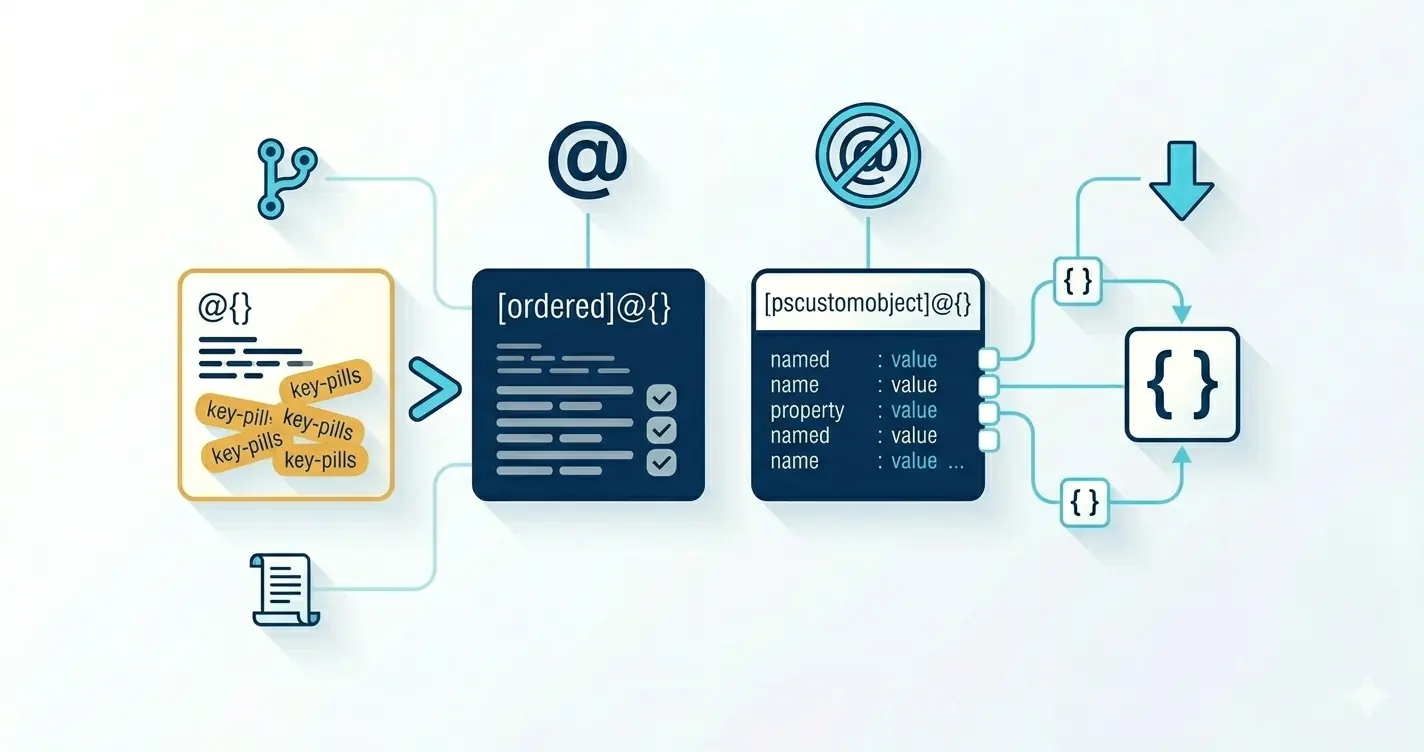
[PSCustomObject]@{} creates a PSObject wrapping a property bag. Two things make it powerful:
- The
PSTypeNamekey is special. The engine pushes its value ontoPSTypeNamesthe ordered list used for ETS lookups, format dispatch, and parameter binding. - ETS registrations bind by name.
Update-TypeData -TypeName 'MyModule.Server'and aFormat.ps1xmlselecting<TypeName>MyModule.Server</TypeName>both attach to that string. No class involved.
$server = [PSCustomObject]@{
    PSTypeName = 'MyModule.Server'
    Name       = 'web-01'
    Ip         = '10.0.0.42'
    Os         = 'Ubuntu 24.04'
    Status     = 'active'
    CpuCount   = 8
    MemoryGB   = 32
    Tags       = @('production', 'web')
}

$server.PSTypeNames
# MyModule.Server
# System.Management.Automation.PSCustomObject
# System.Object
Declaring OutputType
Functions that produce stamped objects should advertise the type:
function Get-Server
{
    [CmdletBinding()]
    [OutputType('MyModule.Server')]
    param
    (
    )

    begin
    {
        Write-Verbose -Message '[Get-Server] Begin'
    }

    process
    {
        # ...
    }

    end
    {
        Write-Verbose -Message '[Get-Server] End'
    }
}
[OutputType()] accepts string type names. PSScriptAnalyzer enforces it, and VS Code surfaces the type in hover tooltips.
Type Checking Without is
Because the type is a string in PSTypeNames, checking is a membership test:
if ($InputObject.PSTypeNames -notcontains 'MyModule.Server')
{
    throw "Expected MyModule.Server; got [$($InputObject.PSTypeNames[0])]"
}
Factory Functions as Constructors
Instead of [MyType]::new(), callers use New-Server. The factory validates inputs, sets defaults, and returns a stamped object. Validation attributes on the parameters replace property-setter logic a class would normally provide.
function New-Server
{
    [CmdletBinding()]
    [OutputType('MyModule.Server')]
    param
    (
        [Parameter(Mandatory)]
        [ValidateNotNullOrEmpty()]
        [string]
        $Name,

        [Parameter(Mandatory)]
        [ValidatePattern('^([0-9]{1,3}\.){3}[0-9]{1,3}$')]
        [string]
        $Ip,

        [Parameter()]
        [string]
        $Os = '',

        [Parameter(Mandatory)]
        [ValidateSet('active', 'maintenance', 'decommissioned')]
        [string]
        $Status,

        [Parameter()]
        [ValidateRange(1, 1024)]
        [int]
        $CpuCount = 1,

        [Parameter()]
        [ValidateRange(1, 4096)]
        [int]
        $MemoryGB = 4,

        [Parameter()]
        [string[]]
        $Tags = @()
    )

    begin
    {
        Write-Verbose -Message '[New-Server] Begin'
    }

    process
    {
        Write-Verbose "New-Server Name=$Name Ip=$Ip Status=$Status"

        [PSCustomObject]@{
            PSTypeName = 'MyModule.Server'
            Name       = $Name
            Ip         = $Ip
            Os         = $Os
            Status     = $Status
            CpuCount   = $CpuCount
            MemoryGB   = $MemoryGB
            Tags       = $Tags
        }
    }

    end
    {
        Write-Verbose -Message '[New-Server] End'
    }
}
A second type for variety an application deployment record:
function New-Deployment
{
    [CmdletBinding()]
    [OutputType('MyModule.Deployment')]
    param
    (
        [Parameter(Mandatory)]
        [ValidateNotNullOrEmpty()]
        [string]
        $AppName,

        [Parameter(Mandatory)]
        [ValidatePattern('^\d+\.\d+\.\d+$')]
        [string]
        $Version,

        [Parameter(Mandatory)]
        [ValidateSet('dev', 'staging', 'production')]
        [string]
        $Environment,

        [Parameter()]
        [datetime]
        $DeployedAt = [datetime]::UtcNow,

        [Parameter()]
        [string]
        $DeployedBy = $env:USERNAME,

        [Parameter()]
        [ValidateSet('success', 'failed', 'rolling-back')]
        [string]
        $Status = 'success'
    )

    begin
    {
        Write-Verbose -Message '[New-Deployment] Begin'
    }

    process
    {
        Write-Verbose "New-Deployment $AppName $Version -> $Environment"

        [PSCustomObject]@{
            PSTypeName = 'MyModule.Deployment'
            AppName    = $AppName
            Version    = $Version
            Environment = $Environment
            DeployedAt = $DeployedAt
            DeployedBy = $DeployedBy
            Status     = $Status
        }
    }

    end
    {
        Write-Verbose -Message '[New-Deployment] End'
    }
}
Treat the factory as the only legal constructor. Never expose raw
[PSCustomObject]@{ PSTypeName = ... }literals in your module's public surface. Validation lives in one place; downstream consumers cannot route around it.
Extending Types with Update-TypeData
Update-TypeData registers ScriptProperties, ScriptMethods, AliasProperties, and a DefaultDisplayPropertySet against any type name including your custom PSTypeName strings.
Computed properties
$isProd = @{
    TypeName   = 'MyModule.Server'
    MemberType = 'ScriptProperty'
    MemberName = 'IsProduction'
    Value      = { $this.Tags -contains 'production' }
    Force      = $true
}
Update-TypeData @isProd

$subnet = @{
    TypeName   = 'MyModule.Server'
    MemberType = 'ScriptProperty'
    MemberName = 'Subnet'
    Value      = {
        if ($this.Ip -match '^(\d{1,3}\.\d{1,3}\.\d{1,3})\.\d{1,3}$')
        {
            $matches[1] + '.0/24'
        }
        else { '' }
    }
    Force      = $true
}
Update-TypeData @subnet

$ageHours = @{
    TypeName   = 'MyModule.Deployment'
    MemberType = 'ScriptProperty'
    MemberName = 'AgeHours'
    Value      = { [Math]::Round(([datetime]::UtcNow - $this.DeployedAt).TotalHours, 1) }
    Force      = $true
}
Update-TypeData @ageHours
$this inside a ScriptProperty block is the object the property is being read from. The block runs on every access keep it cheap.
ScriptMethods
$toJson = @{
    TypeName   = 'MyModule.Server'
    MemberType = 'ScriptMethod'
    MemberName = 'ToJson'
    Value      = {
        $this | Select-Object Name, Ip, Os, Status, CpuCount, MemoryGB, Tags |
            ConvertTo-Json -Compress
    }
    Force      = $true
}
Update-TypeData @toJson

$addTag = @{
    TypeName   = 'MyModule.Server'
    MemberType = 'ScriptMethod'
    MemberName = 'AddTag'
    Value      = {
        param([string]$Tag)
        if ($this.Tags -notcontains $Tag)
        {
            $this.Tags = @($this.Tags) + $Tag
        }
        return $this
    }
    Force      = $true
}
Update-TypeData @addTag
AddTag returns $this for fluent chaining: $srv.AddTag('web').AddTag('critical').ToJson().
DefaultDisplayPropertySet
By default every NoteProperty prints. For a seven-field object that's noisy. The fix:
$srvDisplay = @{
    TypeName                  = 'MyModule.Server'
    DefaultDisplayPropertySet = 'Name', 'Ip', 'Status', 'CpuCount', 'MemoryGB'
    Force                     = $true
}
Update-TypeData @srvDisplay

$depDisplay = @{
    TypeName                  = 'MyModule.Deployment'
    DefaultDisplayPropertySet = 'AppName', 'Version', 'Environment', 'Status', 'AgeHours'
    Force                     = $true
}
Update-TypeData @depDisplay
Now $server | Format-Table shows five columns. $server | Format-List * still shows everything when you need it.
Where to call Update-TypeData
In the .psm1, at module load time. Guard with -Force to handle reimports cleanly:
# MyModule.psm1 - register ETS members at load time
# -Force replaces any existing registration with the same MemberName

$isProd = @{
    TypeName   = 'MyModule.Server'
    MemberType = 'ScriptProperty'
    MemberName = 'IsProduction'
    Value      = { $this.Tags -contains 'production' }
    Force      = $true
}
Update-TypeData @isProd

# ... remaining registrations ...
-Forcereplaces one member, not all. RegisteringIsProductionwith-Forceoverwrites that member only; other members on the same type survive. UseRemove-TypeData -TypeName ...for a clean slate.
Controlling Display with Format.ps1xml
DefaultDisplayPropertySet picks the right fields. Format.ps1xml controls how they render column widths, alignment, date formatting, conditional ANSI color.
Format.ps1xml for both types
<?xml version="1.0" encoding="utf-8" ?>
<Configuration>
  <ViewDefinitions>

    <View>
      <Name>MyModule.Server</Name>
      <ViewSelectedBy>
        <TypeName>MyModule.Server</TypeName>
      </ViewSelectedBy>
      <TableControl>
        <TableHeaders>
          <TableColumnHeader><Label>Name</Label><Width>18</Width></TableColumnHeader>
          <TableColumnHeader><Label>IP</Label><Width>15</Width></TableColumnHeader>
          <TableColumnHeader><Label>OS</Label><Width>18</Width></TableColumnHeader>
          <TableColumnHeader><Label>Status</Label><Width>16</Width></TableColumnHeader>
          <TableColumnHeader><Label>CPU</Label><Width>5</Width><Alignment>Right</Alignment></TableColumnHeader>
          <TableColumnHeader><Label>RAM</Label><Width>5</Width><Alignment>Right</Alignment></TableColumnHeader>
        </TableHeaders>
        <TableRowEntries>
          <TableRowEntry>
            <TableColumnItems>
              <TableColumnItem><PropertyName>Name</PropertyName></TableColumnItem>
              <TableColumnItem><PropertyName>Ip</PropertyName></TableColumnItem>
              <TableColumnItem><PropertyName>Os</PropertyName></TableColumnItem>
              <TableColumnItem>
                <ScriptBlock>
                  switch ($_.Status)
                  {
                      'active'           { "$([char]27)[32m$($_.Status)$([char]27)[0m" }
                      'maintenance'      { "$([char]27)[33m$($_.Status)$([char]27)[0m" }
                      'decommissioned'   { "$([char]27)[31m$($_.Status)$([char]27)[0m" }
                      default            { $_.Status }
                  }
                </ScriptBlock>
              </TableColumnItem>
              <TableColumnItem><PropertyName>CpuCount</PropertyName></TableColumnItem>
              <TableColumnItem><PropertyName>MemoryGB</PropertyName></TableColumnItem>
            </TableColumnItems>
          </TableRowEntry>
        </TableRowEntries>
      </TableControl>
    </View>

    <View>
      <Name>MyModule.Deployment</Name>
      <ViewSelectedBy>
        <TypeName>MyModule.Deployment</TypeName>
      </ViewSelectedBy>
      <TableControl>
        <TableHeaders>
          <TableColumnHeader><Label>App</Label><Width>20</Width></TableColumnHeader>
          <TableColumnHeader><Label>Version</Label><Width>10</Width></TableColumnHeader>
          <TableColumnHeader><Label>Env</Label><Width>12</Width></TableColumnHeader>
          <TableColumnHeader><Label>Status</Label><Width>14</Width></TableColumnHeader>
          <TableColumnHeader><Label>Age (h)</Label><Width>8</Width><Alignment>Right</Alignment></TableColumnHeader>
          <TableColumnHeader><Label>By</Label><Width>14</Width></TableColumnHeader>
        </TableHeaders>
        <TableRowEntries>
          <TableRowEntry>
            <TableColumnItems>
              <TableColumnItem><PropertyName>AppName</PropertyName></TableColumnItem>
              <TableColumnItem><PropertyName>Version</PropertyName></TableColumnItem>
              <TableColumnItem><PropertyName>Environment</PropertyName></TableColumnItem>
              <TableColumnItem>
                <ScriptBlock>
                  switch ($_.Status)
                  {
                      'success'      { "$([char]27)[32m$($_.Status)$([char]27)[0m" }
                      'failed'       { "$([char]27)[31m$($_.Status)$([char]27)[0m" }
                      'rolling-back' { "$([char]27)[33m$($_.Status)$([char]27)[0m" }
                      default        { $_.Status }
                  }
                </ScriptBlock>
              </TableColumnItem>
              <TableColumnItem><PropertyName>AgeHours</PropertyName></TableColumnItem>
              <TableColumnItem><PropertyName>DeployedBy</PropertyName></TableColumnItem>
            </TableColumnItems>
          </TableRowEntry>
        </TableRowEntries>
      </TableControl>
    </View>

  </ViewDefinitions>
</Configuration>
Register it in the module manifest:
@{
    FormatsToProcess = @('Formats.ps1xml')
}
The ANSI escape sequences ([char]27 + [32m/[33m/[31m/[0m) render correctly in Windows Terminal, VS Code, and most modern Linux/macOS terminals.
Format script blocks see
$_, not$this. The format engine binds the input object to$_. ETS ScriptProperty/ScriptMethod blocks bind to$this. Mix them up and you get silent$nullcells.
Serialization Gotchas
Jobs and remoting lose PSTypeName
When a stamped object crosses a runspace boundary (jobs, Invoke-Command, Start-ThreadJob), PSTypeNames gains a Deserialized. prefix. Your ETS members and format views stop firing.
$srv = New-Server -Name 'web-01' -Ip '10.0.0.42' -Status active
$back = Start-Job { $using:srv } | Receive-Job -Wait
$back.PSTypeNames[0]
# Deserialized.MyModule.Server
Restore with a small helper:
function Restore-TypeName
{
    [CmdletBinding()]
    param
    (
        [Parameter(Mandatory, ValueFromPipeline)]
        [psobject]
        $InputObject
    )

    begin
    {
        Write-Verbose -Message '[Restore-TypeName] Begin'
    }

    process
    {
        $prefix = $InputObject.PSTypeNames |
            Where-Object { $_ -like 'Deserialized.MyModule.*' } |
            Select-Object -First 1

        if ($prefix)
        {
            $clean = $prefix.Substring('Deserialized.'.Length)
            $InputObject.PSTypeNames.Insert(0, $clean)
        }
        $InputObject
    }

    end
    {
        Write-Verbose -Message '[Restore-TypeName] End'
    }
}
Receive-Job | Restore-TypeName brings the typed objects back.
CliXml survives; JSON does not
Export-Clixml / Import-Clixml preserve PSTypeName cleanly round-trip without a helper. Use them for local persistence.
ConvertTo-Json / ConvertFrom-Json lose all type information. Re-hydrate by piping through the factory:
function ConvertFrom-ServerJson
{
    [CmdletBinding()]
    [OutputType('MyModule.Server')]
    param
    (
        [Parameter(Mandatory, ValueFromPipeline)]
        [string]
        $Json
    )

    begin
    {
        Write-Verbose -Message '[ConvertFrom-ServerJson] Begin'
    }

    process
    {
        $raw = $Json | ConvertFrom-Json
        foreach ($item in @($raw))
        {
            $srvParams = @{
                Name     = $item.Name
                Ip       = $item.Ip
                Os       = ($item.Os ?? '')
                Status   = $item.Status
                CpuCount = ($item.CpuCount ?? 1)
                MemoryGB = ($item.MemoryGB ?? 4)
                Tags     = @($item.Tags)
            }
            New-Server @srvParams
        }
    }

    end
    {
        Write-Verbose -Message '[ConvertFrom-ServerJson] End'
    }
}
Module Structure
MyModule/
├── MyModule.psd1
├── MyModule.psm1
├── Formats.ps1xml
├── Public/
│   ├── New-Server.ps1
│   ├── New-Deployment.ps1
│   ├── Get-Server.ps1
│   ├── ConvertFrom-ServerJson.ps1
│   └── Restore-TypeName.ps1
└── Private/
    └── Register-TypeExtensions.ps1
MyModule.psd1
@{
    RootModule        = 'MyModule.psm1'
    ModuleVersion     = '1.0.0'
    GUID              = 'a4f6c2e8-1b3d-4e7a-9c8b-2f5a8d7e1c4b'
    Author            = 'Ricardo Martin'
    Description       = 'Typed helpers using PSTypeName + ETS.'
    PowerShellVersion = '5.1'

    FormatsToProcess  = @('Formats.ps1xml')

    FunctionsToExport = @(
        'New-Server',
        'New-Deployment',
        'Get-Server',
        'ConvertFrom-ServerJson',
        'Restore-TypeName'
    )
    CmdletsToExport   = @()
    AliasesToExport   = @()
    VariablesToExport = @()
}
MyModule.psm1
#Requires -Version 5.1

$privateFiles = @(Get-ChildItem -Path "$PSScriptRoot/Private" -Filter *.ps1 -ErrorAction SilentlyContinue)
$publicFiles  = @(Get-ChildItem -Path "$PSScriptRoot/Public"  -Filter *.ps1 -ErrorAction SilentlyContinue)

foreach ($file in @($privateFiles) + @($publicFiles))
{
    try
    {
        . $file.FullName
    }
    catch
    {
        Write-Error "Failed to dot-source $($file.FullName): $_"
    }
}

# Register ETS members
. "$PSScriptRoot/Private/Register-TypeExtensions.ps1"

Export-ModuleMember -Function $publicFiles.BaseName
Private/Register-TypeExtensions.ps1
All Update-TypeData calls live here one file, module-load-only:
# Server
$isProd = @{
    TypeName   = 'MyModule.Server'
    MemberType = 'ScriptProperty'
    MemberName = 'IsProduction'
    Value      = { $this.Tags -contains 'production' }
    Force      = $true
}
Update-TypeData @isProd

$subnet = @{
    TypeName   = 'MyModule.Server'
    MemberType = 'ScriptProperty'
    MemberName = 'Subnet'
    Value      = {
        if ($this.Ip -match '^(\d{1,3}\.\d{1,3}\.\d{1,3})\.\d{1,3}$')
        {
            $matches[1] + '.0/24'
        }
        else { '' }
    }
    Force      = $true
}
Update-TypeData @subnet

$toJson = @{
    TypeName   = 'MyModule.Server'
    MemberType = 'ScriptMethod'
    MemberName = 'ToJson'
    Value      = {
        $this | Select-Object Name, Ip, Os, Status, CpuCount, MemoryGB, Tags |
            ConvertTo-Json -Compress
    }
    Force      = $true
}
Update-TypeData @toJson

$addTag = @{
    TypeName   = 'MyModule.Server'
    MemberType = 'ScriptMethod'
    MemberName = 'AddTag'
    Value      = {
        param([string]$Tag)
        if ($this.Tags -notcontains $Tag)
        {
            $this.Tags = @($this.Tags) + $Tag
        }
        return $this
    }
    Force      = $true
}
Update-TypeData @addTag

$srvDisplay = @{
    TypeName                  = 'MyModule.Server'
    DefaultDisplayPropertySet = 'Name', 'Ip', 'Status', 'CpuCount', 'MemoryGB'
    Force                     = $true
}
Update-TypeData @srvDisplay

# Deployment
$ageHours = @{
    TypeName   = 'MyModule.Deployment'
    MemberType = 'ScriptProperty'
    MemberName = 'AgeHours'
    Value      = {
        [Math]::Round(([datetime]::UtcNow - $this.DeployedAt).TotalHours, 1)
    }
    Force      = $true
}
Update-TypeData @ageHours

$depDisplay = @{
    TypeName                  = 'MyModule.Deployment'
    DefaultDisplayPropertySet = 'AppName', 'Version', 'Environment', 'Status', 'AgeHours'
    Force                     = $true
}
Update-TypeData @depDisplay
Conclusion
The pattern in one sentence: PSCustomObject with a stamped PSTypeName, constructed only via factory functions, decorated via Update-TypeData, and formatted via Format.ps1xml gives you a fully typed PowerShell module without the class keyword.
When you should reach for C# instead:
- You need real interface implementation (
IComparable,IDisposable). - You need operator overloading.
- You need true cross-runspace identity without re-hydration.
- Per-instance allocation performance matters at millions-per-second scale.
For everything short of that, this pattern is the right answer.