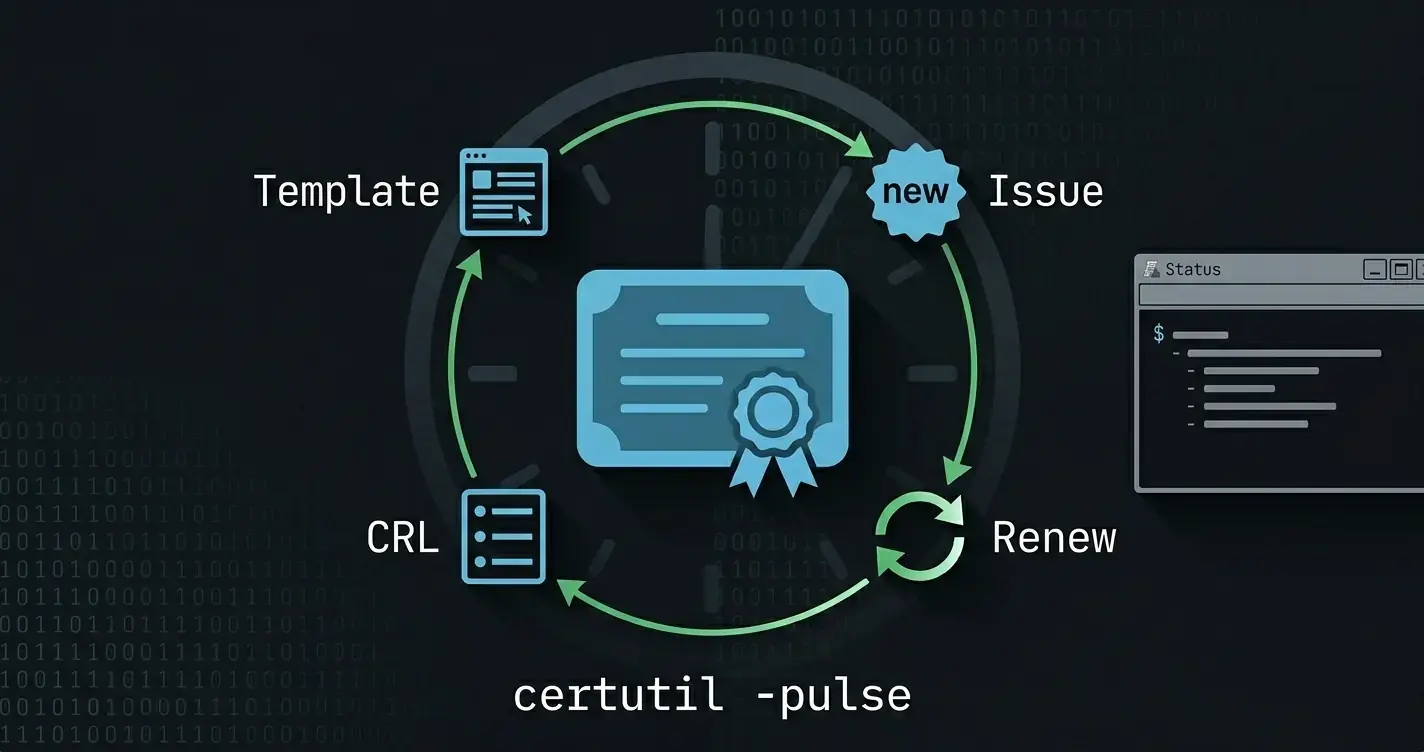
This guide pairs with the certificate automation post, which assumes the CA already exists. Read that one for templates, auto-enrollment, and rotation; read this one when you need to build the CA the rest of that pipeline runs on. Targets Windows Server 2022 or 2025, PowerShell 7 on the operator host, and
RSAT-AD-PowerShellfor any domain operations the subordinate performs.
Most internal CAs in the wild were stood up by clicking "Next" through Server Manager on whatever box happened to be free. Six months later the team discovers the root CA is online and domain-joined (so its key lives in a database backed up by the same crew that just got phished), the CRL distribution point is http://localhost, and the AIA URL hardcodes the install host's NetBIOS name (so the certs stop validating the day the host is renamed).
A real internal PKI is two tiers: an offline standalone root that signs exactly one thing (the subordinate CA's cert) and lives powered-off in a safe between CRL publication windows; and an online enterprise subordinate that does the day-to-day issuance. The clickthrough install gets none of that right. This post builds it correctly, idempotently, in PowerShell, with a sneakernet workflow you can hand to an operator without it turning into folklore.
The Architecture and Why It Matters
| Tier | Role | Host | Lifetime |
|---|---|---|---|
| Root | Signs the subordinate, publishes its own CRL | Standalone, workgroup-joined, normally powered off | 10–20 years |
| Subordinate | Issues all leaf certs, runs autoenrollment, publishes its own CRL | Domain-joined enterprise CA | 5–10 years |
The properties that fall out of the design:
- Root compromise is recoverable. The root key only signs the subordinate; if the subordinate is compromised, you revoke and re-issue it from the root without touching any leaf cert that's still valid.
- Audit story is clean. Every offline-root operation is logged because the operator has to physically be there to power it on, sign, publish a CRL, and power it back off.
- CRL paths are real URLs. Both tiers publish CRL + AIA to a stable HTTP endpoint and to a UNC share, so revocation works for domain and non-domain clients alike.
- No "install host" tattoo. Stable CA names, stable URIs in
CAPolicy.inf, no NetBIOS in any path.
Pre-Flight: Naming, URIs, and the State File
Pick the names before you touch a server. They go in two attributes on every cert the CA ever signs, and they're nearly impossible to rename after the fact.
# pki-state.yaml
root:
  caName: 'CorpRoot CA'
  hostName: pki-root-01           # offline, workgroup-joined
  validityYears: 20
  keyLength: 4096
  hashAlgorithm: SHA384
  crlOverlapHours: 12
  crlPeriodWeeks: 26              # publish a new CRL every 6 months
  publishToUnc: '\\pki-publish-01\pki$\root'
  publishToHttp: 'http://pki.corp.example.com/root'

subordinate:
  caName: 'CorpIssuing CA 01'
  hostName: pki-sub-01            # domain-joined, online enterprise CA
  validityYears: 10
  keyLength: 3072
  hashAlgorithm: SHA384
  crlOverlapHours: 12
  crlPeriodHours: 24              # daily CRL
  publishToUnc: '\\pki-publish-01\pki$\issuing'
  publishToHttp: 'http://pki.corp.example.com/issuing'

publication:
  host: pki-publish-01            # IIS box hosting the public HTTP endpoints
  webRoot: 'C:\inetpub\pki'
Two rules from this file alone:
pki.corp.example.comis a CNAME, not the publish host's A record. Whenpki-publish-01is replaced, you flip DNS and every existing cert continues to validate.- CRL period for the root is months, not days. Bringing the root online for a daily CRL is operationally infeasible. Six months is the standard; one year is acceptable for small environments.
The CAPolicy.inf File
Both tiers need a CAPolicy.inf in C:\Windows\ before the ADCS role install runs. Skip this and the install bakes default values into the CA cert that you cannot change later.
function New-CaPolicyInf
{
    <#
    .SYNOPSIS
        Generates a CAPolicy.inf appropriate for the given tier.

    .DESCRIPTION
        Writes a tier-specific CAPolicy.inf to C:\Windows\CAPolicy.inf so
        Install-AdcsCertificationAuthority picks it up automatically.

    .PARAMETER Tier
        'Root' or 'Subordinate' - controls the policy fragment.

    .PARAMETER Config
        The root or subordinate sub-object loaded from pki-state.yaml.

    .OUTPUTS
        System.IO.FileInfo
    #>
    [CmdletBinding(SupportsShouldProcess = $true)]
    [OutputType([System.IO.FileInfo])]
    param
    (
        [Parameter(Mandatory = $true)]
        [ValidateSet('Root','Subordinate')]
        [string]
        $Tier,

        [Parameter(Mandatory = $true)]
        [pscustomobject]
        $Config
    )

    begin
    {
        Write-Verbose -Message ('[New-CaPolicyInf] Begin tier={0}' -f $Tier)
        $ErrorActionPreference = 'Stop'
    }

    process
    {
        $lines = @(
            '[Version]'
            'Signature = "$Windows NT$"'
            ''
            '[PolicyStatementExtension]'
            'Policies = InternalPolicy'
            ''
            '[InternalPolicy]'
            'OID = 1.3.6.1.4.1.311.21.43.1'
            'Notice = "Issued under the Corp internal PKI policy."'
            'URL = "http://pki.corp.example.com/cps.txt"'
            ''
            '[Certsrv_Server]'
            ('RenewalKeyLength = {0}' -f $Config.keyLength)
            'RenewalValidityPeriod = Years'
            ('RenewalValidityPeriodUnits = {0}' -f $Config.validityYears)
            'CRLPeriod = Weeks'
            ('CRLPeriodUnits = {0}' -f ($Config.crlPeriodWeeks ?? 1))
            'CRLDeltaPeriod = Days'
            'CRLDeltaPeriodUnits = 0'
            ('AlternateSignatureAlgorithm = 0')
        )

        if ($Tier -eq 'Root')
        {
            $lines += @(
                ''
                '[BasicConstraintsExtension]'
                'PathLength = 1'
                'Critical = Yes'
                ''
                '[AuthorityInformationAccess]'
                'Empty = True'
                ''
                '[CRLDistributionPoint]'
                'Empty = True'
            )
        }
        else
        {
            $lines += @(
                ''
                '[EnhancedKeyUsageExtension]'
                'OID = 1.3.6.1.5.5.7.3.1'      # Server Authentication
                'OID = 1.3.6.1.5.5.7.3.2'      # Client Authentication
                'OID = 1.3.6.1.4.1.311.21.5'   # Smart Card Logon
            )
        }

        $target = 'C:\Windows\CAPolicy.inf'

        if ($PSCmdlet.ShouldProcess($target, 'Write CAPolicy.inf'))
        {
            try
            {
                $lines | Set-Content -Path $target -Encoding ASCII -Force -ErrorAction Stop
            }
            catch [System.UnauthorizedAccessException]
            {
                throw ('Insufficient rights to write {0}; run elevated' -f $target)
            }
            catch
            {
                throw ('Failed to write CAPolicy.inf: {0}' -f $_.Exception.Message)
            }
        }

        Get-Item -Path $target
    }

    end
    {
        Write-Verbose -Message '[New-CaPolicyInf] End'
    }
}
The root's
PathLength = 1is the rule that prevents the subordinate from issuing a further subordinate CA. If you ever want a three-tier hierarchy, bump it to2. Most environments don't need that.
Standing Up the Offline Root
The root install is the only piece you cannot script all the way through someone has to be physically at the offline host. The PowerShell side handles the install itself; the sneakernet is the operator's job.
function Install-OfflineRootCa
{
    <#
    .SYNOPSIS
        Installs and configures a standalone offline root CA.

    .DESCRIPTION
        Adds the AD CS role, configures the CA with the parameters from the
        state file, and runs the first publication so the initial CRL exists.
        Idempotent - re-running on a configured host is a no-op + Verbose.

    .PARAMETER Config
        The 'root' sub-object loaded from pki-state.yaml.

    .OUTPUTS
        System.Management.Automation.PSCustomObject
    #>
    [CmdletBinding(SupportsShouldProcess = $true, ConfirmImpact = 'High')]
    [OutputType([pscustomobject])]
    param
    (
        [Parameter(Mandatory = $true, ValueFromPipeline = $true)]
        [pscustomobject]
        $Config
    )

    begin
    {
        Write-Verbose -Message '[Install-OfflineRootCa] Begin'
        $ErrorActionPreference = 'Stop'
    }

    process
    {
        $actions = New-Object -TypeName 'System.Collections.Generic.List[string]'
        $errors  = New-Object -TypeName 'System.Collections.Generic.List[string]'

        # 1. Feature install
        $feature = Get-WindowsFeature -Name AD-Certificate

        if (-not $feature.Installed)
        {
            if ($PSCmdlet.ShouldProcess('AD-Certificate', 'Install role'))
            {
                try
                {
                    $null = Install-WindowsFeature -Name AD-Certificate -IncludeManagementTools -ErrorAction Stop
                    $actions.Add('Installed AD-Certificate role')
                }
                catch
                {
                    $errors.Add(('AD-Certificate role install failed: {0}' -f $_.Exception.Message))
                    throw
                }
            }
        }

        # 2. CA install - only if not already configured
        $alreadyConfigured = $null -ne (Get-ItemProperty -Path 'HKLM:\SYSTEM\CurrentControlSet\Services\CertSvc\Configuration' -ErrorAction SilentlyContinue)

        if (-not $alreadyConfigured)
        {
            if ($PSCmdlet.ShouldProcess($Config.caName, 'Configure standalone root CA'))
            {
                $caParams = @{
                    CAType              = 'StandaloneRootCA'
                    CACommonName        = $Config.caName
                    KeyLength           = $Config.keyLength
                    HashAlgorithmName   = $Config.hashAlgorithm
                    ValidityPeriod      = 'Years'
                    ValidityPeriodUnits = $Config.validityYears
                    DatabaseDirectory   = 'C:\CAData\Database'
                    LogDirectory        = 'C:\CAData\Logs'
                    Force               = $true
                    ErrorAction         = 'Stop'
                }

                try
                {
                    $null = New-Item -Path 'C:\CAData\Database' -ItemType Directory -Force -ErrorAction Stop
                    $null = New-Item -Path 'C:\CAData\Logs'     -ItemType Directory -Force -ErrorAction Stop
                    $null = Install-AdcsCertificationAuthority @caParams
                    $actions.Add('Configured standalone root CA')
                }
                catch [System.UnauthorizedAccessException]
                {
                    $errors.Add('Install-AdcsCertificationAuthority needs an elevated session; aborting')
                    throw
                }
                catch
                {
                    $errors.Add(('CA configuration failed: {0}' -f $_.Exception.Message))
                    throw
                }
            }
        }
        else
        {
            Write-Verbose -Message '[Install-OfflineRootCa] Root CA already configured; skipping'
        }

        [pscustomobject] @{
            CaName  = $Config.caName
            Changed = $actions.Count -gt 0
            Actions = $actions.ToArray()
            Errors  = $errors.ToArray()
        }
    }

    end
    {
        Write-Verbose -Message '[Install-OfflineRootCa] End'
    }
}
Configuring Root Publication (CDP + AIA)
After the CA is configured, the defaults point at LDAP (which the offline root can't reach) and localhost (which only the CA itself can reach). Both have to be replaced with real URIs the subordinate and downstream relying parties can resolve.
function Set-RootCaPublication
{
    <#
    .SYNOPSIS
        Replaces the default CDP/AIA URI lists on the root CA.

    .DESCRIPTION
        Sets the CRL distribution and authority information access URI lists
        to the UNC + HTTP pair from the state file, restarts the CA service,
        and publishes a fresh CRL. Idempotent - re-running with the same
        config produces no changes.

    .OUTPUTS
        System.Management.Automation.PSCustomObject
    #>
    [CmdletBinding(SupportsShouldProcess = $true)]
    [OutputType([pscustomobject])]
    param
    (
        [Parameter(Mandatory = $true, ValueFromPipeline = $true)]
        [pscustomobject]
        $Config
    )

    begin
    {
        Write-Verbose -Message '[Set-RootCaPublication] Begin'
        $ErrorActionPreference = 'Stop'
    }

    process
    {
        $actions = New-Object -TypeName 'System.Collections.Generic.List[string]'

        # certutil flag legend:
        #   1 = publish CRLs to this location
        #   2 = include in CDP / AIA of issued certs
        #   4 = include in CDP / AIA of the CRL itself
        #  64 = include delta CRLs
        $cdp = @(
            'SystemRoot\System32\CertSrv\CertEnroll\%3%8%9.crl|65'
            ('{0}\%3%8%9.crl|65' -f $Config.publishToUnc)
            ('{0}/%3%8%9.crl|6'  -f $Config.publishToHttp)
        )

        $aia = @(
            ('{0}/%3.crt|2' -f $Config.publishToHttp)
        )

        if ($PSCmdlet.ShouldProcess($Config.caName, 'Set CDP / AIA URIs'))
        {
            try
            {
                $cdp | ForEach-Object { $null = & certutil -setreg CA\CRLPublicationURLs "$_" }
                $aia | ForEach-Object { $null = & certutil -setreg CA\CACertPublicationURLs "$_" }

                if ($LASTEXITCODE -ne 0)
                {
                    throw ('certutil -setreg returned non-zero exit ({0})' -f $LASTEXITCODE)
                }

                $actions.Add('Set CDP/AIA URIs')
            }
            catch
            {
                throw ('Failed to set CDP/AIA URIs: {0}' -f $_.Exception.Message)
            }
        }

        if ($PSCmdlet.ShouldProcess('CertSvc', 'Restart and publish first CRL'))
        {
            try
            {
                Restart-Service -Name CertSvc -ErrorAction Stop
                $null = & certutil -CRL

                if ($LASTEXITCODE -ne 0)
                {
                    throw ('certutil -CRL returned non-zero exit ({0})' -f $LASTEXITCODE)
                }

                $actions.Add('Restarted CertSvc and published CRL')
            }
            catch
            {
                throw ('CRL publication failed: {0}' -f $_.Exception.Message)
            }
        }

        [pscustomobject] @{
            CaName  = $Config.caName
            Changed = $actions.Count -gt 0
            Actions = $actions.ToArray()
        }
    }

    end
    {
        Write-Verbose -Message '[Set-RootCaPublication] End'
    }
}
The
%3%8%9.crlplaceholder iscertutil's template syntax:%3= CA name (sanitised),%8= a literal+,%9= key index (for CA key rollover). Don't substitute the actual CA name here it'll break re-runs after the CA renews its cert.
Subordinate Setup Part 1: Generate the Request
On the subordinate host (domain-joined, online), generate the CSR that the offline root will sign. The CSR ends up in a .req file you'll sneakernet to the root.
function New-SubordinateRequest
{
    <#
    .SYNOPSIS
        Configures the AD CS role on the subordinate and emits a signing request.

    .DESCRIPTION
        Same idempotency contract as Install-OfflineRootCa but for an
        enterprise subordinate. The CA stays in "request pending" state
        until Install-SubordinateChain runs after the root has signed.

    .OUTPUTS
        System.IO.FileInfo - path to the generated .req file
    #>
    [CmdletBinding(SupportsShouldProcess = $true, ConfirmImpact = 'High')]
    [OutputType([System.IO.FileInfo])]
    param
    (
        [Parameter(Mandatory = $true, ValueFromPipeline = $true)]
        [pscustomobject]
        $Config,

        [Parameter()]
        [string]
        $RequestDir = 'C:\CAData\Requests'
    )

    begin
    {
        Write-Verbose -Message '[New-SubordinateRequest] Begin'
        $ErrorActionPreference = 'Stop'
    }

    process
    {
        try
        {
            $null = New-Item -Path $RequestDir -ItemType Directory -Force -ErrorAction Stop
        }
        catch
        {
            throw ('Could not create request dir {0}: {1}' -f $RequestDir, $_.Exception.Message)
        }

        $feature = Get-WindowsFeature -Name AD-Certificate

        if (-not $feature.Installed)
        {
            if ($PSCmdlet.ShouldProcess('AD-Certificate', 'Install role'))
            {
                try
                {
                    $null = Install-WindowsFeature -Name AD-Certificate, AD-Certificate-Web-Enrollment -IncludeManagementTools -ErrorAction Stop
                }
                catch
                {
                    throw ('Role install failed: {0}' -f $_.Exception.Message)
                }
            }
        }

        $reqPath = Join-Path -Path $RequestDir -ChildPath ('{0}.req' -f ($Config.caName -replace '\s', '_'))

        if (Test-Path -Path $reqPath)
        {
            Write-Verbose -Message ('[New-SubordinateRequest] {0} already exists; skipping CSR generation' -f $reqPath)
            return Get-Item -Path $reqPath
        }

        if ($PSCmdlet.ShouldProcess($Config.caName, 'Configure enterprise subordinate CA and emit CSR'))
        {
            $caParams = @{
                CAType                = 'EnterpriseSubordinateCA'
                CACommonName          = $Config.caName
                KeyLength             = $Config.keyLength
                HashAlgorithmName     = $Config.hashAlgorithm
                OutputCertRequestFile = $reqPath
                Force                 = $true
                ErrorAction           = 'Stop'
            }

            try
            {
                $null = Install-AdcsCertificationAuthority @caParams
            }
            catch
            {
                throw ('Subordinate CA configuration failed: {0}' -f $_.Exception.Message)
            }
        }

        Get-Item -Path $reqPath
    }

    end
    {
        Write-Verbose -Message '[New-SubordinateRequest] End'
    }
}
The .req file is what you sneakernet to the offline root. Hash it before you move it; hash it again when it arrives. A flipped bit in transit is a bad way to discover your USB stick is dying.
Subordinate Setup Part 2: Sign on the Root, Install on the Sub
Back on the offline root, run the signing function. It accepts the .req, produces a .crt containing the signed subordinate cert, and updates the root's CRL so the new cert is immediately revocable.
function Approve-SubordinateRequest
{
    <#
    .SYNOPSIS
        Signs a subordinate CA CSR with the root and emits the response cert.

    .DESCRIPTION
        Submits the request to the CA service, retrieves the issued cert,
        and writes both the .crt and an updated CRL to the request dir.
        The operator then sneakernets the dir back to the subordinate host.

    .OUTPUTS
        System.IO.FileInfo - path to the issued .crt
    #>
    [CmdletBinding(SupportsShouldProcess = $true)]
    [OutputType([System.IO.FileInfo])]
    param
    (
        [Parameter(Mandatory = $true, ValueFromPipeline = $true)]
        [ValidateScript({ Test-Path -Path $_ -PathType Leaf })]
        [string]
        $RequestPath
    )

    begin
    {
        Write-Verbose -Message '[Approve-SubordinateRequest] Begin'
        $ErrorActionPreference = 'Stop'
    }

    process
    {
        $outDir   = Split-Path -Path $RequestPath -Parent
        $baseName = [System.IO.Path]::GetFileNameWithoutExtension($RequestPath)
        $crtPath  = Join-Path -Path $outDir -ChildPath ('{0}.crt' -f $baseName)

        if ($PSCmdlet.ShouldProcess($RequestPath, 'Submit, issue, and retrieve subordinate cert'))
        {
            try
            {
                # Submit the request - returns "RequestId: N" on success.
                $submit = & certreq -submit -config '-' $RequestPath 2>&1

                if ($LASTEXITCODE -ne 0)
                {
                    throw ('certreq -submit failed: {0}' -f ($submit -join "`n"))
                }

                $requestId = ($submit | Select-String -Pattern 'RequestId:\s*(\d+)').Matches.Groups[1].Value

                if (-not $requestId)
                {
                    throw 'Could not parse RequestId from certreq output'
                }

                # Issue the cert (standalone CAs need explicit issuance).
                $null = & certutil -resubmit $requestId

                if ($LASTEXITCODE -ne 0)
                {
                    throw ('certutil -resubmit failed for RequestId {0}' -f $requestId)
                }

                # Retrieve the issued cert.
                $null = & certreq -retrieve $requestId $crtPath

                if ($LASTEXITCODE -ne 0)
                {
                    throw ('certreq -retrieve failed for RequestId {0}' -f $requestId)
                }

                # Refresh the CRL so the new sub cert is immediately revocable.
                $null = & certutil -CRL

                if ($LASTEXITCODE -ne 0)
                {
                    throw ('certutil -CRL failed: exit {0}' -f $LASTEXITCODE)
                }
            }
            catch
            {
                throw ('Sign operation failed: {0}' -f $_.Exception.Message)
            }
        }

        Get-Item -Path $crtPath
    }

    end
    {
        Write-Verbose -Message '[Approve-SubordinateRequest] End'
    }
}
Sneakernet the .crt (plus the freshly published root CRL) back to the subordinate. Then finish the subordinate install:
function Install-SubordinateChain
{
    <#
    .SYNOPSIS
        Completes subordinate CA setup by installing the root-signed cert.

    .DESCRIPTION
        Imports the root CA cert into the local Trusted Root store, installs
        the signed subordinate cert into the pending CA, and starts the CA
        service. Idempotent.

    .OUTPUTS
        System.Management.Automation.PSCustomObject
    #>
    [CmdletBinding(SupportsShouldProcess = $true)]
    [OutputType([pscustomobject])]
    param
    (
        [Parameter(Mandatory = $true)]
        [ValidateScript({ Test-Path -Path $_ -PathType Leaf })]
        [string]
        $SubordinateCrtPath,

        [Parameter(Mandatory = $true)]
        [ValidateScript({ Test-Path -Path $_ -PathType Leaf })]
        [string]
        $RootCrtPath,

        [Parameter(Mandatory = $true)]
        [ValidateScript({ Test-Path -Path $_ -PathType Leaf })]
        [string]
        $RootCrlPath
    )

    begin
    {
        Write-Verbose -Message '[Install-SubordinateChain] Begin'
        $ErrorActionPreference = 'Stop'
    }

    process
    {
        $actions = New-Object -TypeName 'System.Collections.Generic.List[string]'

        if ($PSCmdlet.ShouldProcess('LocalMachine\Root', 'Import root CA cert'))
        {
            try
            {
                $null = & certutil -addstore -f Root $RootCrtPath

                if ($LASTEXITCODE -ne 0)
                {
                    throw ('certutil -addstore Root failed: exit {0}' -f $LASTEXITCODE)
                }

                $null = & certutil -addstore -f Root $RootCrlPath

                if ($LASTEXITCODE -ne 0)
                {
                    throw ('certutil -addstore Root (CRL) failed: exit {0}' -f $LASTEXITCODE)
                }

                $actions.Add('Imported root cert and CRL into LocalMachine\Root')
            }
            catch
            {
                throw ('Root trust import failed: {0}' -f $_.Exception.Message)
            }
        }

        if ($PSCmdlet.ShouldProcess($SubordinateCrtPath, 'Install signed subordinate cert'))
        {
            try
            {
                $null = & certutil -installcert $SubordinateCrtPath

                if ($LASTEXITCODE -ne 0)
                {
                    throw ('certutil -installcert failed: exit {0}' -f $LASTEXITCODE)
                }

                $actions.Add('Installed subordinate CA cert')
            }
            catch
            {
                throw ('Subordinate cert install failed: {0}' -f $_.Exception.Message)
            }
        }

        if ($PSCmdlet.ShouldProcess('CertSvc', 'Start CA service'))
        {
            try
            {
                Start-Service -Name CertSvc -ErrorAction Stop
                $actions.Add('Started CertSvc')
            }
            catch
            {
                throw ('CertSvc would not start: {0}' -f $_.Exception.Message)
            }
        }

        [pscustomobject] @{
            Changed = $actions.Count -gt 0
            Actions = $actions.ToArray()
        }
    }

    end
    {
        Write-Verbose -Message '[Install-SubordinateChain] End'
    }
}
HTTP Publication The Forgotten Half
Both CAs publish their CRL and AIA to UNC, but every modern client (especially non-domain ones: Linux servers, network gear, mobile devices) expects HTTP. A small IIS host serves both tiers' bundles from one CNAME.
function Publish-CrlBundle
{
    <#
    .SYNOPSIS
        Copies CA CRLs and AIA certs from their per-CA UNC drop to the
        public HTTP root.

    .DESCRIPTION
        Run on the publication host on a schedule (or after each CA
        publishes). Atomically replaces the published files so a CRL fetch
        in flight never sees a half-written file.

    .OUTPUTS
        System.Management.Automation.PSCustomObject
    #>
    [CmdletBinding(SupportsShouldProcess = $true)]
    [OutputType([pscustomobject])]
    param
    (
        [Parameter(Mandatory = $true)]
        [string]
        $SourceUnc,

        [Parameter(Mandatory = $true)]
        [string]
        $WebRoot,

        [Parameter()]
        [string[]]
        $Patterns = @('*.crl','*.crt')
    )

    begin
    {
        Write-Verbose -Message '[Publish-CrlBundle] Begin'
        $ErrorActionPreference = 'Stop'
    }

    process
    {
        $actions = New-Object -TypeName 'System.Collections.Generic.List[string]'

        if (-not (Test-Path -Path $SourceUnc))
        {
            throw ('Source UNC {0} not reachable from this host' -f $SourceUnc)
        }

        if (-not (Test-Path -Path $WebRoot))
        {
            try
            {
                $null = New-Item -Path $WebRoot -ItemType Directory -Force -ErrorAction Stop
            }
            catch
            {
                throw ('Could not create web root {0}: {1}' -f $WebRoot, $_.Exception.Message)
            }
        }

        foreach ($pattern in $Patterns)
        {
            Get-ChildItem -Path $SourceUnc -Filter $pattern -ErrorAction SilentlyContinue | ForEach-Object {
                $dest = Join-Path -Path $WebRoot -ChildPath $_.Name
                $temp = "$dest.partial"

                if ($PSCmdlet.ShouldProcess($_.Name, 'Publish to HTTP'))
                {
                    try
                    {
                        Copy-Item -Path $_.FullName -Destination $temp -Force -ErrorAction Stop
                        Move-Item -Path $temp -Destination $dest -Force -ErrorAction Stop
                        $actions.Add(('Published {0}' -f $_.Name))
                    }
                    catch
                    {
                        if (Test-Path -Path $temp)
                        {
                            Remove-Item -Path $temp -Force -ErrorAction SilentlyContinue
                        }

                        throw ('Failed to publish {0}: {1}' -f $_.Name, $_.Exception.Message)
                    }
                }
            }
        }

        [pscustomobject] @{
            Source  = $SourceUnc
            Target  = $WebRoot
            Changed = $actions.Count -gt 0
            Actions = $actions.ToArray()
        }
    }

    end
    {
        Write-Verbose -Message '[Publish-CrlBundle] End'
    }
}
The atomic tempfile + rename is load-bearing. A CRL fetched mid-copy is half a file, and the relying party will reject every cert in the issuing CA until the next refresh which on a default Windows client is hours away.
Validating the Chain Before You Trust It
Once both tiers are up, the test is "does a leaf cert issued from the subordinate validate end-to-end on a domain-joined client that's never seen this PKI?"
function Test-CertificateChain
{
    <#
    .SYNOPSIS
        Verifies a leaf cert validates against the configured PKI.

    .DESCRIPTION
        Builds the chain from a supplied cert (PEM or DER), checks revocation
        against the public HTTP CRL endpoint, and asserts the chain ends in
        the expected root by thumbprint.

    .OUTPUTS
        System.Management.Automation.PSCustomObject
    #>
    [CmdletBinding()]
    [OutputType([pscustomobject])]
    param
    (
        [Parameter(Mandatory = $true, ValueFromPipeline = $true)]
        [ValidateScript({ Test-Path -Path $_ -PathType Leaf })]
        [string]
        $LeafPath,

        [Parameter(Mandatory = $true)]
        [string]
        $ExpectedRootThumbprint
    )

    begin
    {
        Write-Verbose -Message '[Test-CertificateChain] Begin'
    }

    process
    {
        try
        {
            $cert = [System.Security.Cryptography.X509Certificates.X509Certificate2]::new($LeafPath)
        }
        catch
        {
            return [pscustomobject] @{
                Valid  = $false
                Reason = ('Could not load {0}: {1}' -f $LeafPath, $_.Exception.Message)
            }
        }

        $chain = [System.Security.Cryptography.X509Certificates.X509Chain]::new()
        $chain.ChainPolicy.RevocationMode = 'Online'
        $chain.ChainPolicy.RevocationFlag = 'EntireChain'

        $built = $chain.Build($cert)

        if (-not $built)
        {
            $reasons = $chain.ChainStatus | ForEach-Object { '{0}: {1}' -f $_.Status, $_.StatusInformation.Trim() }
            return [pscustomobject] @{
                Valid  = $false
                Reason = ($reasons -join '; ')
            }
        }

        $rootThumbprint = $chain.ChainElements[$chain.ChainElements.Count - 1].Certificate.Thumbprint

        if ($rootThumbprint -ne $ExpectedRootThumbprint)
        {
            return [pscustomobject] @{
                Valid  = $false
                Reason = ('Chained to wrong root: {0} (expected {1})' -f $rootThumbprint, $ExpectedRootThumbprint)
            }
        }

        [pscustomobject] @{
            Valid       = $true
            Subject     = $cert.Subject
            Thumbprint  = $cert.Thumbprint
            ChainLength = $chain.ChainElements.Count
            NotAfter    = $cert.NotAfter
        }
    }

    end
    {
        Write-Verbose -Message '[Test-CertificateChain] End'
    }
}
Run this against a freshly-issued leaf cert in CI. If it ever fails, stop and investigate before signing anything else: a CRL drift or a misconfigured AIA URI will cause every new cert to fail validation at the relying party, and the longer you delay catching it, the more revocations you'll be hunting.
The Sneakernet Workflow
This is the part that lives in a runbook, not a script. Every offline-root cycle:
- On the subordinate / a workstation: run
New-SubordinateRequest(first time) or schedule a CRL pre-publication note. Hash the artefact withGet-FileHash -Algorithm SHA256. - Transport: WORM media, signed off by a second operator. The hash goes on a sticky note that travels separately from the disk.
- At the offline root cage: power on, verify the hash matches before doing anything else, run
Approve-SubordinateRequest(orcertutil -CRLfor the periodic CRL refresh), hash the outputs, power off the host before leaving. - Back at the publication host: re-verify the hash, run
Publish-CrlBundle, runTest-CertificateChainagainst a known leaf cert to confirm the new CRL is valid.
Two operators per cycle. The runbook is the audit trail; the hash check is the integrity gate.
The Runner
A small driver that wires it all together for the lifecycle of an environment:
[CmdletBinding(SupportsShouldProcess)]
param
(
    [Parameter(Mandatory = $true)]
    [ValidateScript({ Test-Path -Path $_ -PathType Leaf })]
    [string]
    $StateFile,

    [Parameter(Mandatory = $true)]
    [ValidateSet('Root','Subordinate','Publish')]
    [string]
    $Stage
)

$ErrorActionPreference = 'Stop'
Import-Module ./src/CaOps/CaOps.psd1 -Force

$state = Import-DesiredState -Path $StateFile

switch ($Stage)
{
    'Root'
    {
        $null = New-CaPolicyInf -Tier Root -Config $state.root
        $null = Install-OfflineRootCa -Config $state.root
        $null = Set-RootCaPublication -Config $state.root
    }

    'Subordinate'
    {
        $null = New-CaPolicyInf -Tier Subordinate -Config $state.subordinate
        $req = New-SubordinateRequest -Config $state.subordinate
        Write-Host ('CSR ready at {0}; sneakernet to root for signing.' -f $req.FullName)
    }

    'Publish'
    {
        $null = Publish-CrlBundle -SourceUnc $state.root.publishToUnc        -WebRoot (Join-Path $state.publication.webRoot 'root')
        $null = Publish-CrlBundle -SourceUnc $state.subordinate.publishToUnc -WebRoot (Join-Path $state.publication.webRoot 'issuing')
    }
}
Import-DesiredState is the YAML/JSON dispatcher from the Get-Test-Set primer, reused so the same state file can be hand-edited as YAML or generated by an upstream tool as JSON.
Gotchas Earned the Hard Way
- Don't domain-join the root. Ever. The first time someone "just for a minute" attaches the offline root to fix a Group Policy issue, every other security control in the design becomes theatre.
- The first
certutil -CRLhappens before the CA can sign anything. If you skip it, the subordinate's enrollment will fail because the offline root has no published CRL the chain check rejects. - CDP URIs are evaluated in order. Put the HTTP URI first if you have non-domain clients; LDAP first if everything is domain-joined and you want the speed. Mixing the two without thinking gives slow validation.
- CA key archival is not the same as backup. Archival lets the CA recover private keys it issued; it does not back up the CA's own key. Back up the CA cert + private key separately (and put the export password somewhere the offline-root operator can find it but a casual attacker can't).
%in CA names breakscertutiltemplates.Stable-CA-01is fine;Corp 100% Internal CAwill produce empty CRL filenames because%1gets expanded.- Re-running
Install-AdcsCertificationAuthorityon a configured host throws. That's why the function above checksHKLM:\...\CertSvc\Configurationfirst idempotency is opt-in for ADCS.
What to Do Next
A two-tier PKI is a one-evening build the first time and a copy-paste build every time after, if you treat the offline root as the critical operational asset it is. CAPolicy.inf before the install, real URIs (UNC + HTTP) on day one, atomic publication, chain validation as the gate. Most of what goes wrong in production PKI was decided in the first 30 minutes of clicking through Server Manager.
Three concrete moves to bring your PKI under code:
- Stand up the root in a VM lab today before you commit to a production hierarchy. Walk the sneakernet workflow once with throwaway hardware: generate the CSR, transport it, sign it, install the chain, verify a leaf cert. The first time you do this against production hardware should not be the first time you've done it at all.
- Wire
Test-CertificateChaininto CI as the gate. Every change to the publication host, every CRL refresh, every cert template revision should fail the pipeline if the chain doesn't validate. CRL drift kills PKI silently; the gate catches it the moment it happens. - Put the offline-root runbook in version control. Not the secrets the procedure. Two operators, hash-before-trust, power-off-before-leaving, refresh-CRL-every-N-months. Drift in the runbook is how an offline root becomes a "kinda offline" root over time.
Pairs naturally with the certificate automation post (templates, auto-enrollment, scheduled rotation everything that runs on top of the PKI you just built) and with the Group Policy as code post (because the auto-enrollment policy that hooks domain clients up to your shiny new subordinate lives in GPO).