This guide continues the Active Directory at Scale series. It assumes an Enterprise CA running on Windows Server 2019 or later, with the AD CS role installed and Enterprise Admin (for schema / template publishing) or at least CA Manager rights. PowerShell 7 on the admin host;
PSPKImodule (Install-Module -Name PSPKI) for the ergonomic template-management cmdlets.
Certificates are the one place in Active Directory where nothing is forgiving. A misconfigured template grants domain admin. A forgotten renewal takes down a cluster. A lapsed CRL turns every signed artifact in the environment into an error dialog. And ADCS, as shipped, is about as click-heavy a product as exists certtmpl.msc, certsrv.msc, certutil, MMC everywhere.
This post replaces all of that with idempotent PowerShell. Templates defined in YAML, published by a reconciler. Auto-enrollment configured by GPO (the previous post covered that). Rotation triggered by a scheduled job that renews before expiry. CRL and OCSP health monitored the same way. When it works, the humans only touch certificates when they're designing a new issuance flow.
The Four Moving Parts
| Piece | What it is | Where it lives |
|---|---|---|
| Template | The recipe for a cert (purpose, validity, subject) | AD: CN=Certificate Templates,CN=Public Key Services,CN=Services,CN=Configuration,DC=… |
| Issuance policy | Which template runs on which CA, with which approval | CA registry + AD |
| Enrollment policy | Who can request, auto-enroll, by what path | GPO + AD |
| Certificate | The thing you actually shipped to a server | Cert store on that server |
All four can be expressed as code. Templates and issuance policies live in AD; enrollment policy is GPO (see the GPO post); certificates are owned by the enrolling machine. The reconciler in this post handles the first two, and triggers the fourth.
Template as Code YAML Shape
Every template becomes an entry in templates.yaml:
templates:
  - id: tpl.web-server-v2
    displayName: WebServer v2
    description: Internal web servers, 1-year SAN certs
    superseded:
      - WebServer        # the default built-in
    schemaVersion: 4
    validityPeriod:      1y
    renewalPeriod:       6w
    keyUsage:
      - DigitalSignature
      - KeyEncipherment
    enhancedKeyUsage:
      - 1.3.6.1.5.5.7.3.1          # Server Authentication
      - 1.3.6.1.5.5.7.3.2          # Client Authentication
    subjectName:
      source: Supply                # Supply | BuildFromDirectory
      includeDnsFromSan: true
    sanSources:
      - Dns
      - RequesterSpecified
    enrollmentFlags:
      - IncludeSymmetricAlgorithms
      - PublishToDS
    privateKey:
      algorithm: RSA
      minLength: 3072
      providerCategory: KSP
      exportable: false
    permissions:
      enroll:
        - group:grp.servers.web
      autoenroll:
        - group:grp.servers.web
      read:
        - identity:Authenticated Users
    issuedBy:
      - ca.corp-issuing-01
Two key properties:
idthe stable identity, stamped on the template'sflags/extensionAttributeso the reconciler can find it after a rename.issuedBythe CAs that publish this template. A CA without the template in its issuing list won't mint certs from it, even if the template exists in AD.
Get-Test-Set for a Certificate Template
Templates are AD objects (pKICertificateTemplate), so the Get-Test-Set primer applies directly.
Get
function Get-CertificateTemplateState
{
    [CmdletBinding()]
    [OutputType([pscustomobject])]
    param
    (
        [Parameter(Mandatory = $true, ValueFromPipelineByPropertyName = $true)]
        [string]
        $Id
    )

    begin
    {
        Write-Verbose -Message ('[Get-CertificateTemplateState] Begin')
    }

    process
    {
        $templatesContainer = "CN=Certificate Templates,CN=Public Key Services,CN=Services,$((Get-ADRootDSE).configurationNamingContext)"

        $findTplParams = @{
            SearchBase  = $templatesContainer
            LDAPFilter  = "(&(objectClass=pKICertificateTemplate)(extensionAttribute15=$Id))"
            Properties  = @(
                'displayName','revision','msPKI-Cert-Template-OID',
                'flags','msPKI-Certificate-Name-Flag',
                'msPKI-Enrollment-Flag','msPKI-Private-Key-Flag',
                'msPKI-Minimal-Key-Size','pKIDefaultKeySpec',
                'pKIExpirationPeriod','pKIOverlapPeriod',
                'pKIKeyUsage','pKIExtendedKeyUsage',
                'extensionAttribute15','distinguishedName'
            )
            ErrorAction = 'SilentlyContinue'
        }

        $tpl = Get-ADObject @findTplParams | Select-Object -First 1

        if (-not $tpl)
        {
            return [pscustomobject] @{
                Exists = $false
                Id     = $Id
            }
        }

        [pscustomobject] @{
            Exists            = $true
            Id                = $Id
            Name              = $tpl.Name
            DisplayName       = $tpl.displayName
            Oid               = $tpl.'msPKI-Cert-Template-OID'
            Revision          = $tpl.revision
            KeyUsage          = $tpl.pKIKeyUsage
            ExtendedKeyUsage  = @($tpl.pKIExtendedKeyUsage)
            MinimalKeySize    = $tpl.'msPKI-Minimal-Key-Size'
            ValidityFiletime  = $tpl.pKIExpirationPeriod
            RenewalFiletime   = $tpl.pKIOverlapPeriod
            DistinguishedName = $tpl.distinguishedName
        }
    }

    end
    {
        Write-Verbose -Message ('[Get-CertificateTemplateState] End')
    }
}
Set
Building a template from scratch via LDAP is tedious there are ~25 attributes to set, several of which are byte arrays (validity periods are 8-byte FILETIME deltas). The PSPKI module makes this tractable:
function Set-CertificateTemplateCompliance
{
    [CmdletBinding(SupportsShouldProcess, ConfirmImpact = 'High')]
    [OutputType([pscustomobject])]
    param
    (
        [Parameter(Mandatory = $true, ValueFromPipeline = $true)]
        [pscustomobject]
        $Desired
    )

    begin
    {
        Write-Verbose -Message ('[Set-CertificateTemplateCompliance] Begin')
        Import-Module PSPKI
    }

    process
    {
        $ErrorActionPreference = 'Stop'

        $current = Get-CertificateTemplateState -Id $Desired.Id
        $actions = New-Object -TypeName 'System.Collections.Generic.List[string]'
        $errors  = New-Object -TypeName 'System.Collections.Generic.List[string]'

        if (-not $current.Exists)
        {
            if ($PSCmdlet.ShouldProcess($Desired.DisplayName, 'Create certificate template'))
            {
                # PSPKI doesn't create templates directly - the supported path is
                # to clone an existing built-in and then mutate.
                $source = Get-CertificateTemplate -Name 'WebServer'
                $addTplParams = @{
                    DisplayName = $Desired.DisplayName
                    ClonedFrom  = $source
                    WhatIf      = $false
                    ErrorAction = 'Stop'
                }

                try
                {
                    $created = Add-CertificateTemplate @addTplParams
                    $actions.Add('Created template')
                }
                catch
                {
                    $errors.Add(('Add-CertificateTemplate failed for {0}: {1}' -f $Desired.DisplayName, $_.Exception.Message))
                    throw
                }

                # Stamp the stable id
                $stampParams = @{
                    Identity    = $created.DistinguishedName
                    Add         = @{ extensionAttribute15 = $Desired.Id }
                    ErrorAction = 'Stop'
                }

                try
                {
                    Set-ADObject @stampParams
                }
                catch [Microsoft.ActiveDirectory.Management.ADException]
                {
                    $errors.Add(('Failed to stamp extensionAttribute15 on {0}: {1}' -f $created.DistinguishedName, $_.Exception.Message))
                    throw
                }
                catch
                {
                    $errors.Add(('Unexpected error stamping {0}: {1}' -f $created.DistinguishedName, $_.Exception.Message))
                    throw
                }

                $current = Get-CertificateTemplateState -Id $Desired.Id
            }
        }

        # Drift reconciliation - each attribute set inside its own ShouldProcess
        try
        {
            $t = Get-CertificateTemplate -Name $current.Name -ErrorAction Stop
        }
        catch
        {
            $errors.Add(('Get-CertificateTemplate failed for {0}: {1}' -f $current.Name, $_.Exception.Message))
            throw
        }

        $changed = $false

        if (-not (Test-ValidityEqual $t.ValidityPeriod $Desired.ValidityPeriod))
        {
            if ($PSCmdlet.ShouldProcess($current.Name, "Set validity=$($Desired.ValidityPeriod)"))
            {
                $t.ValidityPeriod = ConvertTo-TimeSpan $Desired.ValidityPeriod
                $t.RenewalPeriod  = ConvertTo-TimeSpan $Desired.RenewalPeriod
                $changed = $true
                $actions.Add('Validity updated')
            }
        }

        if (($current.MinimalKeySize -as [int]) -ne [int]$Desired.PrivateKey.MinLength)
        {
            if ($PSCmdlet.ShouldProcess($current.Name, "Set minKeyLength=$($Desired.PrivateKey.MinLength)"))
            {
                $t.CryptographyPolicy.MinimalKeySize = $Desired.PrivateKey.MinLength
                $changed = $true
                $actions.Add('MinKeyLength updated')
            }
        }

        $desiredEku = $Desired.EnhancedKeyUsage | Sort-Object
        $currentEku = @($current.ExtendedKeyUsage) | Sort-Object

        if (-not (Compare-Array $desiredEku $currentEku))
        {
            if ($PSCmdlet.ShouldProcess($current.Name, 'Set EKUs'))
            {
                $t.Extensions['ApplicationPolicies'] = $desiredEku
                $changed = $true
                $actions.Add('EKUs updated')
            }
        }

        if ($changed)
        {
            try
            {
                $t.Save()
            }
            catch
            {
                $errors.Add(('Template save failed for {0}: {1}' -f $current.Name, $_.Exception.Message))
                throw
            }
        }

        # Permissions - Enroll / Autoenroll / Read - as a separate triple
        $permParams = @{
            TemplateDn         = $current.DistinguishedName
            DesiredPermissions = $Desired.Permissions
            Actions            = $actions
            Errors             = $errors
        }

        Set-TemplatePermissionCompliance @permParams

        [pscustomobject] @{
            Id      = $Desired.Id
            Changed = $actions.Count -gt 0
            Actions = $actions.ToArray()
            Errors  = $errors.ToArray()
        }
    }

    end
    {
        Write-Verbose -Message ('[Set-CertificateTemplateCompliance] End')
    }
}
A few rules learned the hard way:
- Clone, don't build from scratch. Templates have internal schema dependencies PSPKI handles when you clone. Starting from
New-ADObjectworks once, then you discover the schema version didn't propagate and enrollment silently fails. - Save once at the end.
$t.Save()writes the whole object. Calling it per attribute hits the replication queue N times. - Validity and renewal are paired. Renewal must be ≤ validity / 2 by Microsoft's guidance. Validate in the YAML loader before you try to apply.
Issuing publishing to the CA
A template in AD is inert until a CA publishes it. In YAML the issuedBy list is the source of truth; the reconciler removes the template from CAs not listed and adds it to the ones that are:
function Set-CaTemplateIssuanceCompliance
{
    [CmdletBinding(SupportsShouldProcess, ConfirmImpact = 'Medium')]
    [OutputType([pscustomobject])]
    param
    (
        [Parameter(Mandatory = $true, ValueFromPipelineByPropertyName = $true)]
        [string]
        $TemplateName,

        [Parameter(Mandatory = $true, ValueFromPipelineByPropertyName = $true)]
        [string[]]
        $DesiredCaIds
    )

    begin
    {
        Write-Verbose -Message ('[Set-CaTemplateIssuanceCompliance] Begin')
        Import-Module PSPKI
    }

    process
    {
        $ErrorActionPreference = 'Stop'

        $allCas = Get-CertificationAuthority
        $errors = New-Object -TypeName 'System.Collections.Generic.List[string]'

        $desiredCas = $allCas | Where-Object {
            (Find-AdObjectById -Id $_.ComputerName -SearchBase (Get-ADRootDSE).configurationNamingContext) -and
            $_.Name -in $DesiredCaIds
        }

        foreach ($ca in $allCas)
        {
            $hasIt      = $ca | Get-CATemplate | Where-Object Name -eq $TemplateName
            $shouldHave = $ca.Name -in $DesiredCaIds

            if ($shouldHave -and -not $hasIt -and
                $PSCmdlet.ShouldProcess("$($ca.Name) / $TemplateName", 'Publish template'))
            {
                try
                {
                    $null = $ca | Add-CATemplate -Name $TemplateName -ErrorAction Stop
                }
                catch
                {
                    $errors.Add(('Add-CATemplate failed for {0}/{1}: {2}' -f $ca.Name, $TemplateName, $_.Exception.Message))
                    throw
                }
            }
            elseif (-not $shouldHave -and $hasIt -and
                    $PSCmdlet.ShouldProcess("$($ca.Name) / $TemplateName", 'Unpublish template'))
            {
                try
                {
                    $null = $ca | Remove-CATemplate -Name $TemplateName -Confirm:$false -ErrorAction Stop
                }
                catch
                {
                    $errors.Add(('Remove-CATemplate failed for {0}/{1}: {2}' -f $ca.Name, $TemplateName, $_.Exception.Message))
                    throw
                }
            }
        }

        [pscustomobject] @{
            Template = $TemplateName
            Errors   = $errors.ToArray()
        }
    }

    end
    {
        Write-Verbose -Message ('[Set-CaTemplateIssuanceCompliance] End')
    }
}
Auto-Enrollment The Plumbing
Auto-enrollment (a machine getting a cert without human interaction) has three prerequisites that all must hold:
- Template permission. The machine (or a group it belongs to) has Enroll and Autoenroll on the template.
- GPO policy. A GPO applying to the machine has
Computer Configuration → Windows Settings → Security Settings → Public Key Policies → Certificate Services Client Auto-Enrollmentenabled with "Renew expired…", "Update certificates…". - Enrollment Services object. A published template on a CA that the machine can reach.
Three different pieces, managed in three different places. We handle template perms in the reconciler above, GPO in the Group Policy post, and the CA publication here.
On the client side, testing that auto-enrollment is actually working:
function Test-ClientAutoEnrollmentHealth
{
    [CmdletBinding()]
    [OutputType([pscustomobject])]
    param
    (
        [Parameter(ValueFromPipeline = $true, ValueFromPipelineByPropertyName = $true)]
        [string]
        $ComputerName = $env:COMPUTERNAME
    )

    begin
    {
        Write-Verbose -Message ('[Test-ClientAutoEnrollmentHealth] Begin')
    }

    process
    {
        try
        {
            Invoke-Command -ComputerName $ComputerName -ErrorAction Stop -ScriptBlock {
                # 1. Is the auto-enrollment policy loaded?
                $policy = Get-ItemProperty -Path 'HKLM:\SOFTWARE\Policies\Microsoft\Cryptography\AutoEnrollment' -ErrorAction SilentlyContinue

                if (-not $policy -or $policy.AEPolicy -ne 7)
                {
                    return [pscustomobject] @{ Healthy = $false; Reason = 'Policy not enabled' }
                }

                # 2. Pulse the service
                $result = certutil -pulse 2>&1

                if ($LASTEXITCODE -ne 0)
                {
                    return [pscustomobject] @{ Healthy = $false; Reason = 'certutil -pulse failed'; Detail = $result }
                }

                # 3. Do we have a current machine cert with the expected EKU?
                $cert = Get-ChildItem Cert:\LocalMachine\My |
                        Where-Object { $_.EnhancedKeyUsageList.ObjectId -contains '1.3.6.1.5.5.7.3.1' } |
                        Sort-Object NotAfter -Descending | Select-Object -First 1

                if (-not $cert)
                {
                    return [pscustomobject] @{ Healthy = $false; Reason = 'No server-auth cert present' }
                }

                if ($cert.NotAfter -lt (Get-Date).AddDays(30))
                {
                    return [pscustomobject] @{ Healthy = $false; Reason = 'Cert expires within 30 days' }
                }

                [pscustomobject] @{ Healthy = $true; NotAfter = $cert.NotAfter; Subject = $cert.Subject }
            }
        }
        catch [System.Management.Automation.Remoting.PSRemotingTransportException]
        {
            [pscustomobject] @{
                Healthy      = $false
                ComputerName = $ComputerName
                Reason       = 'WinRM unreachable'
                Detail       = $_.Exception.Message
            }
        }
        catch
        {
            [pscustomobject] @{
                Healthy      = $false
                ComputerName = $ComputerName
                Reason       = 'Unexpected error querying client'
                Detail       = $_.Exception.Message
            }
        }
    }

    end
    {
        Write-Verbose -Message ('[Test-ClientAutoEnrollmentHealth] End')
    }
}
Run this against every server nightly, alert on Healthy -eq $false. The failure modes are all recoverable before the cert actually expires that's the point.
Scheduled Rotation Servers You Can't Reach
Auto-enrollment assumes a domain-joined, reachable client. For non-domain servers (DMZ, appliances, Linux), you need a different loop: request on the admin box, deploy the cert.
The outline:
function Invoke-RenewalCycle
{
    [CmdletBinding(SupportsShouldProcess)]
    [OutputType([pscustomobject[]])]
    param
    (
        [Parameter(Mandatory = $true, ValueFromPipeline = $true)]
        [array]
        $Inventory
    )

    begin
    {
        Write-Verbose -Message ('[Invoke-RenewalCycle] Begin')
        $ErrorActionPreference = 'Stop'
        $results = New-Object -TypeName 'System.Collections.Generic.List[pscustomobject]'
    }

    process
    {
        foreach ($host in $Inventory)
        {
            try
            {
                $current = Get-DeployedCertState -Host $host
            }
            catch
            {
                $results.Add([pscustomobject] @{
                    Host    = $host.name
                    Renewed = $false
                    Errors  = @(('Get-DeployedCertState failed for {0}: {1}' -f $host.name, $_.Exception.Message))
                })
                continue
            }

            if ($current.NotAfter -gt (Get-Date).AddDays($host.renewalThresholdDays))
            {
                continue    # still good
            }

            if ($PSCmdlet.ShouldProcess($host.name, 'Renew certificate'))
            {
                $errors = New-Object -TypeName 'System.Collections.Generic.List[string]'

                try
                {
                    # 1. Request
                    $reqParams = @{
                        Template        = $host.template
                        Subject         = "CN=$($host.name)"
                        SubjectAltNames = $host.sans
                        CAName          = $host.ca
                    }

                    try
                    {
                        $cert = Request-ServerCertificate @reqParams
                    }
                    catch
                    {
                        $errors.Add(('Request failed against {0}: {1}' -f $host.ca, $_.Exception.Message))
                        throw
                    }

                    # 2. Export to PFX with a one-time password
                    try
                    {
                        $pfx = Export-ServerPfx -Certificate $cert -Password (New-PfxPassword)
                    }
                    catch
                    {
                        $errors.Add(('PFX export failed for {0}: {1}' -f $host.name, $_.Exception.Message))
                        throw
                    }

                    # 3. Deploy (the right function depends on the target)
                    try
                    {
                        switch ($host.kind)
                        {
                            'windows'   { Install-WindowsCert   -Host $host.name -Pfx $pfx }
                            'linux'     { Install-LinuxCert     -Host $host.name -Pfx $pfx }
                            'haproxy'   { Install-HAProxyCert   -Host $host.name -Pfx $pfx }
                            'appliance' { Install-ApplianceCert -Host $host.name -Pfx $pfx -Vendor $host.vendor }
                            default     { throw ('Unknown host kind: {0}' -f $host.kind) }
                        }
                    }
                    catch
                    {
                        $errors.Add(('Deploy failed for {0} ({1}): {2}' -f $host.name, $host.kind, $_.Exception.Message))
                        throw
                    }

                    # 4. Verify (separate concern - talk to the endpoint and read its cert)
                    try
                    {
                        $effective = Test-EndpointCertificate -Url $host.verifyUrl
                    }
                    catch
                    {
                        $errors.Add(('Verification probe failed for {0}: {1}' -f $host.name, $_.Exception.Message))
                        throw
                    }

                    if ($effective.NotAfter -lt (Get-Date).AddDays(1))
                    {
                        $errors.Add(('Verification failed for {0}: endpoint still serves expiring cert' -f $host.name))
                        throw ('Renewal for {0} failed verification' -f $host.name)
                    }

                    $results.Add([pscustomobject] @{
                        Host    = $host.name
                        Renewed = $true
                        Errors  = @()
                    })
                }
                catch
                {
                    $results.Add([pscustomobject] @{
                        Host    = $host.name
                        Renewed = $false
                        Errors  = $errors.ToArray()
                    })
                    Write-Error -ErrorRecord $_
                    # Don't rethrow - one failed host shouldn't stop the rest of the cycle.
                    continue
                }
            }
        }
    }

    end
    {
        Write-Verbose -Message ('[Invoke-RenewalCycle] End')
        $results
    }
}
The state file is a YAML inventory of every endpoint with a cert:
endpoints:
  - name: www.corp.example.com
    kind: haproxy
    ca:   ca.corp-issuing-01
    template: WebServerV2
    sans: [www.corp.example.com, corp.example.com]
    renewalThresholdDays: 45
    verifyUrl: https://www.corp.example.com/
Run nightly. Track renewal attempts and outcomes. Alert on two consecutive failures per endpoint.
CRL and OCSP Publishing
A CA's CRL file expires. If the CRL expires before the next one publishes, every relying party rejects your certs until either the CA publishes fresh or the RP has NoRevocationCheck (it doesn't).
Scheduled CRL health:
function Test-CrlPublicationHealth
{
    [CmdletBinding()]
    [OutputType([pscustomobject])]
    param
    (
        [Parameter(Mandatory = $true, ValueFromPipeline = $true)]
        [string[]]
        $CrlUrls
    )

    begin
    {
        Write-Verbose -Message ('[Test-CrlPublicationHealth] Begin')
    }

    process
    {
        foreach ($url in $CrlUrls)
        {
            $tmp = Join-Path $env:TEMP "crl-$([guid]::NewGuid()).crl"

            try
            {
                Invoke-WebRequest -Uri $url -UseBasicParsing -OutFile $tmp -TimeoutSec 10 -ErrorAction Stop

                $text = certutil -dump $tmp 2>&1 | Out-String

                if ($text -match 'Next[ _]Update:\s*([^\r\n]+)')
                {
                    $next = [datetime]::Parse($matches[1].Trim())

                    [pscustomobject] @{
                        Url        = $url
                        NextUpdate = $next
                        HoursLeft  = ([int]($next - (Get-Date)).TotalHours)
                        Healthy    = $next -gt (Get-Date).AddHours(12)
                    }
                }
                else
                {
                    [pscustomobject] @{
                        Url     = $url
                        Healthy = $false
                        Reason  = 'Could not parse NextUpdate from certutil output'
                    }
                }
            }
            catch [System.Net.WebException]
            {
                [pscustomobject] @{
                    Url     = $url
                    Healthy = $false
                    Reason  = ('CRL fetch failed: {0}' -f $_.Exception.Message)
                }
            }
            catch [System.Net.Http.HttpRequestException]
            {
                [pscustomobject] @{
                    Url     = $url
                    Healthy = $false
                    Reason  = ('CRL HTTP request failed: {0}' -f $_.Exception.Message)
                }
            }
            catch
            {
                [pscustomobject] @{
                    Url     = $url
                    Healthy = $false
                    Reason  = ('Unexpected error: {0}' -f $_.Exception.Message)
                }
            }
            finally
            {
                Remove-Item $tmp -ErrorAction SilentlyContinue
            }
        }
    }

    end
    {
        Write-Verbose -Message ('[Test-CrlPublicationHealth] End')
    }
}
Wire the output into your monitoring (Zabbix item, Prometheus exporter, whatever). Anything < 12 hours to NextUpdate is a page. CRL publication schedule should be short (6–24 hours) longer schedules hurt you when a revocation actually matters.
OCSP health is similar, just different plumbing:
certutil -url http://ocsp.corp.example.com/
Parse the response, alert on Failed / Good expected.
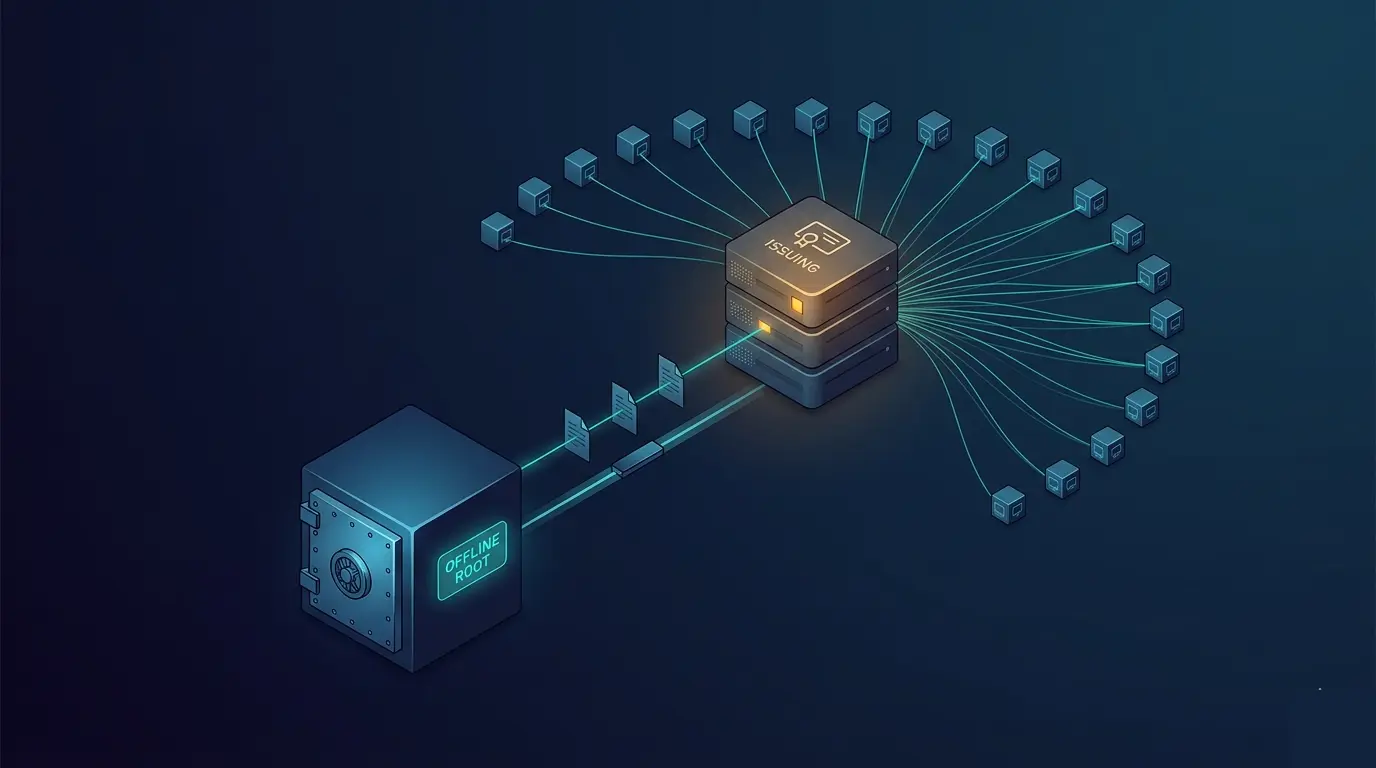
Offline Root CA Air-Gapped Flow
Any serious PKI design runs the root CA offline, with online subordinate(s) issuing day-to-day certs. Automation gets trickier across an air gap, but the Get-Test-Set pattern still applies:
- Reconciler running on the subordinate generates a subordinate CA certificate request (
.req). - Human transfers the
.reqvia removable media to the offline root. - On the offline root, a minimal signing script mints the response (
.crt) and updates the offline CRL. - Human transfers
.crt+ new root CRL back. - Reconciler on the subordinate publishes both into AD and confirms via
certutil -URLthat the PKI chain validates.
The discipline is that each transfer is a documented, versioned event. An offline root without a rotation plan is as bad as an online one that auto-enrolls everyone.
The Runner and CI
[CmdletBinding(SupportsShouldProcess)]
param([Parameter(Mandatory)] [string]$StateFile)

$ErrorActionPreference = 'Stop'
Import-Module ./src/ADOps/ADOps.psd1 -Force

$state = Get-Content $StateFile -Raw | ConvertFrom-Yaml

# 1. Templates
foreach ($t in $state.templates)
{
    Set-CertificateTemplateCompliance -Desired $t
    Set-CaTemplateIssuanceCompliance -TemplateName $t.displayName -DesiredCaIds $t.issuedBy
}

# 2. Nightly health
Test-ClientAutoEnrollmentHealth -ComputerName 'srv01','srv02','srv03' |
    Where-Object { -not $_.Healthy } |
    Send-Alert -Channel '#pki-alerts'

Test-CrlPublicationHealth -CrlUrls $state.crlUrls |
    Where-Object { -not $_.Healthy } |
    Send-Alert -Channel '#pki-alerts'

# 3. Renewal cycle for non-AE endpoints
Invoke-RenewalCycle -Inventory $state.endpoints
CI:
- PR → run reconciler with
-WhatIf, annotate the diff in the review. - Merge → apply templates + issuance + permissions.
- Nightly cron → run the health and renewal cycle.
One property that you should aim for: no cert in the estate is older than two months without a pipeline run touching it. If a cert got renewed, your pipeline observed it. If it didn't, you know why (and it's your ticket for the day, not your outage next week).
Gotchas
- Schema version upgrade from v2 → v4 templates is not reversible. Clone a v2 to a v4 if you need to keep the old template's issued certs valid while rolling forward.
Autoenrollpermission requiresEnroll. Always grant both to the same principal.- PSPKI modifies in-memory copies of template objects. If you
Get-CertificateTemplatetwice and modify both, the lastSave()wins; the other changes are silently lost. - Template OID immutability. The
msPKI-Cert-Template-OIDis permanent for the life of the template. Don't "reuse" templates across purposes clone and version. - Request subject vs SAN is a common source of "my cert doesn't match the URL" bugs. Modern browsers ignore CN; everything matches on SAN. Always include the full DNS name in
sans, even if it's also in the subject. - KSP vs CSP. Key Storage Provider is the modern equivalent; prefer KSP in new templates. Some legacy apps (old JDK, certain appliance firmware) only understand CSP-based keys if the enrolled cert doesn't work, check this first.
Final Notes
PKI automation pays for itself the first time a cert quietly renews at 3 AM without paging anyone. Templates in YAML, issuance in YAML, renewal in a scheduled job, CRL health in your monitoring and the day-to-day cert churn disappears into the same pipeline your other AD automation runs in.
The next post applies the same discipline to security baselines the tiered admin model, ACL hardening, Protected Users, and everything else that auditors ask about and most teams still manage by tribal knowledge.